4K webcams send a lot of video data over USB. When the feed freezes, drops frames or disconnects in OBS, the cause is often where the camera is plugged in: a hub, a slow port, or a port sharing its controller with a capture card or external drive. This guide explains how to choose the right port, what the camera makers say, and when a hub, extension or expansion card makes sense.
What camera makers say
- Connect directly. Elgato tells Facecam Pro owners to use a USB 3.0 port with at least 5 Gbit/s, directly on the PC or Mac, and not a USB hub. Its setup guide lists USB hubs and extension cables as unsupported.
- Bandwidth is shared. Elgato notes the original Facecam sends uncompressed video. If ports are busy with other high-bandwidth devices, such as capture cards, external drives or other webcams, the available bandwidth may run out.
- Different ports, different controllers. Many motherboards have USB 3.0 controllers from different manufacturers, so Elgato suggests trying a port on a different controller.
Check your own camera’s manual, because requirements vary by model.
How to choose the right port
- Find a USB 3.0 (5 Gbps) or faster port on the PC itself. Rear motherboard ports are a good start. Port colour is only a rough guide: Elgato notes USB 3.0 ports are often blue but can be red, yellow or teal on some boards.
- Check your motherboard manual’s port diagram. It shows which ports share a controller.
- Separate high-bandwidth devices. Put the camera on a different controller from your capture card and external drives. Your mouse, keyboard and USB microphone use far less bandwidth.
- Use the supplied cable. Elgato says a replacement USB-C-to-A cable must support 5 Gbit/s.
- Lower resolution or frame rate as a test. If freezing stops at a lower setting, bandwidth is the likely cause.
Connection options compared
| Option | Best for | Watch out for |
|---|---|---|
| Direct to a motherboard USB 3.0+ port | Most 4K webcams; what Elgato recommends for Facecam Pro | Cable length; ports that share a controller with other busy devices |
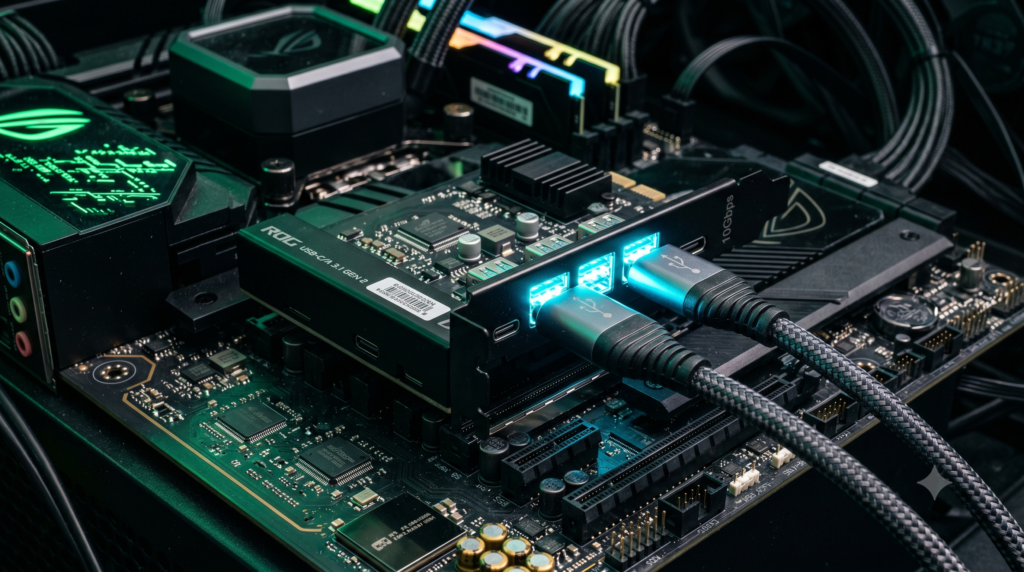
| PCIe USB card with separate controllers | Desktops with several high-bandwidth USB devices | Needs a free PCIe x4 slot; ports on the same controller share bandwidth |
| Active USB extension | Reaching a PC that’s far from the camera | Not supported by some camera makers, including Elgato for Facecam Pro |
| Powered USB hub | Lower-bandwidth devices you want to group under the desk | All devices share the hub’s single link to the PC; not supported by some camera makers |
| Thunderbolt dock | Laptops that need many ports and charging from one cable | The dock’s ports share its connection to the laptop |
How we checked
Sources and limits (checked 30 October 2026)
- Camera connection advice comes from Elgato’s own help centre and the Facecam Pro quick start guide.
- The StarTech card’s details come from retailer listings that repeat StarTech’s specifications. CalDigit TS5 specs come from CalDigit’s own product page.
- The extension and hub buttons open Amazon searches, so those cards list what to check rather than specs for one product.
- We have not tested these products ourselves. The bandwidth and length figures in older versions of this article could not be sourced and have been removed.
1. StarTech PEXUSB314A2V2 4-Port PCIe USB Card (10 Gbps)
Strengths: adds two USB controllers to the PC. Put the camera on one controller and other busy devices on the other, so they don’t share bandwidth.
Trade-offs: desktops only, and it needs a free PCIe x4 (or larger) slot. The two ports on each controller share that controller’s bandwidth. The ports are USB-A, so a USB-C camera needs a USB-C-to-A cable rated for at least 5 Gbps.
2. Active USB 3.0 extension
An active extension has electronics in the cable to carry USB 3.0 further than a standard cable. Before buying, check:
- whether your camera maker supports extensions. Elgato lists them as unsupported for the Facecam Pro.
- that the listing says USB 3.0 / 5 Gbps or faster, and the length you need.
- whether it needs external power.
3. Powered USB 3.0 hub
A powered hub takes its power from a wall adapter rather than the PC, which suits keyboards, mice, microphones and charging. All its ports share one connection back to the PC, so a 4K camera on the hub shares bandwidth with everything else plugged into it. Check:
- whether your camera maker supports hubs. Elgato says not to use one for the Facecam Pro.
- the number of data ports versus charging-only ports on the listing.
4. CalDigit TS5 Thunderbolt 5 Dock
Strengths: one cable connects a laptop to many devices, with 10 Gb/s USB ports for a camera and up to 140W charging. It works with Thunderbolt 5, Thunderbolt 4, Thunderbolt 3, USB4 and USB-C computers.
Trade-offs: it’s a dock, so everything still shares the dock’s link to the laptop, and a camera maker’s “no hubs” advice may apply. Full performance needs a Thunderbolt 5 or USB4 v2 host. It’s far more than a desktop PC needs.
For hubs that keep a gaming mouse connected, see our guide to powered USB hubs that won’t disconnect your mouse. If you’re still choosing a camera, see our 4K Twitch webcam picks.
Frequently asked questions
Can I plug a 4K webcam into a USB hub?
Check the camera maker’s instructions first. Elgato says to connect the Facecam Pro directly to a USB 3.0 port on the computer and lists USB hubs and extension cables as not supported. If your camera’s maker says the same, plug it straight into the PC.
Which USB port should a 4K webcam use?
At least a USB 3.0 (5 Gbps) port, such as a USB 3.2 Gen 1 port, unless the maker lists something different. Try a port on a different USB controller from your capture card, external drives and other high-bandwidth devices.
Why does my webcam freeze when other USB devices are plugged in?
Ports on a computer share USB controllers. Elgato notes that if a controller is busy with other high-bandwidth devices, such as capture cards, external drives or other webcams, the available bandwidth may run out. Moving devices to other ports or controllers can help.
Do USB port colours tell me the speed?
Only roughly. Elgato notes blue ports are usually USB 3.0, but some motherboards use other colours such as red, yellow or teal. Check your motherboard manual’s port diagram to be sure.
When does a PCIe USB card help?
On a desktop with several high-bandwidth USB devices. A PCIe card adds its own USB controllers. The StarTech PEXUSB314A2V2, for example, has two controllers with two 10 Gbps ports each, so a camera on one controller doesn’t share bandwidth with devices on the other.
More streaming setup guides
Sources
- Elgato: Facecam Pro first time setup (hubs and extensions not supported)
- Elgato: Facecam Pro quick start guide (PDF)
- Elgato: Facecam frozen video troubleshooting
- Elgato: Facecam requires USB 3.0
- PB Tech: StarTech PEXUSB314A2V2 (dual ASM3142, 20 Gbps total)
- Transource: StarTech PEXUSB314A2V2 (2 ports per controller)
- CalDigit: TS5 Thunderbolt 5 dock
- Newegg Business: CalDigit TS5 port list
- Extension and hub: buttons open Amazon searches, so no single product spec page applies.