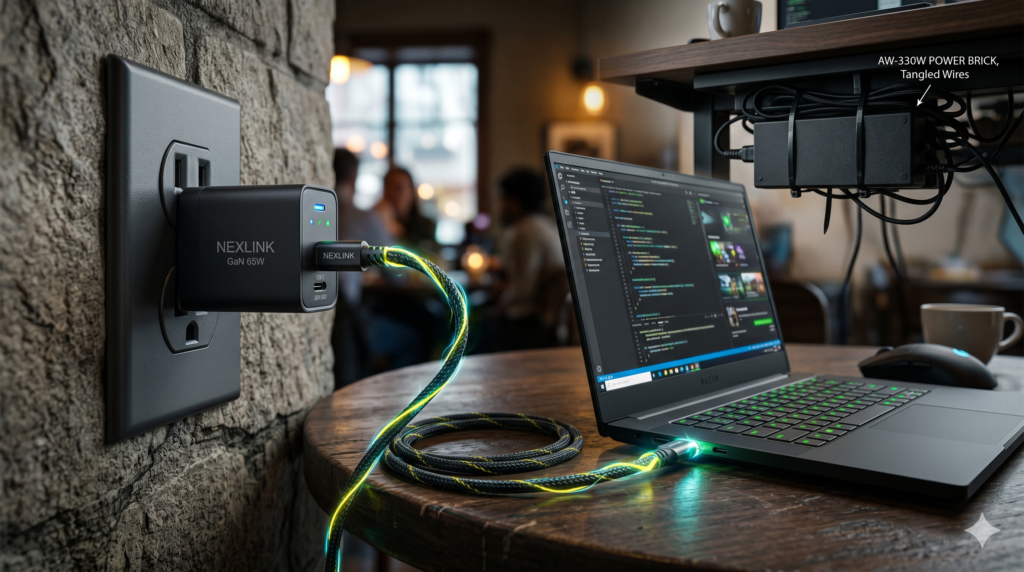
Best 100W+ GaN Chargers for Gaming Laptops: Leave Your Power Brick Cable-Managed
You executed the hard work. You spent hours routing power cords, securing cable raceways, and concealing your massive 300W to 330W gaming laptop power brick beneath your battlestation. It is cleanly tucked out of sight, providing clean desktop aesthetics.
Permanent workspace routing relies on treating desktop hardware as structural infrastructure. Securing bulky adapters in dedicated trays is covered in our technical guide on how to hide massive gaming laptop power bricks under your desk. Furthermore, if you dock your mobile machine to an external display, review our analysis on whether it is safe to game with your laptop closed in clamshell mode to prevent heat accumulation across the keyboard deck.
100W+ GaN Travel Charger Comparison Matrix
| Charger Model | Max Single-Port Output | Total Wattage | Port Configuration | Form Factor | Best Use Case |
|---|---|---|---|---|---|
| UGREEN Nexode 140W | 140W (PD 3.1) | 140W Max | 2x USB-C / 1x USB-A | Foldable Wall Block | Modern laptops supporting 130W to 140W USB-C input |
| Anker Prime 100W | 100W (PD 3.0) | 100W Max | 2x USB-C / 1x USB-A | Ultra-Dense Pocket Block | Maximum space-saving portability for 100W-capped systems |
| Razer 130W GaN | 100W (PD 3.0) | 130W Max | 2x USB-C / 2x USB-A | Matte Black Metal/Chassis | Frequent international travelers needing global adapters |
| Baseus 100W GaN3 Pro | 100W (PD 3.0) | 100W Max | 2x USB-C / 2x USB-A | Desktop Hub + 5ft AC Cord | Eliminates wall outlet sag in hotels and coffee shops |
| Anker 240W Bio Cable | 240W EPR Rated | 240W Max | USB-C to USB-C | 6ft Braided Bio-Nylon | Mandatory E-Marker link to prevent 60W safety throttling |
Power Delivery Physics: Understanding USB-C Limitations
Before replacing your factory charger on the road, consider the electrical boundaries of USB-C Power Delivery:
1. PD 3.0 vs PD 3.1 Ceiling
USB-C PD 3.0 operates at a maximum of 20V/5A (100W). The newer PD 3.1 Extended Power Range (EPR) protocol raises the ceiling to 28V/5A (140W) and up to 48V/5A (240W). Verify whether your laptop firmware accepts PD 3.1 before buying a 140W adapter.
2. The “Hybrid Power State” Phenomenon
When running a high-TDP GPU (140W+) and CPU (65W+) on a 100W GaN charger, the laptop pulls the maximum 100W from the wall and draws the remaining power from the internal battery. Once the battery hits 0%, clocks drop to stay within 100W.
3. Productivity vs Gaming Workloads
While inadequate for sustained 4K AAA gaming, 100W to 140W GaN adapters easily power 100% of non-gaming tasks. Coding, video editing, compiling, and browsing draw 45W to 80W, allowing a compact GaN adapter to hold a full charge effortlessly.
1. UGREEN Nexode 140W USB-C GaN Charger
If your laptop features USB-C PD 3.1 support—such as modern Lenovo Legion models, Dell XPS flagships, or MacBook Pro 16 units—the UGREEN Nexode 140W delivers maximum USB-C output.
Operating over the PD 3.1 protocol at 28V/5A, it pushes 140W through its primary USB-C port, providing sufficient wattage to charge the battery even during heavy video exports or medium-tier gaming. When multiple devices are connected, its internal power distributor maintains a massive 100W on the primary laptop line while supplying 30W to a phone or tablet. For desk setups utilizing a floating configuration, review our guide on how to mount a heavy gaming laptop to a monitor arm without sagging.
Strengths
- 140W PD 3.1 output charges modern high-spec laptops at maximum USB-C speed
- GaNFast technology keeps the external chassis remarkably cool under sustained load
- Dual USB-C ports maintain high wattage distribution when charging secondary mobile gear
Trade-Offs
- Requires a verified PD 3.1 240W-rated cable to unlock 140W output
- Heavy 10.4 oz wall-block profile can sit loosely in worn airline outlets
2. Anker Prime 100W GaN Wall Charger
If your gaming laptop caps out at the standard 100W PD input limit (common across most 2021 to 2023 gaming machines), carrying a 140W block adds unnecessary bulk. The Anker Prime 100W GaN represents the gold standard in power density.
Measuring roughly the size of an earbud case, it slips effortlessly into small backpack sleeves or tech slings. Its ActiveShield 2.0 sensor monitors internal thermals millions of times per day to regulate current delivery. The compact square geometry distributes weight close to the wall, preventing the charger from drooping out of loose sockets. If your setup routes through a single connection hub at home, compare dedicated options in our analysis of Thunderbolt 4 docks for gaming laptops and dual monitor setups.
Strengths
- Shockingly compact footprint saves significant space in travel slings
- Full 100W delivery through either USB-C port for simple plug-and-play operation
- Foldable prongs and center-weighted balance eliminate wall-socket sagging
Trade-Offs
- Caps at 100W (does not support the newer 140W PD 3.1 protocol)
- Connecting a second device drops laptop output to 65W
3. Razer 130W USB-C GaN Charger
For enthusiasts who prefer hardware that matches a stealth battlestation aesthetic, the Razer 130W USB-C GaN Charger offers high build quality without glossy plastic shells.
Beyond its matte black finish, this charger is tailored for global travel. It includes modular snap-on international power adapters (UK, EU, US), eliminating the need for loose third-party travel converters. With four total output ports (two USB-C, two USB-A), it powers your gaming laptop while simultaneously charging wireless mice, controllers, and phones.
Strengths
- Includes snap-on international adapters for seamless overseas travel
- Four active ports eliminate the need to carry separate accessory wall blocks
- Premium matte finish resists fingerprints and scratches in backpacks
Trade-Offs
- Premium brand pricing compared to third-party equivalents
- Single USB-C port maxes out at 100W rather than 140W
4. Baseus 100W GaN3 Pro Desktop Fast Charger
Wall chargers face a consistent challenge: in airports, hotel rooms, and coffee shops, wall receptacles are frequently worn out, causing heavy GaN blocks to slip out under cable weight.
The Baseus 100W GaN3 Pro solves this issue by relocating the adapter to your desktop. Featuring a flexible 5-foot AC power cable that routes from the wall up to your workstation, the charger rests flat on your desk mat. This delivers two 100W-capable USB-C ports and two USB-A ports directly beside your laptop without wall socket tension.
Strengths
- 5ft extension cord eliminates socket sag in loose wall outlets
- Sits flat on your desk for easy port access beside your laptop
- Excellent balance of multi-device power delivery for secondary office desks
Trade-Offs
- Requires carrying a 5ft AC cable alongside the charger body
- Not as pocketable as direct wall-prong designs
5. Anker 240W Bio-Braided USB-C Cable
A high-output GaN charger is only as capable as the cable bridging it to your laptop. Generic charging cords lack an internal E-Marker chip and are mechanically limited to 60W (3A/20V) to prevent fire hazards.
Plugging a standard cable into a 100W or 140W charger forces the power supply to step down its delivery to 60W. The Anker 240W Bio-Braided USB-C Cable houses a certified E-Marker chip that communicates device capabilities to the charger, unlocking the full 100W or 140W potential without thermal bottlenecks.
Strengths
- Integrated E-Marker microchip allows maximum 100W and 140W current flow
- 240W EPR rating future-proofs your cable arsenal for upcoming high-wattage hardware
- Braided bio-nylon exterior resists fraying, twisting, and backpack friction
Trade-Offs
- Designed strictly for high-wattage power delivery (USB 2.0 data transfer speeds)
- Slightly thicker diameter than basic unshielded cables
Laptop Battlestation & Power Hub
Streamlining your mobile power delivery is a critical step in building a flexible, high-performance workspace. Explore our companion technical blueprints for desktop display switching, docking stations, and ergonomic workspace layouts:
Frequently Asked Questions
Can you charge a high-performance gaming laptop using USB-C?
Yes, provided the laptop features a USB-C port that explicitly supports USB Power Delivery (PD) input. Most modern gaming laptops from Lenovo, ASUS ROG, and Razer accept between 100W and 140W of USB-C power. While this cannot sustain maximum GPU boost clocks during AAA gaming, it is ideal for office productivity, web browsing, coding, and fast charging while asleep.
What happens if you play games while connected to a 100W USB-C charger?
When power demand exceeds the 100W wall input, the laptop enters a Hybrid Power State. The system pulls 100W from the charger and draws the remaining required power from the internal battery. Once the battery depletes, CPU and GPU clock speeds throttle down to fit within the 100W wall ceiling.
Do you need a specialized cable for a 140W GaN charger?
Yes. Standard USB-C cables lack high-current identification and are capped at 60W (3A/20V) for safety. To draw 100W or 140W, you must use a cable equipped with an integrated E-Marker microchip certified for PD 3.0 (100W) or PD 3.1 EPR (240W).
Why is Gallium Nitride (GaN) superior to traditional silicon chargers?
Gallium Nitride is a wide-bandgap semiconductor that conducts electricity far more efficiently than silicon. It tolerates higher voltages, switches power faster, and loses significantly less energy to heat. This allows manufacturers to pack 100W to 140W of components into an enclosure roughly a third the size of a standard power brick.