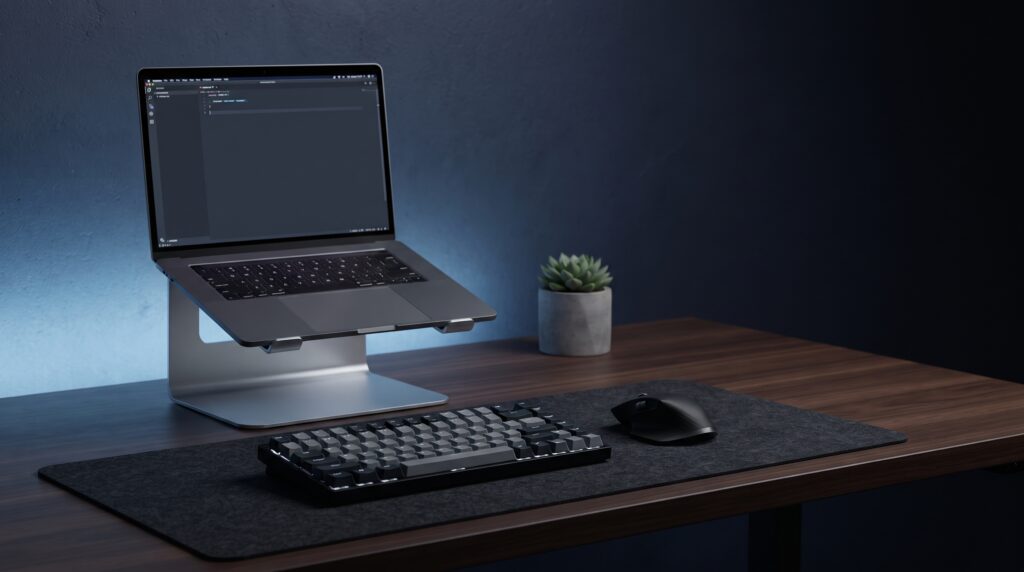
A laptop sits low on the desk by design. Raising it helps your neck, but it also lifts the built-in keyboard, so most guidance pairs a stand with an external keyboard and mouse. This guide compares four low-priced stands using the details published on their Amazon listings and in reviews, and explains which situation each one suits.
Why a stand and an external keyboard go together
Screen height
Oregon OSHA’s guide says the topmost active line of the display should be at or slightly below eye level, and it describes a laptop riser as a way to reach that height.
Separate keyboard and mouse
For prolonged laptop use, the same guide advises plugging in a standard-sized keyboard and mouse. The NIH’s workstation checklist likewise lists a full-size external keyboard and mouse, plus a docking station or a laptop stand.
Typing on the raised laptop
A Cuttles review of the Nulaxy stand says it wobbles enough to annoy you if you type on the laptop, and notes that Nulaxy recommends an external keyboard.
Buying checklist
General guidance
- Check the screen size. Match your laptop to the stand’s listed range, such as 10 to 15.6 inches or 10 to 17 inches.
- Check the weight rating. Gaming laptops are heavier than ultrabooks, so compare their weight with the stand’s listed capacity.
- Choose fixed or adjustable. Adjustable stands let you fit your seat height. Fixed ones are simpler.
- Plan for an external keyboard and mouse. Even a basic pair makes a raised laptop practical.
- Check desk space. Foldable stands store flat, but a rigid base takes room.
- Set the height. Aim for the top of the screen at or just below eye level when you sit upright.
Which stand fits you?
- A simple, widely sold foldable stand: Amazon Basics Sturdy and Portable.
- A heavier laptop, up to a listed 22 lb: Nulaxy Ergonomic Adjustable.
- A stand that comes apart for a bag: Nulaxy C3 detachable.
- A laptop or monitor on the same riser: Amazon Basics Adjustable Monitor Stand and Laptop Riser.
Specs at a glance
| Stand | Fits | Adjustment | Listed capacity | Folds or detaches |
|---|---|---|---|---|
| Amazon Basics Sturdy and Portable | Up to 15.6 in | Up to 7 in of height | Not stated on the listing | Folds flat |
| Nulaxy Ergonomic Adjustable | 10-17 in | Height and angle, no tools | 22 lb (Nulaxy listings) | Folds |
| Nulaxy C3 Detachable | 10-15.6 in | Fixed, about 7 in lift (reviews) | 22 lb (reviews) | Detaches |
| Amazon Basics Adjustable Monitor Stand and Laptop Riser | Laptops, monitors, printers | 5 in lift, adjustable angle | 22 lb | Not stated |
The 4 stands
1. Amazon Basics Sturdy and Portable Ergonomic Laptop Stand
Suits anyone who wants a no-fuss stand from a brand with easy returns. Amazon’s listing says it folds flat to fit a laptop bag and offers up to 7 inches of height adjustment.
Limits: the listing does not state a weight capacity, so check it against your laptop before buying. Like any riser, it works best with an external keyboard.
2. Nulaxy Ergonomic Adjustable Laptop Stand
Suits owners of larger or heavier laptops who want height and angle control. Cuttles recorded a price of $18 in August 2026 and rated it 8.5 out of 10.
Limits: Cuttles warns that it wobbles if you type on the laptop, so plan on an external keyboard. It is a desktop riser rather than a portable stand.
3. Nulaxy C3 Detachable Aluminum Laptop Stand
Suits people who want a rigid fixed-height riser that comes apart for a bag. Amazon’s listing showed it at number 19 in its laptop stands best-seller ranking at the time we checked.
Limits: the height is fixed, so it only suits you if about 7 inches of lift puts the screen at the right level for your desk and chair.
4. Amazon Basics Adjustable Monitor Stand and Laptop Riser
Suits desks that hold both a laptop and a monitor, since Amazon lists it for either. It raises a device by 5 inches and offers an adjustable angle.
Limits: a 5 inch lift is lower than the foldable stands above, and the listing does not say that it folds. See our guide to mounting a heavy laptop on a monitor arm without sagging if you need more height.
Frequently asked questions
Do I need an external keyboard with a laptop stand?
For long sessions, yes. Oregon OSHA advises a standard-sized keyboard and mouse for prolonged laptop use, because a raised laptop also raises its keyboard.
How high should the screen be?
Oregon OSHA says the topmost line of the display should be at or just below eye level.
Will a cheap stand hold a gaming laptop?
It depends on the listed capacity. The Nulaxy and Amazon Basics riser listings state 22 lb, while the Amazon Basics Sturdy and Portable listing does not state a limit.
Is a fixed or an adjustable stand better?
Adjustable stands fit more seat heights. Fixed stands such as the Nulaxy C3 are simpler but only suit the right desk and chair height.
More laptop setup guides
Sources
- Oregon OSHA: Evaluating your computer workspace
- NIH Office of Research Services: Workstation ergonomics self-assessment
- Amazon listing: Amazon Basics Sturdy and Portable stand and Amazon.ca specifications
- Amazon listing: Nulaxy Ergonomic Adjustable stand and Nulaxy C3 listing
- Amazon listing: Amazon Basics Adjustable Monitor Stand and Laptop Riser
- Cuttles: Nulaxy adjustable laptop stand review
- Thirsty Bear: laptop stands roundup