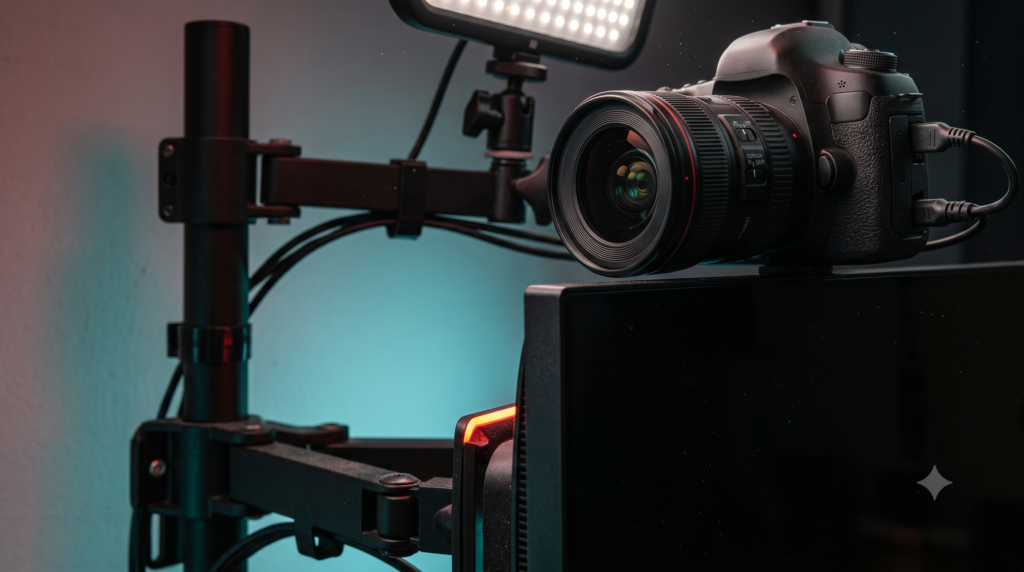
Modern gaming monitors often have narrow bezels and little room for a clamp to grip. No manual we reviewed describes a webcam clamp specifically, so treat what follows as precaution based on general manufacturer guidance, not a proven failure rate. Below we explain the main risks, give a short checklist, and compare five mounting options using specifications published by their makers.
What monitor manufacturers say about pressure and weight
Pressure on the panel
The Philips 24E2N1110 manual says not to put excessive pressure on the LCD panel. The ViewSonic VG2709-2K-MHDU guide says not to apply pressure to the screen because it may permanently damage it.
Heavy objects on the display
The same ViewSonic guide says not to place heavy objects on the display, video cable or power cord. A clamped camera or ring light adds weight and leverage right at the edge.
Longer reach means more movement
Elgato notes that its Master Mount L pole can wobble when fully extended and recommends about 35 in (90 cm) as a working height. The same idea applies to any arm: the farther the camera sits from its support, the more it moves.
Safe mounting checklist
Before you mount anything
- Weigh the setup. Add the camera, lens, light and cable weight, then compare it with the mount’s listed load.
- Read your monitor manual. Look for warnings about pressure on the screen or frame.
- Support the load away from the screen. Use a desk pole, a gooseneck on the desk edge, or a separate arm pole.
- Stay well under the limit. Limits are maximums. A heavier load on a long arm will flex more.
- Avoid spring clamps on the screen edge. If something must sit on the monitor, choose a design made for it and keep it light.
- Check after setup. If you see uneven glow or marks near a contact point, remove the accessory and contact the monitor’s manufacturer.
Which mount fits your setup?
- Mirrorless camera or heavier light (up to 4.5 lb): Elgato Master Mount L.
- Light webcam and a desk against a wall: Pipishell gooseneck.
- Buying a new monitor arm: VIVO STAND-V001 with the VIVO camera adapter.
- Already own an arm with a round pole and a very light camera: SmallRig Super Clamp with Magic Arm.
- Just a webcam, no extra hardware: Logitech Brio 500.
Mount comparison (manufacturer-listed specs)
| Option | Attaches to | Listed load | Touches monitor? | Best for |
|---|---|---|---|---|
| Elgato Master Mount L | Desk edge, clamp opens to 2.35 in (6 cm) | 4.5 lb (2 kg) | No | Mirrorless cameras, lights |
| Pipishell 25-inch gooseneck | Desk edge, up to about 2.3 in (6 cm) | 1.1 lb (0.5 kg) | No | Light webcams, wall-side desks |
| VIVO STAND-V001 + camera adapter | Desk clamp or grommet; adapter fits VESA 75×75 / 100×100 | Arm: 22 lb monitor limit; adapter: no weight limit listed, “works best with smaller cameras” | No, if the adapter is on its own arm | New monitor arm buyers |
| SmallRig Super Clamp with Magic Arm 4862 | Round pole 10-55 mm, or flat surface up to 30 mm | Arm: 6.6 lb (3 kg); SmallRig Q&A: 0.55 lb (0.25 kg) all components combined | No | Existing arm pole, very light gear |
| Logitech Brio 500 | Clip on the monitor top with a micro-suction pad | 4.27 oz (121 g) including clip and cable | Yes | Light webcam use |
The 5 options
1. Elgato Master Mount L desk pole
This is the strongest option here on paper. Because the pole clamps to the desk, the camera or light sits above the monitor without touching it. Elgato lists a 4.5 lb limit, which covers many mirrorless setups but should be checked against your camera, lens and light combined.
Limits: Elgato says the pole can wobble when fully extended, so use a lower height where you can. The clamp needs a desk edge it can grip. For tidy wiring, see our guide to managing thick XLR cables under your desk.
2. Pipishell 25-inch flexible webcam stand
Suits compact desks where a vertical pole will not fit. It clamps to the desk edge, so a light webcam hangs over the screen without resting on it. The maker states a 0.5 kg limit and says it is not for heavy cameras or devices.
Limits: this is a webcam stand, not a camera rig. The maker suggests bending the tube into an “S” shape when clamping to improve stability.
3. VIVO STAND-V001 arm with VIVO camera adapter
The STAND-V001 is VIVO’s single monitor arm. VIVO also sells a camera adapter that fits VESA 75×75 and 100×100 plates and takes a 1/4-inch or 3/8-inch mount. VIVO says it works best with smaller cameras and lists no weight limit for it, so keep the camera light.
Limits: put the adapter on its own arm or pole rather than the same arm that holds the monitor, so the camera’s weight is not added to the monitor’s load. Any weight you add also counts against the arm’s own rating. See our guide to mounting a heavy laptop on a monitor arm without sagging.
4. SmallRig Super Clamp with Magic Arm Kit (4862)
Suits owners of a monitor arm or desk pole with a round tube who want to add a webcam or small light. The clamp grips 10-55 mm tubes and the articulated arm places the camera above the screen.
Limits: SmallRig’s own product page lists the arm at 3 kg, but its Q&A says the safe load with all components combined is 0.25 kg (0.55 lb). For that reason, treat this kit as suited to a webcam or similar light gear, not a mirrorless camera.
5. Logitech Brio 500 webcam
Suits people who want a webcam without adding poles. Logitech describes the clip as fitting laptops, LCDs or monitors, and Tom’s Hardware found the micro-suction foot made the mount very stable while being easy to remove. The webcam also has a physical privacy shutter and a 1/4-inch-20 thread for third-party mounts.
Limits: it still rests on the monitor, with the clip’s pad touching the front of the screen frame per Logitech’s setup guide. The USB-C cable is not detachable, and resolution tops out at 1080p.
Frequently asked questions
Can a ring light damage a thin gaming monitor?
Manufacturers such as Philips and ViewSonic warn against applying pressure to the screen or placing heavy objects on the display. A ring light clamped to the edge adds both weight and leverage, so a desk stand or pole is the safer choice.
Is it safe to attach a mirrorless camera to a monitor?
We found no manual that lists the top edge of a monitor as a camera mount. Supporting the camera on a desk pole such as the Elgato Master Mount L, rated for 4.5 lb, keeps the load off the screen.
Is the Logitech Brio 500 safe to put on a thin monitor?
At 121 g including clip and cable it is very light, and its clip uses a removable micro-suction pad rather than a spring clamp. It still rests on the monitor, so check your monitor’s manual and place it carefully.
What is the safest way to mount a camera above a thin-bezel monitor?
Support it independently with a desk-clamped pole, a gooseneck on the desk edge, or a separate arm pole, so the monitor carries no weight.
More desk setup guides
Sources
- Elgato: Master Mount L general info and quick start guide
- Elgato: Master Mount L quick start guide
- Pipishell 25-inch webcam stand product listing
- VIVO: STAND-V001 single monitor desk mount
- VIVO: Universal Camera VESA Adapter Kit (MOUNT-V00CAM)
- SmallRig: Super Clamp with Magic Arm Kit 4862
- Logitech: Brio 500 specs and setup guide
- Tom’s Hardware: Logitech Brio 500 review
- Philips 24E2N1110 monitor user manual
- ViewSonic VG2709-2K-MHDU user guide