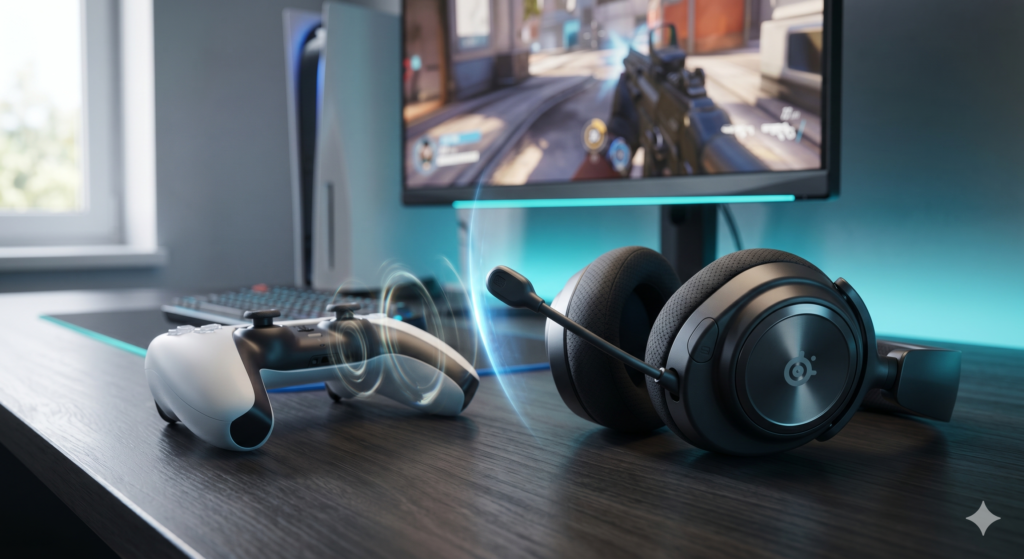
If your party says they can hear their own voices echoing back, your microphone is picking up sound it shouldn’t. Party chat sends that sound to everyone else, so the echo is theirs to hear, not yours. This guide explains where the sound comes from, which PS5 settings to change first, and what to look for in a headset if the echo continues.
Find where the echo comes from
Only the other players hear it
Your microphone is picking up sound from outside the headset, usually chat or game audio from the TV or soundbar, or the controller mic being on while that audio plays. Start with the console settings below.
You hear it too
Sound may be leaking from the headset into its own microphone, or the mic level is set high. Check the mic level and the headset’s fit. A different headset may help if the settings don’t.
Step 1: Change the PS5 settings
These setting names come from PlayStation’s own support page. Menu names can change with system updates, so look for the closest match on your console.
- Mute the DualSense microphone. Press the controller’s MUTE button when you aren’t talking, especially while audio plays through the TV.
- Send all audio to your headset. In Settings > Sound > Audio Output, use Output to Headphones to choose what plays through your headset. Sending all audio there stops the TV from playing chat into a nearby mic. If you use a DualSense Edge, its Fn button can also change the balance between game and chat volume.
- Set the mic level. In Settings > Sound > Microphone, use Adjust Microphone Level. PlayStation says to set it so your voice sits in the “Good” range when you speak normally.
- Start muted. Set Microphone Status When Logged In to Mute, or set the mic to switch to mute when you start a voice chat. Then unmute only when you want to talk.
Step 2: If the echo continues, check your headset
- Closed-back earcups: they let less sound leak out of the headset and into the mic than open designs. Snug, well-sealed cushions help more than thin ones.
- Boom microphone: a boom mic sits close to your mouth, so it picks up your voice more strongly than room sound. A mute indicator helps you see when it’s live.
- Connection: wireless changes how audio reaches the headset, not how much sound the mic picks up. On its own, it won’t fix echo.
Noise cancellation is not the same as mic noise suppression
Active noise cancellation reduces outside noise for your ears; it doesn’t stop your microphone from picking up sound. Microphone noise suppression reduces background noise in what others hear. A headset with active noise cancellation can still leak sound into its mic if the earcups don’t seal well.
How we checked
Sources and limits (checked 28 October 2026)
- The PS5 setting names and the “Good” mic range come from PlayStation’s support page on PS5 audio settings.
- Headset specs come from Razer’s product page, HP’s HyperX Cloud III S Wireless store page and SteelSeries’ support article.
- We have not tested these headsets ourselves, and we have not measured echo or microphone pickup.
Headsets compared on sourced specs
| Headset | Connection | Battery (manufacturer) | Microphone |
|---|---|---|---|
| SteelSeries Arctis Nova Pro Wireless | Wireless for PC and PlayStation | Hot-swappable batteries; runtime not stated on the page we checked | Active noise cancellation; Sonar mic noise cancellation on PC |
| Razer BlackShark V2 Pro (PlayStation) | 2.4GHz HyperSpeed wireless or Bluetooth | Up to 48 hours on PlayStation and Xbox; up to 70 hours on PC | Detachable HyperClear Super Wideband mic |
| HyperX Cloud III S Wireless | 2.4GHz wireless or Bluetooth; works with PS5 and PS4 | Up to 120 hours on 2.4GHz, up to 200 hours on Bluetooth (at 50% volume) | Detachable boom mic with LED mute indicator, plus built-in internal mics |
1. SteelSeries Arctis Nova Pro Wireless
SteelSeries lists active noise cancellation and hot-swappable batteries for this model. Its microphone noise cancellation uses Sonar, which runs on PC. This button opens the PlayStation and PC version (also listed for Switch and mobile).
Trade-offs: SteelSeries doesn’t publish a battery runtime on the page we checked. Make sure the listing is the Nova Pro Wireless, not the Nova Pro Omni, because the two differ in battery and mic features.
2. Razer BlackShark V2 Pro (PlayStation)
Trade-offs: the PlayStation battery figure is lower than the PC figure. Razer’s page doesn’t list the weight, so try it on for fit if you can.
3. HyperX Cloud III S Wireless
Strengths: the replacement for the discontinued Cloud III Wireless, with closed-back earcups and a boom mic that shows when it’s muted.
Trade-offs: it also has built-in internal mics for use without the boom. For party chat, use the boom mic, which sits closer to your mouth.
Other wireless headsets with boom mics
Many brands sell wireless headsets for PS5. If none of the three above fits your budget or head, search by the features that matter: closed-back earcups and a boom mic with a mute indicator.
Frequently asked questions
Why do my party members hear their own voices echoing?
Party chat sends your microphone to the other players. If your microphone picks up their voices from your TV or speakers, or sound leaking from your headset, they hear themselves come back.
Can the DualSense microphone cause the echo?
Yes. If the controller microphone is on while chat or game audio plays through a TV or soundbar, it can pick that audio up. Muting it when you aren’t talking is the quickest first check.
Which PS5 setting stops my mic from being on by default?
Go to Settings > Sound > Microphone and set Microphone Status When Logged In to Mute. PlayStation also offers a setting that mutes your mic automatically when you start a voice chat.
What is the difference between active noise cancellation and microphone noise suppression?
Active noise cancellation reduces outside noise for your own ears. Microphone noise suppression reduces background sound in what other players hear. A headset can have one, both or neither.
Does a wireless headset stop echo by itself?
No. Wireless only changes how audio reaches the headset. Echo comes from sound reaching a microphone, so where the audio plays and which microphone is active matter more.
More console guides
Sources
- PlayStation support: How to change audio settings on PS5 consoles
- Razer: BlackShark V2 Pro for PlayStation and Xbox
- HP / HyperX: Cloud III S Wireless specifications
- HP / HyperX: Cloud III S Wireless (closed-back design and compatibility)
- HyperX: Cloud III Wireless (discontinued, replacement named)
- SteelSeries support: Arctis Nova Pro Wireless vs Nova Pro Omni