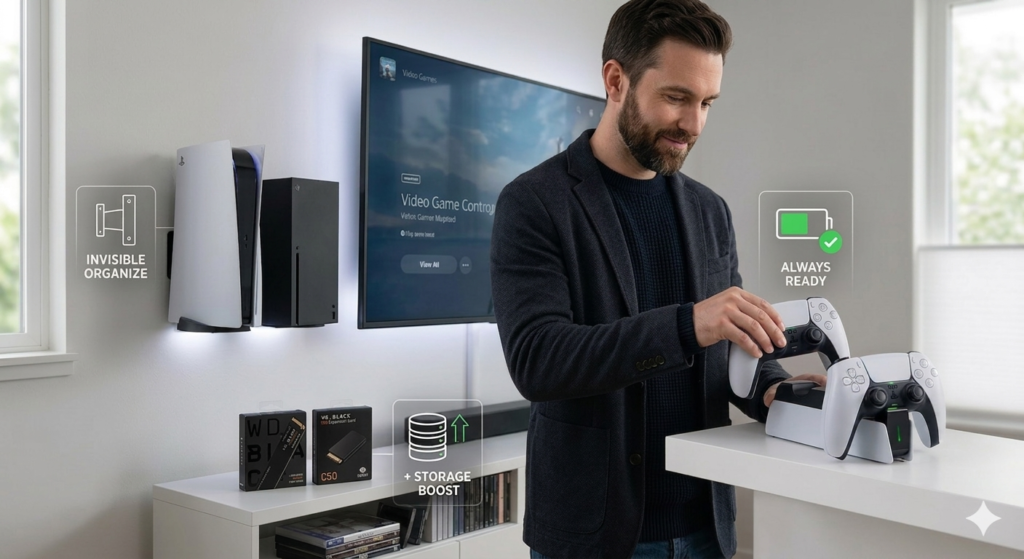
Console Accessories Worth Buying in 2026: Charging Docks, SSD Storage and Wall Mounts
Console accessories can fix three everyday annoyances: dead controllers, full storage, and a cluttered shelf. Controllers run out of battery at the wrong moment, big games fill the built-in drive, and the console itself takes up shelf space. This guide covers one fix for each problem: a controller charging dock, an SSD or storage card, and a wall mount. For each we explain what it does, which console it fits, and what to check before buying.
How we picked these
This is a research-based guide, not a hands-on test. We chose these products from manufacturer specifications, platform requirements published by Sony and Microsoft, and publicly available reviews. We have not run our own benchmarks or timed charge cycles, and where a figure is a manufacturer claim, we say so. Prices and availability change, so confirm them on the retailer page.
Quick picks
| Product | Console | What it solves | Check before buying |
|---|---|---|---|
| Sony DualSense Charging Station | PlayStation 5 | Charges DualSense controllers without using console USB ports | Confirm which controller models it supports |
| Razer Universal Quick Charging Stand | Xbox Series X|S | Drop-in charging stand for Xbox controllers | Needs a compatible rechargeable battery; grip cases may interfere |
| WD_BLACK SN850X NVMe SSD | PlayStation 5 | Adds internal storage via the M.2 expansion slot | Heatsink version, console model, and slot clearance |
| WD_BLACK C50 Expansion Card | Xbox Series X|S | Adds storage that preserves Series X|S game performance | Capacity options and current price |
| HIDEit Mounts console brackets | PS5 and Xbox Series (model-specific) | Moves the console off the shelf and onto the wall | Wall type, airflow clearance, and the exact model you own |
If your goal is a cleaner room overall, pair this guide with our desk organization upgrades and our walkthrough of a stealth black gaming setup.
Controller charging docks
Sony DualSense Charging Station
The official station charges DualSense controllers by seating them on contacts in the base, so you do not need to plug a cable into the console or run one across the room. It suits anyone who plays often and wants a fixed spot for controllers. Sony publishes its own charge-time figure, so check the product page for it. Our recommendation is based on that spec and the way the station is designed, not on our own timing.
Why it makes the list
- Official accessory built for the DualSense
- Leaves the console’s front USB ports free
- Gives controllers a permanent home
Limitations
- Needs its own power outlet
- Check compatibility if you use a different DualSense model or a thick grip or skin
Razer Universal Quick Charging Stand for Xbox
Razer’s stand is a drop-in alternative to charging with a cable or swapping AA batteries. Razer states a charge time of around three hours; we have not verified that figure. The stand is meant to be a permanent controller perch, so a weighted base and a good fit matter more than speed on paper.
Why it makes the list
- Drop-in charging with no cable plugging
- Keeps controllers visible and ready
Limitations
- Needs a compatible rechargeable battery in the controller
- Third-party grip cases may block charging contacts
- Uses a wall outlet
Storage upgrades
Large games take up a lot of room, and the two consoles expand storage in different ways. The PS5 accepts a standard M.2 NVMe SSD in an internal slot. The Xbox Series X|S uses a proprietary expansion card that plugs into a rear port; it does not accept a generic M.2 drive. Do not buy the PS5 drive for an Xbox, or the reverse.
WD_BLACK SN850X NVMe SSD
Sony’s published requirements call for a PCIe Gen4 M.2 SSD with a minimum read speed of 5,500 MB/s and a cooling solution, such as a heatsink, fitted. The SN850X is rated by Western Digital at up to 7,300 MB/s sequential read on some capacities, so it clears the speed requirement on paper. The SN850X is sold with and without a heatsink, so confirm which version you are ordering. The heatsink version is the simpler choice because you do not have to fit cooling yourself.
Why it makes the list
- Meets Sony’s published speed requirement
- Heatsink variant avoids a separate cooling purchase
- Sold in several capacities
Limitations
- Installation means removing the console’s side cover and fitting a screw
- Costs more per gigabyte than a slow external drive, and external drives cannot run PS5 games
- Check clearance for your console model before choosing a heatsink design
For install steps and compatibility, follow Sony’s own PS5 storage documentation.
WD_BLACK C50 Expansion Card
The C50 is Western Digital’s licensed storage card for Series X|S. It plugs into the expansion slot at the back of the console and works with Xbox’s Velocity Architecture, so games installed on it behave the way they do on internal storage. Capacity options and prices vary, so check the current listing.
Why it makes the list
- No tools or opening the console
- Built for Xbox Series X|S storage requirements
Limitations
- Proprietary format, usually pricier than a plain SSD
- Works only with Xbox Series X|S
Wall mounts
HIDEit Mounts console wall brackets
HIDEit makes steel brackets shaped for specific consoles, which lets you put the console on a wall or behind a display and free up shelf space. The manufacturer lists the material and hardware on its product pages, so check them for your model. Because each bracket fits a particular console, choose the one for your exact model, such as the PS5 disc or digital edition, Slim, or Xbox Series X or S.
Why it makes the list
- Clears shelf or desk space
- Keeps the console off the floor and away from dust
- Made for specific consoles rather than universal
Limitations
- Requires drilling and the right anchors for your wall type
- Leave enough space for ventilation, and follow the console maker’s guidance
- Disc and port access can be harder once mounted
Before you buy: a short checklist
- Match the console and model. PS5 original, Slim, and Pro differ in covers, slots, and mounting. Xbox Series X and S differ in size.
- Keep ventilation open. Whether on a shelf or a wall, leave the intake and exhaust areas clear and follow Sony’s or Microsoft’s placement guidance.
- Buy storage for your platform. PS5 uses M.2 NVMe SSDs that meet Sony’s requirements. Xbox Series X|S uses proprietary expansion cards.
- Check charging compatibility. Grip cases, skins, and controller variants can affect whether a dock works.
Frequently asked questions
Can I put a standard M.2 SSD in an Xbox Series X|S?
No. Xbox Series X|S consoles use proprietary expansion cards such as the WD_BLACK C50. The M.2 slot is a PS5 feature, and it requires a drive that meets Sony’s published specifications.
Does adding storage affect my warranty?
Sony and Microsoft both provide official ways to expand storage, but warranty terms differ by region and can change. Read the current terms from the console maker, and be careful during installation, because damage caused while opening the console may not be covered.
Do I need a heatsink on a PS5 SSD?
Sony’s published requirements call for a cooling solution on the drive. Either buy a drive with a built-in heatsink or fit a compatible one, and make sure it fits under the console cover.
Is it fine to leave controllers on a charging dock?
Official docks and well-reviewed third-party docks are designed to be left connected, and lithium-ion charging circuits manage the end of the charge. Batteries still age over time, so keep the dock away from heat sources, and check the manufacturer’s guidance for your model.
Will mounting my console on a wall affect cooling?
It can. What matters is leaving the vents clear and keeping space around the console, and that depends on the bracket, orientation, and how close you mount it to the wall or TV. Follow the guidance from both the console maker and the bracket maker.