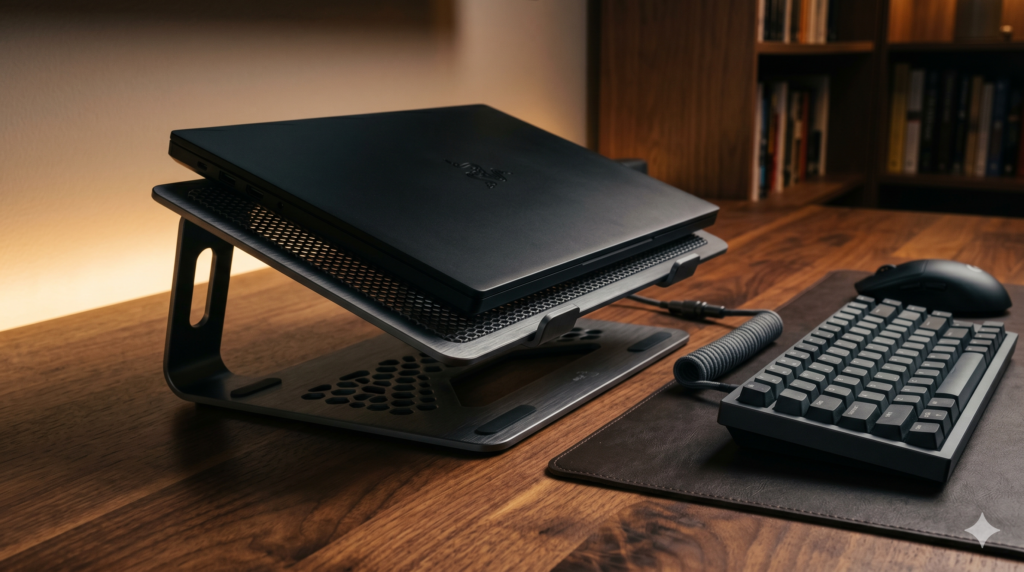
Minimalist Laptop Cooling Pads That Don’t Look Like Spaceships
You have meticulously curated your home office. You invested in a rich, solid-walnut standing desk, mounted your dual monitors on stealthy matte black arms, and perfectly cable-managed every wire out of sight. It is a mature, distraction-free environment built for both professional productivity and high-end PC gaming.
But there is a glaring problem: your $2,500 gaming laptop is overheating. To stop the thermal throttling, you look online for a laptop cooler. The results are horrifying. Massive, geometric slabs of cheap, glossy plastic covered in neon-green and aggressive red LED lights. They look like rejected props from a 1990s sci-fi movie. Placing one on your curated wood desk instantly destroys the premium aesthetic of your entire workspace.
At Desk & Console, we believe professional thermals should not require a sacrifice in taste. You need a professional cooling pad for a gaming laptop—something crafted from machined aluminum and matte black mesh that blends invisibly into a high-end setup. Here is the technical breakdown of how to cool a laptop elegantly.
Active vs. Passive Cooling: Do You Actually Need Fans?
Before you buy a forced-air cooling pad, you must evaluate your laptop’s specific thermal bottleneck. For many users, noisy fans are entirely unnecessary to fix thermal throttling.
🌬️ The Physics of Passive Aluminum Cooling
Gaming laptops intake cold ambient air through the bottom chassis and exhaust boiling hot air out the sides and rear. When you lay a gaming laptop flat on a wooden desk, there is only a 2-millimeter gap between the intake fans and the wood. The fans literally suffocate, pulling in zero air, causing instant thermal throttling.
Passive Cooling: Often, simply elevating the laptop 3 inches into the ambient room air using an aluminum laptop stand instantly cures thermal throttling. The massive volume of new ambient air allows the laptop’s internal factory fans to work at 100% efficiency. Furthermore, heavy aluminum acts as a massive thermal conductor, physically absorbing radiant heat from the laptop chassis and dispersing it into the room.
🌪️ CFM vs. Static Pressure (Active Cooling)
If elevating the laptop doesn’t stop the thermal throttling, you need Active Cooling (fans). However, cheap cooling pads boast high “CFM” (Cubic Feet per Minute) by blowing a wide, weak breeze against the solid plastic bottom of your laptop. This does nothing.
To actually cool a laptop, you need Static Pressure—the ability to physically force cold air through the small, restrictive intake vents of your laptop’s chassis. Premium industrial coolers use sealed memory foam rings and centrifugal turbines to achieve this, pushing air deep into the laptop’s internal copper heat pipes.
| Thermal Solution | Passive Aluminum Stand | Active Minimalist Cooling Pad |
|---|---|---|
| Added Noise (dB) | 0 dB (Completely Silent) | 15 to 30 dB (Whisper to Hum) |
| Power Required | Zero Cables | Requires 1 USB/AC Power Cable |
| Best Use Case | Light Gaming / Heavy Office Work | Hardcore 4K Gaming / Rendering |
| Average Temp Drop | 3°C to 6°C | 8°C to 15°C |
The Best Minimalist Laptop Cooling Pads (Zero RGB)
Whether you need silent passive elevation for your home office or industrial-grade static pressure for your 4K gaming rig, these four solutions prioritize premium materials, dark stealth aesthetics, and completely zero out the obnoxious LED lights.
1. OMOTON Vertical Laptop Stand 🏆 Best Passive Stand
If you hate fan noise, loathe extra USB cables cluttering your desk, and simply need to stop your laptop from suffocating, the OMOTON Vertical Laptop Stand is the ultimate minimalist flex.
Built explicitly to match the Space Gray/Silver aesthetics of high-end machines, this heavy, folding aluminum wedge is a staple of premium battlestations. Because it contains no electronic parts, it will never break. The thick rubber grips ensure your heavy gaming laptop won’t scratch the metal, while the aggressive elevation improves your posture and drops internal CPU temps simply by letting the laptop breathe properly.
Check Price on Amazon2. Cooler Master NotePal U3 Plus ⚙️ Best Active Metal
If you want a highly functional active cooler that looks like a piece of high-end audio equipment, the Cooler Master NotePal U3 Plus is a masterpiece of industrial design.
There is absolutely zero plastic on the primary surface. The entire chassis is formed from a single, continuous sheet of sandblasted, matte-black aluminum. It features a perforated mesh design that looks incredibly sleek while acting as a massive passive heatsink. There are zero LEDs, zero aggressive logos, and the fans spin at a deeply quiet 21dBA, making it completely imperceptible during a Zoom call.
Check Price on Amazon3. Targus 17-inch Dual Fan Chill Mat 💼 The Soft-Touch Executive
Targus is a legacy brand in the corporate world, and their Dual Fan Chill Mat reflects that pedigree. If you find sharp metal edges too aggressive for your setup, this mat utilizes a sleek, dark grey neoprene exterior combined with a soft-touch mesh grille.
It is specifically designed for the “dual-life” professional. The wedge shape hides completely beneath your laptop, providing a subtle, ergonomic typing angle. It is incredibly stealthy—with zero LEDs and a hidden cable wrap system—making it look like a seamless, integrated part of your laptop rather than a bolted-on accessory. An excellent choice for a minimalist laptop cooling pad.
Check Price on Amazon4. IETS GT500 Base Version 🛠️ Industrial Static Pressure
If you run a heavy, $3,000 RTX 4080 gaming laptop and absolutely must have maximum thermal drops, standard aluminum pads won’t cut it. You need the IETS GT500. However, to keep your minimalist aesthetic intact, you must ensure you purchase the V1 Base Model (Zero RGB).
Stripped of its gaudy lights, the GT500 looks like a piece of matte-black military hardware. It is an industrial blower disguised as an aluminum laptop stand with fan zero RGB. Because it utilizes a sealed-pressure chamber, it is undeniably loud at max RPM. But for mature gamers who wear headsets and demand the absolute highest frame rates without dropping their aesthetic standards, this is the most powerful cooler on the consumer market.
Check Price on AmazonYou do not have to accept glowing neon plastic to achieve maximum gaming performance. By elevating your hardware on the elegant, passive aluminum frame of the Satechi Laptop Stand, or utilizing the stealthy metal chassis of the Cooler Master NotePal U3 Plus, you protect your heavy-duty gaming hardware from heat death without turning your office into an arcade.
Frequently Asked Questions (FAQ)
Does a passive aluminum laptop stand actually cool a gaming laptop?
Yes. Lifting a gaming laptop 3 inches off a flat wooden desk instantly increases the volume of ambient air available to its bottom intake fans. Furthermore, heavy brushed aluminum acts as a massive passive heatsink. Because aluminum is highly thermally conductive, it physically absorbs thermal energy away from the laptop’s hot metal chassis without requiring noisy fans.
What is the difference between CFM and Static Pressure in a cooling pad?
CFM (Cubic Feet per Minute) measures the total volume of air a fan moves in an open space. Static Pressure measures how forcefully a fan can push air through a tight obstruction. Because gaming laptops have tiny, restrictive intake grilles, a cooling pad with high Static Pressure (like the sealed IETS GT500) is far more effective at dropping internal CPU temperatures than a cheap open-air pad with high CFM.
Can you buy a gaming laptop cooling pad without LED lights?
Yes, but they are rare. Most manufacturers add cheap, un-switchable blue or green LEDs to appeal to a younger demographic. Professionals should look for pure aluminum mesh pads (like the Cooler Master NotePal U3 Plus) or ‘Base’ models of high-end blowers (like the IETS GT500) which feature matte black finishes and explicitly zero RGB lighting.