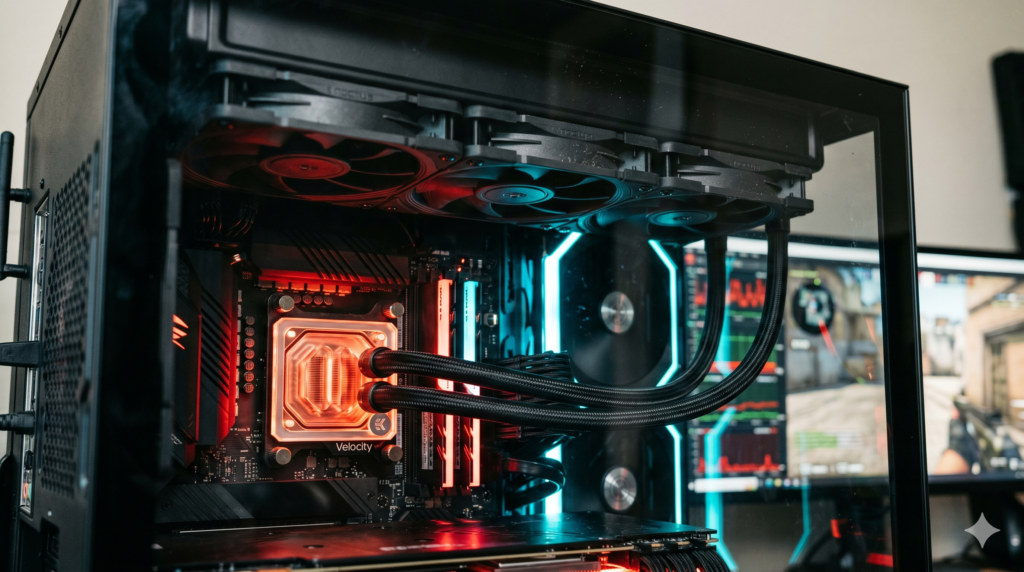
How to Fix High PC Temperatures While Running Call of Duty on Max FOV
Thermal Executive Summary
Cranking your Field of View to 120 in Warzone increases draw calls and geometry calculations by up to 50% every frame. When temperatures exceed 85°C to 90°C, modern motherboards drop clock speeds to protect hardware, resulting in micro-stutters during intense gunfights. Stabilizing your system requires high static pressure fans to overcome panel airflow resistance paired with an adequate 360mm AIO liquid loop.
You engage a squad in a dense urban sector in Warzone. The moment combat initiates, your screen micro-stutters, framerates drop precipitously, and input tracking feels unresponsive. While many players attribute this erratic behavior to server tick-rates or network latency, hardware telemetry often reveals an underlying hardware constraint: thermal throttling.
Building an efficient cooling architecture requires understanding fluid dynamics. Much like optimizing core performance across our curated list of essential gear for PC gaming setups, hardware reliability depends on eliminating thermal bottlenecks. Below is a systematic guide to measuring thermal limits and installing the components needed to maintain high sustained clock rates.
Fundamental Step: Thermal Compound Re-Application
Factory thermal grease applied to pre-built systems frequently desiccates after 12 to 18 months of intensive use, drastically degrading heat conduction between the integrated heat spreader (IHS) and cooler cold plate. Re-pasting with a high-conductivity formula like Thermal Grizzly Kryonaut can drop CPU package temperatures by 5°C to 8°C prior to swapping hardware.
View Thermal Grizzly Kryonaut on Amazon →Cooling Component Comparison Matrix
| Component | Form Factor | Key Metric | Noise Rating | Primary Thermal Advantage |
|---|---|---|---|---|
| Thermal Grizzly Kryonaut | Thermal Interface | 12.5 W/m-K Conductivity | Silent / Passive | Eliminates microscopic IHS air pockets |
| Noctua NF-A12x25 PWM | 120mm Case / Radiator Fan | 2.34 mmH2O Static Pressure | 22.6 dB(A) | Sterrox LCP blades with 0.5mm tip clearance |
| Phanteks T30 120mm | 30mm Thick High-Torque Fan | Up to 7.11 mmH2O Pressure | Scalable (3 Modes) | Industrial 3000 RPM maximum exhaust velocity |
| ARCTIC Liquid Freezer III 360 | 360mm Liquid AIO | 38mm Thick Radiator Fin Stack | Whisper Quiet | Integrated VRM fan keeps power phases cool |
Step 1: Diagnosing Your Thermal Bottleneck
Prior to purchasing cooling hardware, establish reliable thermal baselines under full load conditions using monitoring utilities.
1. Monitor Sustained Gameplay
Download a diagnostic tool such as CPUID HWMonitor or HWiNFO64. Run the utility in the background and participate in a standard 20-minute Warzone lobby to reach equilibrium temperature.
2. Inspect Peak Sensor Readings
Review the “Maximum” column rather than current idle figures. Pay specific attention to CPU Package and GPU Hot Spot sensors.
3. Identify Dangerous Temperature Thresholds
CPUs operating consistently above 85°C to 90°C begin stepping down boost frequencies. Similarly, GPU hot-spot readings crossing 90°C signal thermal saturation that impairs frame pacing.
Step 2: Airflow (CFM) vs Static Pressure (mmH2O)
A frequent misconception in PC building is prioritizing raw cubic feet per minute (CFM) airflow ratings. While standard airflow fans move volume across an unobstructed bench, restrictive dust filters, mesh front fascias, and dense liquid radiators halt standard blade profiles.
Overcoming these physical obstructions requires high static pressure fans (measured in mmH2O). Featuring steeper blade pitch and high-torque motors, these fans compress and force air directly through tight heatsink fins. If you are comparing cooling configurations, check our analysis of alternatives to Corsair iCUE case fans for optimal pressure-to-noise designs.
Noctua NF-A12x25 PWM Static Pressure Fan
The Noctua NF-A12x25 represents decades of precision fluid engineering. Manufactured from Sterrox liquid-crystal polymer (LCP), the fan blades resist centrifugal expansion under high rotational speed. This structural rigidity allows an ultra-tight 0.5mm clearance between blade tips and the outer frame, preventing air from recirculating backward under backpressure.
Whether placed as front chassis intakes or paired directly against a dense radiator, these units drive consistent cubic volume through fine mesh panels without emitting harsh motor whine.
Strengths
- Sterrox LCP material eliminates blade flex under heavy radiator resistance
- Exceptional acoustic dampening with integrated silicone corner pads
- Flawless long-term reliability backed by SSO2 bearing architecture
Trade-Offs
- Standard beige and brown aesthetic clashes with uniform color themes
- Premium per-unit price point when outfitting multi-fan cases
Phanteks T30 120mm Cooling Fan
When maximum thermal dissipation is mandatory, the Phanteks T30 delivers unmatched volumetric pressure. Engineered with an expanded 30mm profile rather than industry-standard 25mm dimensions, the deeper blade geometry sweeps significantly more air per revolution.
A three-position switch on the rear hub allows builders to configure operation between Hybrid (silent), Performance (balanced), and Advanced (3000 RPM industrial velocity). In demanding multiplayer scenarios, running these as primary case exhausts rapidly pulls heat away from high-TDP components.
Strengths
- Massive static pressure performance easily punches through fine dust filters
- Hardware switch allows direct physical control over peak RPM thresholds
- Rigid glass-fiber composite housing dampens harmonic vibration
Trade-Offs
- Additional 5mm depth can conflict with top motherboard EPS power connectors
- Audible acoustic output when operating in 3000 RPM Advanced Mode
ARCTIC Liquid Freezer III 360 AIO Liquid Cooler
Air coolers rely on local heatsink surface area, which can quickly saturate when Call of Duty renders complex draw distances for hours. The ARCTIC Liquid Freezer III 360 transfers thermal energy into a high-capacity closed fluid loop, carrying heat away from the processor to a 38mm-thick radiator.
A unique feature of this unit is the dedicated 40mm fan mounted directly atop the pump block. This fan directs continuous downward airflow over your motherboard’s VRM heatsinks and primary M.2 NVMe drive, preventing secondary components from throttling during extended gaming sessions.
Strengths
- 38mm deep radiator core provides substantial thermal mass over 27mm alternatives
- Active pump-block fan cools surrounding motherboard power delivery stages
- Pre-routed internal fan cables simplify clean interior wiring
Trade-Offs
- Deep radiator assembly requires checking top chassis and RAM clearances
- Firm fluid tubing requires deliberate routing during chassis mounting
Step 3: Workspace Placement & Thermal Recirculation
Internal cooling components can only function effectively if the exterior desk environment allows fresh airflow intake. Shoving a high-performance desktop tower into an enclosed desk cubby or flush against a drywall corner creates a destructive recirculation loop.
When hot exhaust is pushed out the rear of a restricted cabinet, the front intake fans ingest that same pre-heated air, compounding internal thermal buildup. Ensure your tower has at least 6 to 8 inches of breathing room from walls. If you are positioning your setup for ergonomic arm tracking and mouse control, see our desk depth guide for low DPI arm aimers in Call of Duty to ensure both your chassis and mousepad have sufficient clearance.
Furthermore, high component heat increases overall power draw across your system. To ensure your peripheral bus remains stable under full load, consider utilizing powered USB hubs that won’t disconnect your gaming mice mid-match.
Warzone Battlestation Performance Hub
Eliminating thermal throttling is just the first step in stabilizing your Call of Duty competitive performance. Explore our companion hardware guides engineered to maximize input speed, audio clarity, and mousepad control on the ranked ladder:
Frequently Asked Questions
Why is my gaming PC overheating in Warzone?
Warzone is exceptionally CPU-intensive. Cranking your Field of View (FOV) to 120 forces your CPU and GPU to calculate up to 50% more on-screen geometry, shadows, and player models continuously. This sustained rendering load causes massive thermal spikes that trigger hardware throttling when airflow is insufficient.
How do you prevent CPU throttling in Call of Duty?
To prevent CPU thermal throttling, install high static pressure fans capable of overcoming radiator resistance, upgrade from basic air coolers to a 360mm AIO liquid cooler, re-paste aging thermal compound, and provide at least 6 inches of clearance around case exhausts.
What are the best high static pressure case fans?
The Noctua NF-A12x25 and Phanteks T30 are recognized as benchmark static pressure fans. Their tight blade tolerances and high-torque motors physically push cool air through restrictive mesh panels, dust filters, and thick radiator fins without backdraft.