Best Pro Controllers for PC Call of Duty (Hall Effect & Paddles Focus)
Welcome to the brutal, hyper-competitive reality of modern Call of Duty. If you are playing Warzone or MW3 Ranked Play on a high-end PC, you are actively matching against “sweats” running 240Hz monitors, elite audio EQ tunings, and overclocked peripherals. In these lobbies, millisecond hardware advantages dictate whether you win the gunfight or lose your SR.
If you are still loading into PC lobbies using a standard, out-of-the-box $60 PlayStation DualSense or Xbox Core controller, you are actively sabotaging your own gameplay.
Designed exclusively for PC gamers via Corsair iCUE. Features 4 mechanical back paddles, instant mouse-click triggers, and 5 programmable G-Keys for the ultimate movement advantage.
Check Price on AmazonAt Desk & Console, we treat controllers as tactical battlestation hardware. To compete on PC, you must invest in the best pro controller for PC CoD—a premium device engineered specifically to combat drift, minimize input latency, and optimize biomechanical movement. Here is the deep technical breakdown of why upgrading your controller is the fastest way to increase your KD.
The Hardware Advantage: Why Stock Controllers Are Costing You Gunfights
Upgrading to a $150+ pro controller isn’t about buying flashy RGB lights or premium paint jobs. It is about fundamentally upgrading the mechanical switches and sensors beneath the plastic shell. To understand what actually gives you an advantage, you must understand the three fatal flaws of standard gamepads.
1. The Stick Drift Epidemic & The Hall Effect Cure
Inside every standard Xbox and PlayStation controller are ALPS potentiometers. These are physical, carbon-track sensors that read your thumbstick’s movement by physically scraping metal contacts against graphite pads. Every time you smash the L3 button to Tactical Sprint, you are grinding that graphite away. Within months, the sensor degrades, and the controller starts registering ghost inputs—the dreaded “Stick Drift.”
🧲 The Rotational Aim Assist Secret
To combat stick drift on a stock controller, players increase their “Min Input Deadzone” in the CoD settings. This is a fatal mistake. Call of Duty’s overpowering Rotational Aim Assist (RAA) only activates when there is active input on the left and right sticks. If your deadzone is set to 0.05 or 0.10, there is a massive physical gap where your thumb is moving, but the game is registering absolutely nothing, causing your aim assist to cut out entirely during micro-adjustments.
To fix this permanently, you need a hall effect controller Call of Duty players trust. Hall Effect modules do not use physical graphite tracks; they use electromagnetic sensors. Because the internal components never physically touch each other, they cannot wear down. A Hall Effect controller allows you to drop your in-game deadzones to an absolute raw 0.00 or 0.01. The exact millisecond you breathe on the stick, your input registers, and Rotational Aim Assist locks onto the target instantly.
Shop GameSir G7 SE (Hall Effect) on Amazon2. Back Paddles vs. Claw Grip: Flawless Movement Mechanics
Call of Duty is no longer just a shooter; it is an advanced movement engine. To win a 1v1 gunfight, you must constantly be slide-canceling, jump-shotting, and drop-shotting to “break” your opponent’s camera.
If you play on a standard controller with a standard grip, you have to physically lift your right thumb off the aiming stick to press X/A (Jump) or Circle/B (Crouch/Slide). In the 400 milliseconds it takes to move your thumb, you cannot aim. You are essentially jumping blindly across the screen.
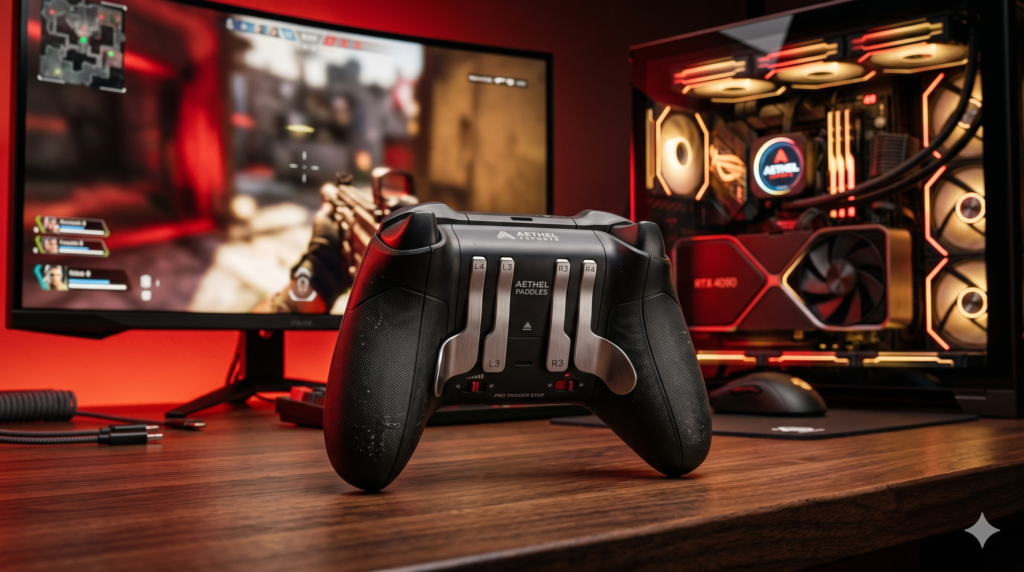
While some players combat this by contorting their hands into the painful “Claw” grip (a notorious cause of carpal tunnel syndrome), the definitive hardware solution is Back Paddles. The best controller for movement cod will feature two to four programmable rear buttons resting naturally under your middle and ring fingers. By mapping Jump and Slide to the back paddles, your right thumb never leaves the aiming stick. You can track your target flawlessly through the entire arc of your jump-shot.
3. Mechanical Switches & Mouse-Click Trigger Stops
Standard controller triggers (L2/R2 or LT/RT) are analog. They are designed for racing games, allowing you to press them halfway down to control the throttle of a car. For a competitive shooter, this deep, squishy trigger pull is a catastrophic source of input delay. It takes vital milliseconds for the plastic trigger to travel the full distance required to fire your weapon.
Elite pro controllers feature physical Trigger Stops and Mechanical Micro-Switches. Flipping the trigger stop switch on the back of the controller physically blocks the trigger from traveling more than a millimeter. Instead of a squishy pull, the trigger bottoms out instantly on a tactile mechanical switch—the exact same Omron switches used in high-end gaming mice. The result is instant ADS (Aim Down Sights) and a hair-trigger firing speed that allows you to out-shoot players using stock triggers every single time.
🎯 Quick Upgrade: KontrolFreek Precision Rings
If you aren’t ready to drop $200 on a pro controller just yet, the fastest way to improve your aim on a stock controller is applying Precision Rings to your right thumbstick. These dense foam rings provide physical resistance, preventing you from “over-flicking” your aim in high-stress, close-quarters gunfights.
Check Precision Rings on Amazon