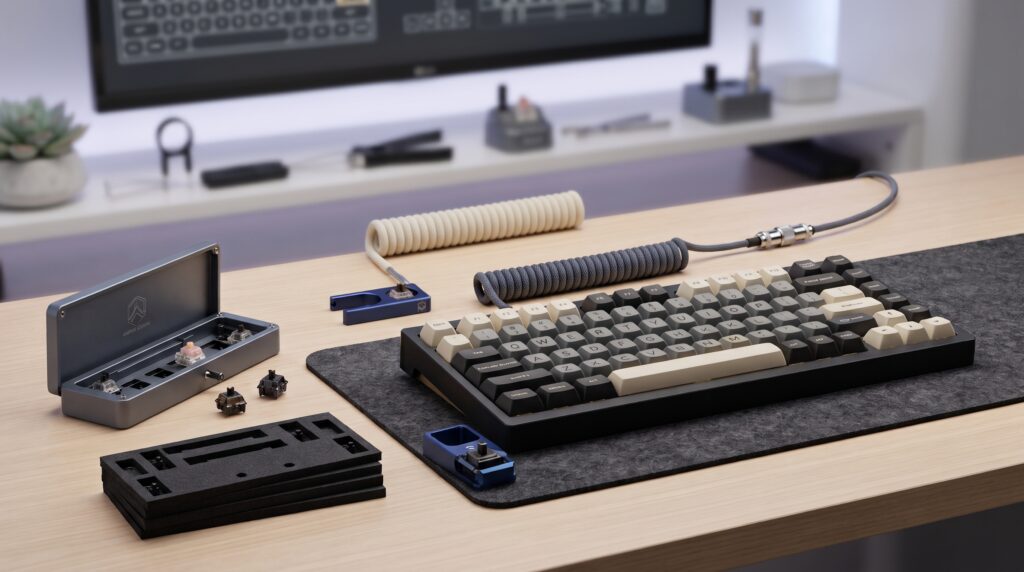
Best Budget Mechanical Keyboard Upgrades Under 40 Dollars for Custom Sound and Feel
Transforming a stock mechanical keyboard into a custom-sounding thocky masterpiece doesn’t require buying an entirely new board. High-impact budget modifications under 40 dollars upgrade switch acoustics stabilize keycaps and eliminate metallic pinging instantly.
Top Budget Keyboard Upgrades at a Glance
For safe switch disassembly choose the Precision Mechanical Switch Opener Kit (4.7/5 Stars). To clean up desk wire clutter pair your board with a Custom Coiled Aviator Keyboard Cable (4.7/5 Stars). For deeper acoustics install a Poron Foam Switch Sound Dampening Kit (4.6/5 Stars).
Building upon our previous guides on top mechanical keyboards for esports, and maintaining workspace organization with desk organization upgrades, custom modifications elevate your typing acoustics significantly.
Budget Keyboard Upgrades Hardware Comparison
| Upgrade Component | Price Range | Primary Function | Acoustic or Visual Benefit |
|---|---|---|---|
| Precision Switch Opener Kit | Under $15 | Switch Disassembly | Enables Safe Housing Separation and Smooth Modding |
| Coiled Aviator Cable | Under $25 | Desktop Connectivity | Adds Custom Aesthetic and Detachable Plug |
| Switch Sound Dampening Foam | Under $15 | Internal Case Acoustics | Absorbs Hollow Echo and Hollow Ping |
Precision Mechanical Keyboard Switch Opener Kit
Modifying or hand-lubing mechanical switches requires opening individual switch housings without snapping plastic clips. A high-rated precision metal switch opener kit provides safe uniform housing separation with exceptionally low return rates.
Strengths
- Solid metal construction ensures lifelong durability without cracking
- Prevents snapped plastic latches during switch disassembly
- Backed by high user satisfaction and reliable performance ratings
Trade-Offs
- Designed exclusively for standard MX-style mechanical switches
- Requires manual dexterity when handling tiny switch components
Detachable Coiled Aviator Keyboard Cable
Standard straight rubber charging cables look messy across a clean desk. A braided coiled aviator cable adds a professional custom aesthetic while offering a secure quick-disconnect plug for easy peripheral swaps.
Strengths
- Delivers a high-end custom keyboard aesthetic
- Detachable metal connector simplifies desk reorganizations
- Durable braided exterior prevents fraying and internal wire breaks
Trade-Offs
- May not supply enough power for high-draw external USB hubs
- Coiled section adds bulk if stretched beyond intended reach
Poron Foam Keyboard Case Dampening Kit
Hollow metal or plastic keyboard chassis often produce a hollow pinging sound every time a key is pressed. Custom-cut Poron foam inserts directly inside the case base absorbing unwanted echo and refining sound quality.
Strengths
- Eliminates annoying metallic case ping and hollow echo
- Significantly improves overall typing sound profile
- Inexpensive mod yielding dramatic acoustic results
Trade-Offs
- Requires opening the keyboard case housing with a screwdriver
- Must match exact internal screw post layouts for your board
Three Rules for Budget Keyboard Modding
- Use Proper Disassembly Tools: Always rely on a dedicated metal switch opener rather than makeshift screwdrivers to protect delicate switch clips from snapping.
- Isolate Acoustic Ping at the Source: Install case dampening foam before replacing switches to tackle core hollow echoes first.
- Protect USB Ports During Cable Swaps: Always pull from the connector housing rather than the braided wire when disconnecting aviator cables.
Frequently Asked Questions
Why is a metal switch opener essential for custom keyboard modding?
Plastic switch housings feature tight retention clips that can easily crack when opened manually with tools like flathead screwdrivers. A dedicated metal switch opener ensures safe uniform separation.
Does adding case foam void a keyboard warranty?
Opening a keyboard case housing to insert dampening foam can occasionally void manufacturer warranties depending on brand policies so check terms before modding.
Are coiled aviator cables compatible with all keyboards?
Most modern mechanical keyboards utilize recessed USB-C ports. Ensure the cable head housing is slim enough to fit through your keyboard chassis cutout.