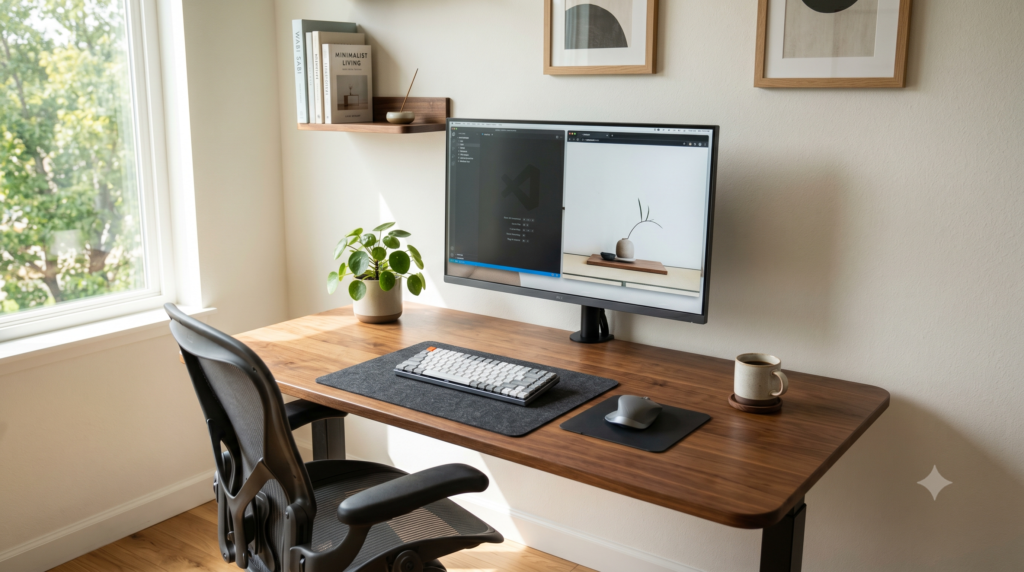
Minimalist Desk Setup Ideas for Gamers Who Work from Home
By day you are reviewing spreadsheets, leading video conference calls, and multitasking across productivity suites. By night you are jumping into competitive lobbies or diving into vast open-world campaigns. For remote professionals who game combining these two distinct computing ecosystems on one desktop frequently leads to unmanageable cable nests and visual fatigue.
The solution is a hybrid minimalist workstation. Rather than running dual desks you can implement structured hardware switching, pneumatic floating displays, and clean routing channels. Adopting principles from our guide on how to build the ultimate stealth black gaming setup allows you to keep the aesthetic clean and uncluttered at all hours.
Minimalist Hybrid Setup Component Matrix
| Component | Role in Hybrid Setup | Core Specification | Primary Benefit |
|---|---|---|---|
| Acer Nitro 27 Inch QHD | Primary Hybrid Display | 1440p IPS / 180Hz / 0.5ms | Multi-port switching between PC and laptop |
| FEZIBO Standing Desk | Workstation Foundation | Motorized Electric Frame | Integrated under-desk power tray routing |
| VIVO Monitor Arm | Screen Elevation | Pneumatic Counterbalance | Reclaims 30% of usable desk surface |
| Logitech G915 TKL | Dual-Mode Input | Lightspeed Wireless plus Bluetooth | Instant one-tap toggle between two machines |
| Logitech G PRO X Superlight | Esports Mouse | Sub-63g / Zero RGB | Ultra-light ergonomics with a stealth office finish |
Acer Nitro 27 Inch QHD Gaming Monitor
When toggling between a company laptop and a dedicated gaming desktop, your monitor serves as the bridge. The Acer Nitro 27 Inch QHD provides a sharp 1440p IPS panel with 95% DCI-P3 color reproduction, ensuring spreadsheet text is crisp by day while providing 180Hz fluid motion for competitive gaming.
With its dual HDMI 2.0 and DisplayPort connections, you can route your gaming rig via DisplayPort while keeping your laptop docked to HDMI. If you manage a single-cable mobile workstation, pairing this display with dedicated USB-C docking stations for single-cable laptop and gaming setups eliminates having to plug and unplug cords every workday morning.
Strengths
- High 180Hz refresh rate and 0.5ms response deliver fluid gaming motion
- QHD 1440p resolution provides high pixel density for reading small text
- Multiple display inputs simplify dual-machine configurations
Trade-Offs
- Stock factory stand has a large footprint that takes up forward desk space
- Built-in speakers provide basic utility audio only
FEZIBO Electric Standing Desk
The physical desktop establishes the visual tone of your entire office. Rather than utilizing aggressive angular “gaming desks” wrapped in vinyl decals, the FEZIBO Height Adjustable Standing Desk pairs heavy industrial steel legs with warm wood finishes that look right at home during video meetings.
A motorized frame allows you to shift posture throughout long remote work shifts. Crucially, the frame includes an under-desk cable management channel. If you run a high-power mobile workstation, consult our guide on how to hide massive gaming laptop power bricks under your desk to conceal high-wattage power supplies directly inside this raceway.
Strengths
- Smooth motorized lift with customizable height memory presets
- Included under-desk wire basket keeps extension cords off the floor
- Clean wood top delivers a calm, professional studio appearance
Trade-Offs
- Top surface comes in split panels to optimize shipping box sizes
- Assembly requires approximately 45 minutes of initial setup time
VIVO Single Monitor Arm Desk Mount
The fundamental rule of minimalist desk organization is maximizing open tabletop space. Factory monitor stands consume significant surface depth directly in front of the keyboard. Installing the VIVO Single Monitor Arm clamps your panel to the rear perimeter, making your display appear to hover cleanly above the desk.
Elevating your screen frees up the footprint directly underneath to dock your closed work laptop. If you utilize this configuration, review our breakdown on whether it is safe to game with your laptop in closed clamshell mode to ensure adequate ventilation. Internal channels inside the VIVO arm completely hide display and power wiring from view.
Strengths
- Reclaims up to 30% of desktop surface area formerly blocked by stands
- Full tilt, swivel, and 360-degree rotation for optimal ergonomic eye alignment
- Integrated routing brackets keep video cords fully hidden behind the column
Trade-Offs
- Requires a solid desk edge with adequate clearance for the clamp bracket
- Tension bolt must be adjusted manually to balance screen weight
Logitech G915 TKL Wireless Mechanical Keyboard
Bulky gaming boards with loud clicky switches and bright plastic housings clash with a professional home office. The Logitech G915 TKL features an ultra-slim 22mm deck constructed from brushed 5052 aircraft-grade aluminum alloy that blends naturally into modern office spaces.
Its primary advantage in a hybrid workspace is dual-wireless connectivity. You can pair it via Bluetooth to your work machine and use the dedicated button to instantly swap to the 1ms Lightspeed USB receiver on your gaming PC. To explore other compact mechanical form factors, see our roundup of the best TKL tenkeyless keyboards for extra desk space.
Strengths
- Instant hardware button toggles between Bluetooth work laptop and 1ms gaming PC
- Low-profile mechanical switches provide quiet, responsive keystrokes for calls
- Ultra-thin brushed aluminum casing prevents desk clutter
Trade-Offs
- Micro-USB port on previous generation models
- Proprietary stem mounts limit aftermarket custom keycap replacement
Logitech G PRO X Superlight Wireless Mouse
Finding an input tool that excels at both detail-oriented office tasks and fast-paced competitive gaming can be difficult. Heavy ergonomic mice induce wrist fatigue during long work sessions, while flashy gaming mice often feature gaudy lighting cutouts.
The Logitech G PRO X Superlight eliminates all decorative LEDs in favor of a sleek matte chassis that weighs under 63 grams. For additional ways to keep peripheral cables off your desk mat, check out our favorite desk organization upgrades for a flawless zero clutter setup.
Strengths
- Featherlight sub-63g mass reduces hand fatigue during 8-hour workdays
- Flawless HERO 25K sensor offers tournament-level tracking accuracy
- Minimalist matte black exterior without distracting RGB logos
Trade-Offs
- Symmetrical profile lacks right-side secondary thumb buttons
- No Bluetooth support; relies on the included Lightspeed USB dongle
Support Your Body’s Natural Balance: Nature’s Ability Full Spectrum Detox Binder
Spending extended hours working and gaming at a desk demands consistent energy, clarity, and daily physical equilibrium. Nature’s Ability Full Spectrum Detox Binder is formulated with a synergistic blend of premium activated charcoal, bentonite clay, and humic & fulvic acids. This multi-action complex binds unwanted dietary and environmental compounds within the digestive tract, supporting your body’s natural cleansing pathways and promoting everyday gut wellness.
Explore Nature’s Ability →Frequently Asked Questions
How do I switch monitors and peripherals between a work laptop and gaming PC?
The cleanest approach is utilizing a monitor with multiple display inputs alongside a compact USB peripheral switcher or dedicated docking station. By routing keyboard and mouse signals through a single hub, you can transition between desktop systems with a quick tap.
What are the core fundamentals of a minimalist desk setup?
A minimalist workspace relies on negative space, consolidated hardware, and concealed cabling. Elevating monitors on pneumatic arms, routing wiring through under-desk trays, and choosing neutral, low-sheen peripherals keeps the surface clean and distraction-free.
Can mechanical gaming keyboards be used comfortably in an office setting?
Yes. Low-profile mechanical keyboards equipped with tactile or linear switches deliver quick keystroke actuation while producing minimal acoustic noise, making them well-suited for voice calls and shared environments.