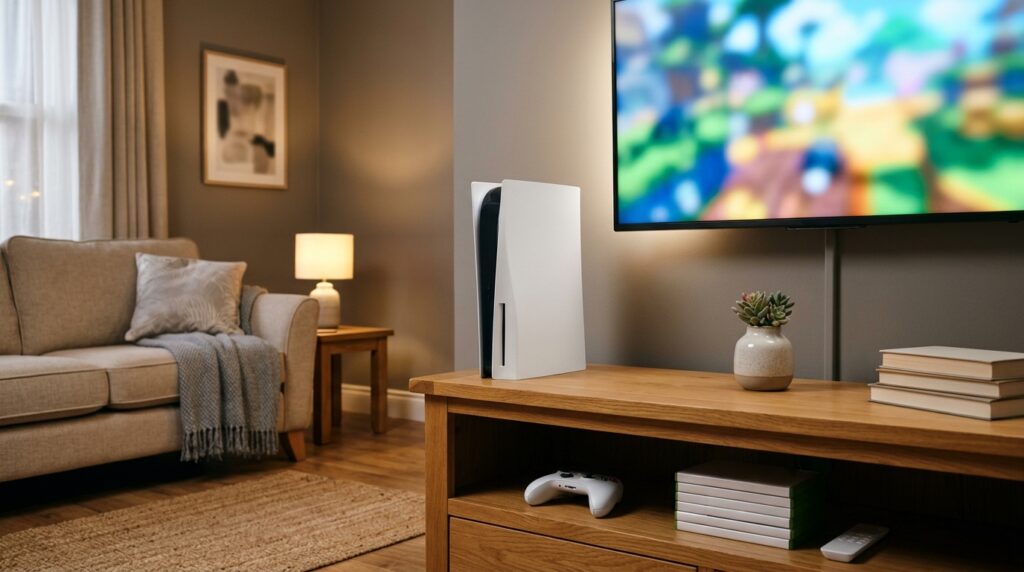
It’s one of the first questions people ask after unboxing a PS5: should it stand up or lie flat? The short version is that it doesn’t matter as much as you might think. Where you put it matters more than which way it faces. This guide covers what Sony says, which stand your model needs, and how to choose.
What Sony actually says
- Both positions are supported. Sony makes the console to stand upright or lie flat, as long as you use the right support for your model.
- Leave space around it. Sony’s PS5 safety guide says to keep at least 10 cm (about 4 inches) between the console and a wall.
- Don’t block the vents. Avoid closed cabinets, cramped shelves, thick carpet and covering the console with cloth.
Which stand do you need?
| Console | Horizontal | Vertical |
|---|---|---|
| Original PS5 (CFI-1000 and CFI-1100/1200) | Included base, rotated and clipped on for horizontal use | Same included base, fitted for vertical use |
| PS5 Slim (CFI-2000 model group) | Included horizontal feet | Sony Vertical Stand, sold separately |
Sony’s separate Vertical Stand is listed as compatible with both the CFI-1000 and CFI-2000 (Slim) model groups. If you buy a third-party stand instead, check that it names your exact model.
Vertical or horizontal: how to choose
Go vertical if
You’re short on width, like next to a TV or monitor on a narrow stand, and you have a stable spot where it won’t get knocked. Leave clear space all around the vents.
Go horizontal if
It’s going on a TV unit shelf, it’s somewhere it might get bumped (kids, pets, a busy room), or you want the most stable option without buying a stand.
Will one position run cooler than the other? Sony doesn’t say either one is better, and both are supported. What makes a real difference is space and airflow around the console, not which way it faces. A vertical PS5 squeezed into a cabinet will run hotter than a horizontal one in the open.
Quick setup checklist
- Use the base or feet made for your model, or Sony’s Vertical Stand for a Slim.
- Put it on a flat, hard, stable surface, not on carpet or a soft rug.
- Keep at least 10 cm (about 4 inches) from walls, and keep the vents clear.
- Keep it out of closed cabinets, or leave the cabinet door open while you play.
- Don’t stack anything on top of it.
Setting up the rest of your console corner? See our console accessories guide, our PS5 storage expansion guide, and our guide to fixing a PS5 controller that keeps disconnecting, because distance and placement can affect the controller connection too.
How we checked
Sources and limits (checked 4 November 2026)
- The clearance and placement advice comes from Sony’s PS5 safety guide, as summarised by iTechGuides.
- Stand compatibility comes from Sony’s own store listing for the Vertical Stand (CFI-ZVS1).
- We haven’t measured console temperatures in either position for this guide.
If you want it standing up
Sony Vertical Stand for PS5 Consoles
Why this one: it’s Sony’s own stand, so fit isn’t a guess. Original PS5 owners already have a base in the box and don’t need it.
Check: that the listing is the official Sony stand, not a look-alike, if you want guaranteed compatibility.
Frequently asked questions
Is it better to put a PS5 vertical or horizontal?
Both positions are supported by Sony. Choose the one that fits your space and keeps the console stable, and leave at least 10 cm of clearance around it so the vents aren’t blocked.
Does the PS5 run hotter standing up?
Sony doesn’t say either position runs cooler. Airflow around the console matters far more than orientation, so avoid closed cabinets and keep the vents clear.
Does the PS5 Slim come with a vertical stand?
No. The PS5 Slim comes with horizontal feet. Sony sells the Vertical Stand separately.
Can I use the PS5 vertical without the stand?
Use the base or stand made for your model. Standing it upright without one makes it much easier to knock over.
How much space does a PS5 need around it?
Sony’s safety guide says to keep at least 10 cm (about 4 inches) between the console and a wall, and not to block the vents.