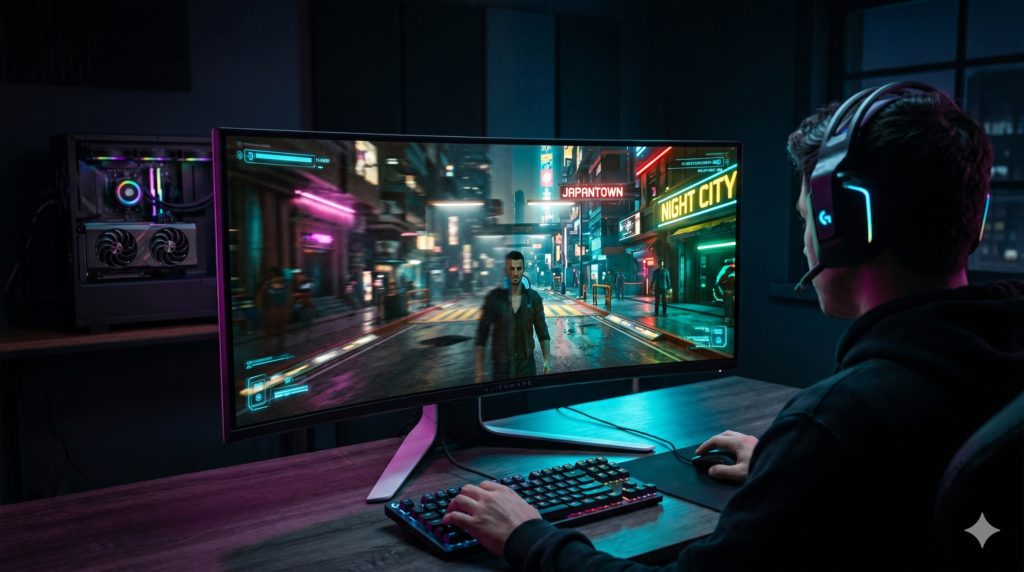
Low FPS in Cyberpunk? The Best Budget GPUs for 1440p Gaming
Welcome to Night City. You boot up Cyberpunk 2077, drive out of V’s apartment, and immediately hit a wall of lag. Your frames drop to the 30s, the camera stutters when you turn, and the neon lights turn into a blurry mess. Nothing kills immersion faster than low FPS.
Let’s face the facts: Cyberpunk 2077 (especially with the Phantom Liberty overhaul and Path Tracing updates) is the modern equivalent of “But can it run Crysis?” It is one of the most graphically punishing games ever developed. If you recently upgraded your monitor from 1080p to 1440p (QHD), your old graphics card is likely choking on the massive increase in pixel count.
At Desk & Console, we are obsessed with finding the performance sweet spot. You don’t need to spend $1,200 on an RTX 4080 to enjoy this game. The mid-range GPU market has evolved dramatically, and there are incredibly powerful options available today. Here are the absolute best “budget” graphics cards that can easily push 60+ FPS at 1440p in Cyberpunk 2077 without breaking the bank.
The Free Fix: Optimize Your Cyberpunk Settings
Before you pull out your credit card, make sure you aren’t leaving free frames on the table. Cyberpunk has incredible AI-upscaling tech built right into the settings menu. Go to Settings > Graphics and do the following:
- Turn on DLSS or FSR: If you have an NVIDIA card, enable DLSS Super Resolution and set it to “Quality” or “Balanced.” If you have an AMD card, use FSR 3. This uses AI to render the game at a lower resolution and flawlessly upscale it to 1440p, instantly granting you 30-50% more FPS.
- Enable Frame Generation: If you have an RTX 40-series card, toggle on “Frame Generation.” This literally creates fake frames using AI, pushing your gameplay into the 100+ FPS range effortlessly.
- Turn OFF Ray Tracing (For Now): Ray Tracing and Path Tracing compute real-time light bounces. It looks beautiful, but it will absolutely slaughter a budget GPU. Turn it off to stabilize your frames.
If you optimized your settings but the game still experiences violent “hiccups” or stutters when driving fast, you have run out of VRAM. 1440p textures require massive amounts of video memory. If you are using an older 8GB graphics card, it is time for an upgrade.
The 1440p Problem: Why VRAM Matters
Upgrading from 1080p to 1440p (QHD) is the most noticeable visual upgrade a PC gamer can make. It offers 78% more pixels than 1080p, completely eliminating jagged edges and making textures look incredibly crisp. However, it requires a GPU with at least 12GB of VRAM (Video RAM).
Anything less, and Cyberpunk’s high-resolution textures will cause severe stuttering as the memory buffers overflow and the GPU is forced to fetch data from your slower system RAM. For long-term viability, 16GB is considered the new gold standard.
The Best Budget GPUs for 1440p Gaming
If your old GPU just can’t keep up with Night City, these are the absolute best value-to-performance graphics cards available on Amazon. We specifically picked cards with 12GB to 16GB of VRAM to ensure your 1440p rig is future-proofed for years to come.
ASUS Dual GeForce RTX 4070 Super (12GB)
If Cyberpunk 2077 is your main game, the RTX 4070 Super is the ultimate weapon. While it isn’t the cheapest card on the market, it is considered the absolute “sweet spot” for 1440p gaming value.
Why is it so good for Cyberpunk? Because NVIDIA’s architecture handles Ray Tracing far better than AMD. Furthermore, it gives you access to DLSS 3.5 and Frame Generation. With these features turned on, you can actually run Cyberpunk on “Ultra” settings with Ray Tracing enabled at 1440p and still easily push past 80+ FPS.
✓ What We Love
- Flawless 1440p performance on maximum settings
- Access to DLSS 3 Frame Generation (Massive FPS boost)
- Extremely power-efficient (runs cool and quiet)
✕ Keep in Mind
- 12GB of VRAM is good, but 16GB would have been better for the price
- Slightly more expensive than AMD equivalents
Sapphire Pulse AMD Radeon RX 7800 XT (16GB)
If you don’t care about Ray Tracing and just want maximum raw FPS for the lowest possible price, the AMD Radeon RX 7800 XT completely destroys the competition. In pure rasterization (standard graphics rendering without Ray Tracing), this card often beats more expensive NVIDIA cards.
The biggest selling point here is the massive 16GB of VRAM. Modern games are eating up VRAM at an alarming rate. With 16GB under the hood, the 7800 XT guarantees that you will not experience texture pop-ins or micro-stutters when playing Cyberpunk at 1440p, making it one of the most future-proof budget cards you can buy.
✓ What We Love
- Incredible raw 1440p gaming performance
- Massive 16GB VRAM completely prevents texture stuttering
- Unbeatable price-to-performance ratio
✕ Keep in Mind
- Ray Tracing performance is significantly worse than NVIDIA
- FSR upscaling isn’t quite as sharp as NVIDIA’s DLSS
Gigabyte Radeon RX 7700 XT Gaming OC (12GB)
If you are on a very strict budget but refuse to drop back down to a 1080p monitor, the Radeon RX 7700 XT is your savior. This card punches way above its weight class. It packs 12GB of VRAM, easily clearing the memory hurdle required for smooth 1440p gaming.
When paired with AMD’s FSR 3 upscaling in Cyberpunk 2077’s graphics settings, this card will easily hold a stable 60+ FPS on High settings. It is the perfect entry point into the 1440p ecosystem without having to empty your bank account.
✓ What We Love
- Cheapest viable entry point for smooth 1440p gaming
- 12GB VRAM is plenty for modern titles on High settings
- Excellent cooling and quiet fans on most models
✕ Keep in Mind
- You will need to rely on FSR upscaling for heavier games
- Not designed for intense Ray Tracing workloads
Frequently Asked Questions (FAQ)
Is 1440p worth the upgrade from 1080p?
Absolutely. 1440p (QHD) contains 78% more pixels than standard 1080p. It is widely considered the ultimate “sweet spot” for PC gaming. It provides a massive jump in visual sharpness and clarity without requiring the insanely expensive hardware needed to run games at full 4K.
Why is my game stuttering even with high FPS?
If your FPS counter says 60, but the game feels jumpy and stuttery, you are experiencing “micro-stutters.” This usually happens when your graphics card runs out of VRAM, forcing your PC to swap files with your slower system RAM. Upgrading to a GPU with 12GB or 16GB of VRAM will instantly solve this.
AMD vs NVIDIA for Cyberpunk 2077?
If your goal is to experience Night City with all the gorgeous lighting effects (Ray Tracing and Path Tracing), you absolutely must buy an NVIDIA card (like the RTX 4070 Super) to utilize DLSS. If you don’t care about Ray Tracing and just want the highest possible frame rate for the lowest price, AMD (like the RX 7800 XT) is the smarter buy.
Night City is too beautiful to experience at 30 FPS. By upgrading to a modern 1440p-focused graphics card from NVIDIA or AMD, you can finally max out your graphics settings, flip on DLSS or FSR, and experience Cyberpunk exactly the way CD Projekt Red intended: buttery smooth and breathtakingly beautiful.