How to Cool Down a Hot Gaming PC: Best AIO Coolers for 2026
You’re in the middle of a massive team fight or a high-stakes competitive match. Suddenly, your game starts stuttering, the screen tears, and your frame rates plummet. You check your system vitals and see the dreaded red numbers: your CPU is sitting at a blazing 98°C.
As we push deeper into 2026, modern processors are drawing more power than ever before. With great power comes immense heat. If your CPU gets too hot, it initiates thermal throttling—a safety mechanism where the processor artificially slows its own clock speeds down to prevent it from literally cooking itself to death.
At Desk & Console, we know that losing performance to heat is unacceptable. In this guide, we’ll show you quick troubleshooting steps to cool down a hot PC right now, and reveal the absolute best All-In-One (AIO) Liquid Coolers available in 2026 to permanently solve your temperature problems.
Quick Fixes: How to Cool Down Your PC for Free
Before buying new hardware, run through this quick troubleshooting checklist to ensure your PC isn’t suffocating:
- Clean Your Dust Filters: Dust is a powerful insulator. A clogged front intake panel will completely choke your PC. Take a can of compressed air and blow out your front fans, radiator fins, and bottom power supply filter.
- Fix Your Airflow Path: Hot air naturally rises. Make sure your front and bottom fans are set to intake (pulling cool air in), and your rear and top fans are set to exhaust (pushing hot air out).
- Adjust Your Fan Curves: Enter your motherboard’s BIOS (usually by pressing Del or F2 on startup) or use software like Fan Control to make your fans spin faster when your CPU crosses the 70°C threshold.
- Re-paste Your CPU: If your PC is over two years old, the thermal paste between your CPU and cooler may have dried into a crusty, useless powder. Clean it with isopropyl alcohol and apply a fresh drop of high-quality thermal compound.
Never place your gaming PC directly on thick carpet or shove it inside a closed desk cabinet! Your power supply and intake fans need at least a few inches of clearance to breathe. Put it on your desk or buy a solid floor stand.
Why Upgrade to an AIO Liquid Cooler?
If you’ve cleaned your PC and fixed your airflow, but temperatures are still hitting 85°C+, your current CPU cooler is simply outmatched. The stock coolers included in CPU boxes are generally terrible for modern 4K gaming.
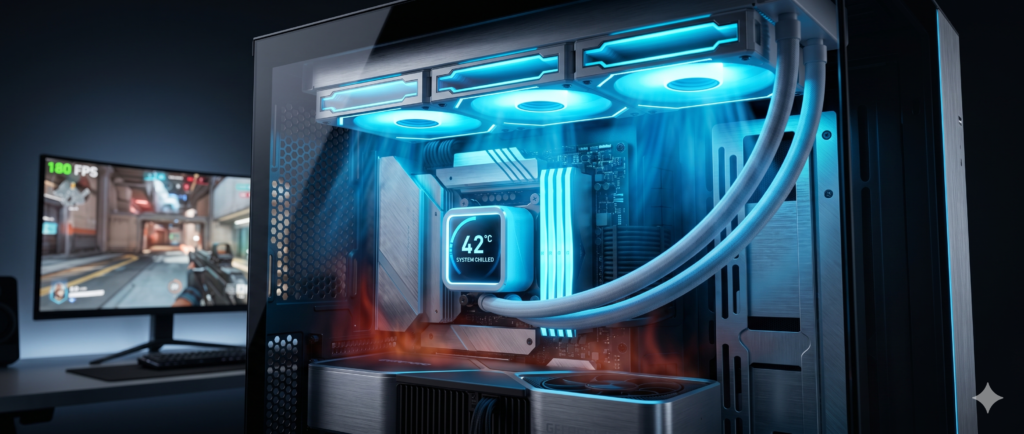
AIO (All-In-One) Liquid Coolers are closed-loop systems that use a liquid coolant to pull heat away from your processor, travel through flexible tubes, and dissipate the heat through a massive radiator at the top or front of your case. Liquid transfers heat up to 4 times more efficiently than air, making AIOs incredibly efficient, visually stunning, and much quieter than chunky metal air coolers.
The Best AIO Liquid Coolers for 2026
ARCTIC Liquid Freezer III 360
ARCTIC has completely dominated the cooling market in recent years, and the Liquid Freezer III remains the undisputed king of raw performance-per-dollar. What makes it special? It features a thicker-than-average radiator (38mm) that dissipates heat faster than its competitors, effortlessly handling the thermal spikes of top-tier processors.
It also features a brilliant integrated VRM fan on the pump head, which actively cools the motherboard’s power delivery components around your CPU—a feature almost no other cooler has. If you care purely about dropping your temps to the absolute minimum without paying a “brand tax,” this is the ultimate choice.
✓ What We Love
- Thick 38mm radiator provides unbeatable raw cooling
- Built-in VRM fan cools motherboard power phases
- Significantly cheaper than other flagship coolers
✕ Keep in Mind
- The thicker radiator may not fit in compact mid-tower cases
- Pump block design is large and industrial (no LCD)
NZXT Kraken Elite 360 RGB
If you are building a glass-panel showcase PC, nothing beats the look of an NZXT. The Kraken Elite 360 uses a custom 7th-Gen Asetek pump that operates practically in silence, paired with NZXT’s high-static-pressure F-Series RGB fans.
The star of the show is the bright, 2.36-inch wide-angle LCD screen on the pump head. It boasts an insanely fast refresh rate, making live CPU/GPU temp readouts and custom GIF animations look buttery smooth. The NZXT CAM software is also renowned for being lightweight and incredibly easy to navigate.
✓ What We Love
- Best-in-class wide-angle LCD screen
- Sleek, minimalist pump block design fits any build
- High-performance, quiet Asetek Gen 7 pump
✕ Keep in Mind
- A premium option requiring a larger budget
- Requires NZXT CAM software to run in the background
Corsair iCUE Link H150i RGB
Cable management has historically been the worst part of installing a liquid cooler. Corsair solved this entirely with their revolutionary iCUE Link ecosystem. The H150i allows all three fans to snap together magnetically, requiring only a single, unified cable to connect the entire cooling array to a central smart hub.
Beyond the incredibly clean, wire-free look, it boasts massive copper cold plates and speeds up to 2400 RPM, rapidly pulling heat away from modern hot-running processors. If you hate messy cables restricting your case airflow, this is the cooler to buy.
✓ What We Love
- iCUE Link eliminates the nightmare of fan cables
- Zero RPM mode keeps the PC dead silent while browsing
- Stunning, seamless RGB lighting across all fans
✕ Keep in Mind
- Locks you into Corsair’s proprietary ecosystem
- System Hub requires an internal USB header
Frequently Asked Questions (FAQ)
Is my gaming PC running too hot?
For modern 2026 processors, idling between 40°C and 50°C is perfectly normal. While gaming under heavy load, temperatures between 75°C and 85°C are completely safe. However, if your CPU consistently hits 90°C to 100°C, it will begin thermal throttling (slowing itself down to prevent damage), which causes massive FPS drops.
Are 360mm AIO coolers overkill?
If you are running mid-range CPUs (like a Ryzen 5 or Core i5), a 240mm cooler is usually plenty. However, if you are running top-tier powerhouse chips (like the Ryzen 9 or Core i9), a 360mm AIO is highly recommended to dissipate the massive heat load efficiently, allowing your fans to spin at lower, quieter speeds.
Can an AIO liquid cooler leak and ruin my PC?
It is incredibly rare. Modern AIO coolers from top brands use premium reinforced, sleeved rubber tubing and factory-sealed pumps. They are essentially maintenance-free closed loops. Leaks are practically a non-issue in modern PC building.
Upgrading your cooling isn’t just about chasing lower numbers on a screen—it’s about protecting your expensive hardware investment and ensuring your system never drops a frame when it matters most. Clean your dust filters, fix your airflow, and if all else fails, pick up one of these top-tier AIOs to chill out your rig for good.