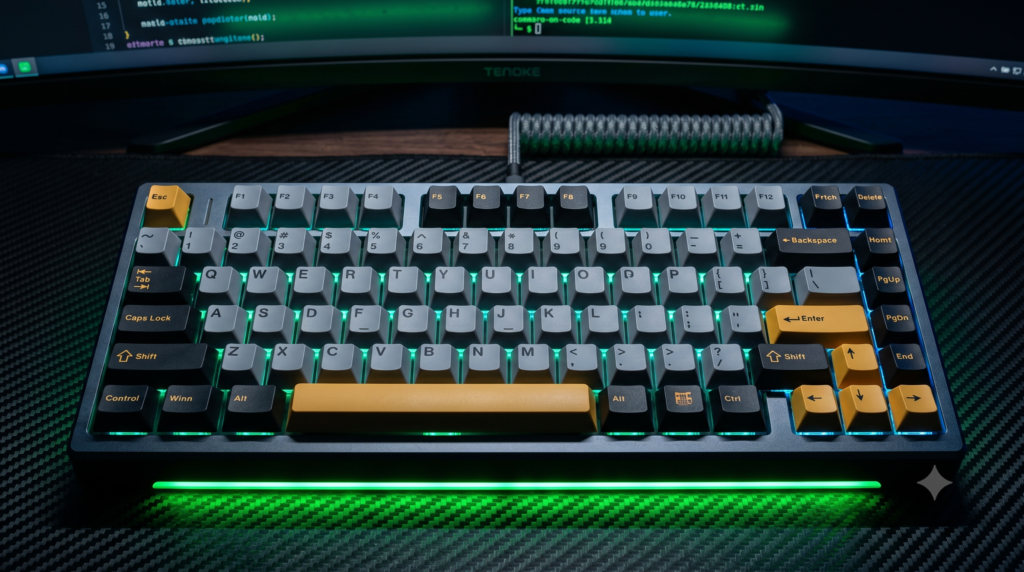
Best Alternatives to Razer Synapse Compatible Keyboards
Mainstream gaming peripherals carry an inconvenient hidden burden: proprietary background software. Purchasing a flagship keyboard from major consumer brands often locks your hardware behind background application suites like Razer Synapse. These suites frequently mandate cloud logins, initiate background telemetry services, and consume valuable RAM that can introduce micro-stuttering during competitive matches.
The mechanical keyboard market has embraced a major open-source movement. Enthusiasts no longer need to accept proprietary driver bloat when open firmware like QMK, VIA, and pure on-board microprocessors can manage lighting layers, complex macros, and switch actuation curves natively on internal hardware.
Complementing your typing setup with specialized acoustic and tactile modifications—as analyzed in our guide to budget mechanical keyboard upgrades under 40 dollars for custom sound and feel—elevates a stock keyboard into a true enthusiast-grade instrument. Furthermore, pairing a driver-free keyboard with organized storage setups—such as those featured in our breakdown of essential console accessories charging docks and storage mounts—ensures that both your PC and console input gear stay powered without redundant cable clutter.
Technical Architecture: Firmware Standards vs Bloated Software Suites
1. Open-Source QMK/VIA Framework
QMK firmware runs directly on the keyboard microcontroller. Using Chromium-based web utilities like VIA, key remapping and macro creation occur in a secure browser tab. The moment the browser tab is closed, zero software or telemetry remains active on the host machine.
2. Pure Microprocessor Onboard Memory
True hardware programming executes through integrated flash memory. Keyboards featuring dedicated onboard storage record multi-step macros, debounce timings, and lighting profiles via direct keystroke sequences, bypassing Windows driver services entirely.
3. Hardware DIP Switch Control
Physical DIP switches on the bottom casing hardwire circuit routes to swap key assignments (such as swapping CapsLock to Control or toggling OS modes) at the PCB hardware level without requiring firmware re-flashing or software interventions.
Curated Setup Guide & Technical Spec Comparison
| Keyboard Model | Form Factor | Switch Architecture | Chassis & Mount Style | Configuration Method | Best Scenario |
|---|---|---|---|---|---|
| Keychron Q1 Pro | 75% Layout with Knob | Keychron K Pro Mechanical | CNC Aluminum Double-Gasket | 100% QMK/VIA Web App | Enthusiasts demanding heavy custom metal builds without software |
| Ducky One 3 | Full-Size / TKL / 60% | Cherry MX / Kailh / Gateron | Dual-Layer Hotswap QUACK Mechanics | 100% On-Device Key Combos + DIP Switches | High-security work environments and pure plug-and-play reliability |
| NuPhy Halo75 V2 | 75% Compact Layout | NuPhy Lemon / Raspberry / Mint | Aluminum Top Frame with Silicone Dampening | QMK/VIA Web Configurator + NuPhy IO | Aesthetic battlestations wanting acoustic dampening and wireless flexibility |
| EPOMAKER TH80 Pro V2 | 75% with Smart Screen | Epomaker Flamingo / Sea Salt | Gasket-Mounted Multi-Layer Polymer | VIA Web Interface + Built-in LCD | Budget-conscious setups desiring an LCD display without background bloat |
1. Keychron Q1 Pro QMK/VIA Custom Keyboard
If you want the absolute pinnacle of premium, bloat-free typing hardware, the Keychron Q1 Pro stands as a custom mechanical benchmark. Precision-machined from solid blocks of 6063 aluminum, this keyboard weighs nearly four pounds, eliminating desk sliding and plastic hollow resonance.
The Q1 Pro operates entirely within the open-source QMK/VIA ecosystem. When adjusting lighting layers, fine-tuning the rotary encoder, or assigning complex macro strings, you connect the keyboard, open the VIA web application in any Chromium-based browser, and write changes straight to internal EEPROM. It requires no persistent background services, runs without cloud logins, and switches effortlessly between macOS and Windows using low-latency Bluetooth or wired USB-C.
Strengths
- Complete QMK/VIA compliance allows driverless web browser configuration
- Full CNC-machined aluminum body with double-gasket acoustic mounting
- Hot-swappable switch sockets accommodate both 3-pin and 5-pin mechanical switches
- Wireless Bluetooth 5.1 pairs with multiple productivity systems without driver installs
Trade-Offs
- Heavy four-pound chassis is engineered for stationary desktop setups rather than travel
- Custom metal construction commands an enthusiast-tier price investment
2. Ducky One 3 Mechanical Keyboard
For users who reject installing applications or opening web configurators, Ducky remains the pioneer of hardware-native peripheral design. The Ducky One 3 possesses no companion application whatsoever. It is physically impossible to bloat your operating system with background telemetry when using this board.
Every single function—from programming intricate multi-key macros to switching complex per-key RGB backlighting—is executed directly through physical key combinations processed by the board’s internal microprocessor. Integrated hardware DIP switches on the bottom plate allow you to alter key layouts (such as converting CapsLock to Control) at the circuit level. This makes it an exceptional choice for secure corporate or competitive esports environments that prohibit unauthorized software executions.
Strengths
- Zero software footprint with all macros and backlighting controlled on-device
- Hardware DIP switches allow circuit-level layout modifications
- QUACK Mechanics internal silicone pads eliminate switch ping and stabilizer rattle
- Authentic Cherry MX switch options ensure reliable actuation longevity
Trade-Offs
- Learning on-board key combination sequences requires referencing the printed manual
- Lacks a desktop graphical interface for users who prefer visual macro timelines
3. NuPhy Halo75 V2 Wireless Mechanical Keyboard
If you dislike the aggressive industrial styling of traditional gaming keyboards, NuPhy provides a modern aesthetic alternative. The NuPhy Halo75 V2 incorporates clean retro-futuristic styling, an aluminum top bezel, and a distinctive Halolight perimeter RGB diffuser that frames the entire board in ambient illumination.
Beyond eliminating software bloat via native QMK/VIA web support, the Halo75 V2 is celebrated for its factory acoustics. Utilizing dense acoustic layering and a hollow-suppressing GhostBar spacebar design, the board produces a creamy, thocky sound profile straight from the factory box. Its 1000Hz polling rate over 2.4GHz wireless delivers esports-grade responsiveness while keeping your PC completely unburdened by vendor utilities.
Strengths
- Native QMK/VIA web configuration delivers seamless, driverless macro mapping
- Extensive internal acoustic dampening eliminates hollow housing resonance
- 2.4GHz wireless connection delivers genuine 1000Hz competitive gaming responsiveness
- Distinctive perimeter Halolight RGB ring offers sophisticated workspace illumination
Trade-Offs
- Slightly taller front typing height benefits from a dedicated wrist rest during long typing sessions
- High battery drain when running full perimeter RGB lighting at maximum brightness
4. EPOMAKER TH80 Pro V2 Gasket Keyboard
For gamers seeking a high-performance keyboard with modern features on a sensible budget, the EPOMAKER TH80 Pro V2 (VIA Edition) serves as a high-value alternative. Featuring factory-lubed custom mechanical switches, a tactile media volume encoder, and an interactive LCD screen, it delivers enthusiast ergonomics without traditional boutique pricing.
The V2 update integrates full VIA web compatibility, replacing legacy companion software with browser-based layout editing. You can adjust the LCD screen, rebind keys, and calibrate RGB patterns inside a browser tab, saving everything directly to on-board storage. It provides a cushioned gasket typing feel that outperforms generic consumer boards while maintaining a completely clean system tray.
Strengths
- Accessible price point makes enthusiast gasket architecture available on a budget
- VIA browser integration removes the requirement for local background applications
- Integrated LCD screen displays battery levels, system status, and custom GIFs
- Pre-lubricated switches and stabilizers deliver smooth linear key travel out of the box
Trade-Offs
- Polymer case construction is lighter and less rigid than full CNC metal frames
- Customizing animated GIFs on the LCD screen requires an initial USB cable connection
Performance & Gear Hub: Complete Your Setup
Freeing your battlestation from unnecessary software bloat is a critical step toward an optimized setup. Explore our companion technical blueprints for simulator peripherals, console setups, and custom keyboard mods:
Frequently Asked Questions
Does Razer Synapse slow down your PC?
Yes. Razer Synapse and similar proprietary utility suites run continuously in the background to sustain lighting profiles and macros. They consume hundreds of megabytes of RAM, run multiple telemetry services, and can induce micro-stuttering during competitive gaming.
What is a QMK/VIA compatible keyboard?
QMK and VIA are open-source keyboard firmware frameworks. Instead of installing a massive background suite, you navigate to the VIA website in a browser to remap key assignments and lighting. The configuration is flashed directly to the internal microcontroller, leaving zero background services running on your PC.
Can a keyboard save RGB settings without software?
Yes. Keyboards equipped with hardware onboard memory allow you to configure macros and lighting loops once, flash them to internal flash storage, and completely disconnect or uninstall any host configuration software.