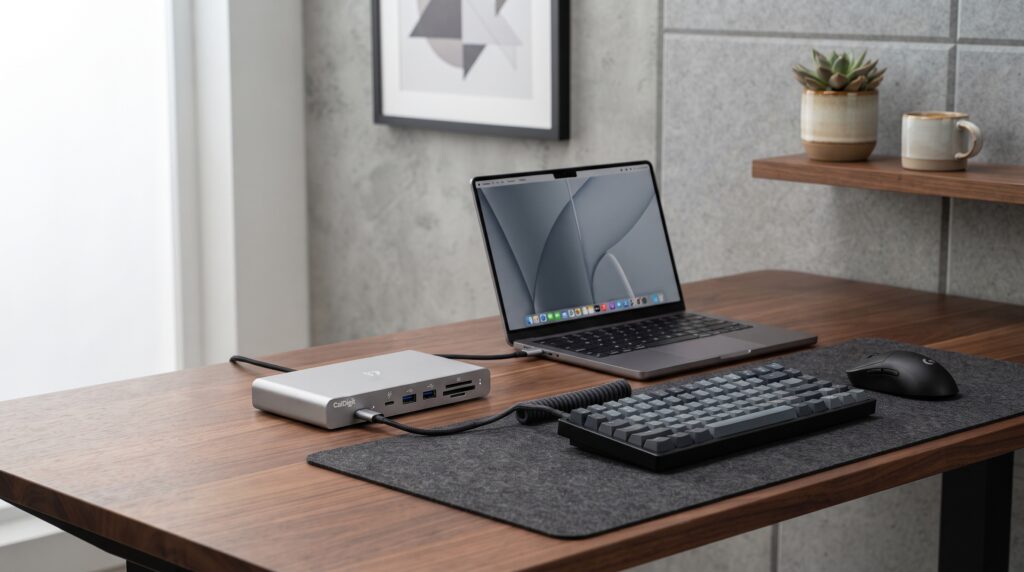
Best USB-C Docking Stations for Single Cable Laptop and Gaming Setups
Connecting multiple monitors power adapters and USB peripherals every time you sit down introduces tedious daily friction. Integrating a high-performance USB-C docking station allows you to hook up your entire workstation using one single plug transforming messy laptop connections into a seamless desktop hub.
Top Docking Station Picks at a Glance
For maximum port selection and high wattage laptop charging choose the Anker Thunderbolt Docking Station. For multi-monitor display expansion select the CalDigit Element Hub. For budget-friendly multi-port connectivity secure the Plugable USB-C Triple Display Dock.
Building upon our previous guides on desk organization upgrades for a zero clutter setup and stealth black gaming setup layouts, streamlining your wire routing with a dedicated dock completes a professional workstation.
USB-C Docking Station Hardware Comparison
| Docking Station Model | Power Delivery | Display Outputs | Core Setup Advantage |
|---|---|---|---|
| Anker Thunderbolt Dock | Up to 85W Charging | Dual 4K at 60Hz | Comprehensive Port Selection and High Power |
| CalDigit Element Hub | Up to 60W Charging | Single 8K or Dual 4K | Ultra-Fast Thunderbolt 4 Data Transfer Speeds |
| Plugable Triple Display Dock | Up to 100W Charging | Triple Monitor Support | Maximum Multi-Screen Output for Workstations |
Anker Thunderbolt Docking Station Hub
Managing heavy power demands and multiple high-speed accessories requires an enterprise-grade hub. The Anker Thunderbolt Docking Station consolidates power delivery data lines and display connections into a single sleek aluminum chassis.
Strengths
- Charges demanding creator laptops while driving dual 4K displays
- Eliminates the need for separate power bricks on your desktop
- Robust aluminum casing aids passive thermal heat dissipation
Trade-Offs
- Higher price point reflecting premium Thunderbolt architecture
- Included power adapter brick is bulky beneath the desk
CalDigit Element Hub Thunderbolt 4 Device
For users handling massive video files or high-speed external SSD arrays standard USB hubs create frustrating bottlenecks. The CalDigit Element Hub delivers raw Thunderbolt 4 bandwidth across multiple modular ports in a compact form factor.
Strengths
- Unmatched data transfer rates for high-speed external drives
- Flexible port layout works seamlessly with modern USB-C gear
- Small physical footprint fits easily on tight desk surfaces
Trade-Offs
- Does not include legacy HDMI or DisplayPort outputs directly
- 60W power delivery may slow charge larger 16-inch workstations
Plugable Triple Display USB-C Docking Station
Expanding your viewing workspace across three independent monitors requires robust display processing. The Plugable Triple Display Dock connects seamlessly to Windows and Mac systems to power extensive multi-screen setups.
Strengths
- Drives triple monitor arrays without requiring complex splitters
- High 100W charging capacity powers large pro laptops effortlessly
- Includes front audio jacks for convenient headset plugging
Trade-Offs
- Requires installing specific display driver software on some systems
- Larger desktop footprint than basic minimalist hubs
Three Rules for Choosing a Docking Station
- Match Laptop Power Requirements: Check your laptop’s factory power brick wattage and select a dock matching or exceeding that power delivery rating to prevent slow charging.
- Verify Monitor Resolution Limits: Ensure your dock supports the refresh rate and resolution (such as 4K at 60Hz) required by your primary gaming or editing displays.
- Consolidate Peripherals to One Cable: Plug your mouse keyboard audio interface and ethernet directly into the dock so disconnecting one cable frees your entire workspace.
Frequently Asked Questions
Do USB-C docking stations cause input lag for gaming mice?
No. High-speed USB ports on modern Thunderbolt and powered USB-C docks maintain stable polling rates ensuring zero perceptible input delay for competitive gaming mice.
Can a single dock drive multiple high refresh rate monitors?
It depends on your laptop’s GPU capabilities and the dock’s bandwidth standard. Thunderbolt 4 docks handle dual 4K displays easily while standard USB-C hubs may limit refresh rates.
Why do some docks require driver installations?
Docks utilizing DisplayLink technology require driver software to compress and transmit multiple video signals over standard USB data lanes rather than native alt-mode video.