Where to Mount a Webcam on a 34-inch Ultrawide or Curved Monitor
You upgraded to the absolute pinnacle of display technology. Whether you bought a 34-inch QD-OLED or a massive 49-inch super-ultrawide (like the Samsung Odyssey G9), your digital workspace is breathtaking. The gaming immersion is unbelievable, and your productivity workflow has doubled. But the moment you join a Zoom meeting or launch OBS to start a Twitch stream, you encounter a glaring, physical flaw.
Standard webcams are designed to clip onto flat, 24-inch office monitors. When you perch a standard webcam clamp on top of a massive curved display, it doesn’t just look awkward—it actively ruins your posture, destroys your camera framing, and threatens the structural integrity of your screen.
📐 The Geometry Problem: Why Standard Webcams Fail
1. The “Security Camera” Fish-Eye Effect: Because 34-inch and 49-inch monitors sit incredibly high off the desk, a top-mounted webcam looks down at a severe, unnatural angle. To your viewers, it looks like a security camera observing you from the ceiling. This angle distorts your facial proportions, making your forehead look massive. It also forces you to crane your neck upward to look at the lens, causing intense cervical spine strain.
2. The Loss of Eye Contact: If you mount the camera high, but look at the center of your massive screen to read an email or check game stats, your viewers see you looking down at your desk with your eyes half-closed. True eye contact becomes physically impossible on a super-ultrawide.
| Ergonomic Metric | Standard Top-Mounting | Off-Monitor Mounting |
|---|---|---|
| Panel Safety | High risk of cracking curved glass | Zero (Bypasses monitor entirely) |
| Viewing Angle | Steep downward “God View” | Flattering straight-on or side-profile |
| Neck Strain | Severe (Tilting head up constantly) | Zero (Neutral spine position) |
| Perceived Eye Contact | Looks like you are reading a script | Looks like you are speaking directly to them |
Massive tech sites will tell you the solution is to “buy a 4K webcam to crop in closer.” That is terrible advice. A $300 webcam cannot fix bad physical geometry. You do not need a new camera; you need an alternative mounting architecture.
At Desk & Console, we focus on the structural logistics of WFH and streaming ergonomics. If you want to achieve professional, broadcast-quality eye contact without damaging your curved OLED panel, you must implement one of these five absolute best spatial mounting systems designed specifically for massive displays.
The 5 Best Ultrawide Webcam Mounts
1. The Eye-Contact Fix: The Center Cam
This is the absolute holy grail for business professionals, therapists, and remote executives where direct eye contact is a psychological necessity. Instead of clamping a bulky camera above the monitor, this specialized camera hangs down over the glass of the screen on a transparent piece of high-grade acrylic.
Because the acrylic is clear and the lens is microscopic, it barely obstructs your view of the screen behind it. You simply move your Zoom window directly behind the lens. When you look at their face on the screen, you are looking directly into the camera lens simultaneously. This completely cures “Ultrawide Neck Strain” because you never have to look up.
Check Price on Amazon2. The Over-the-Top Hover: Elgato Master Mount L
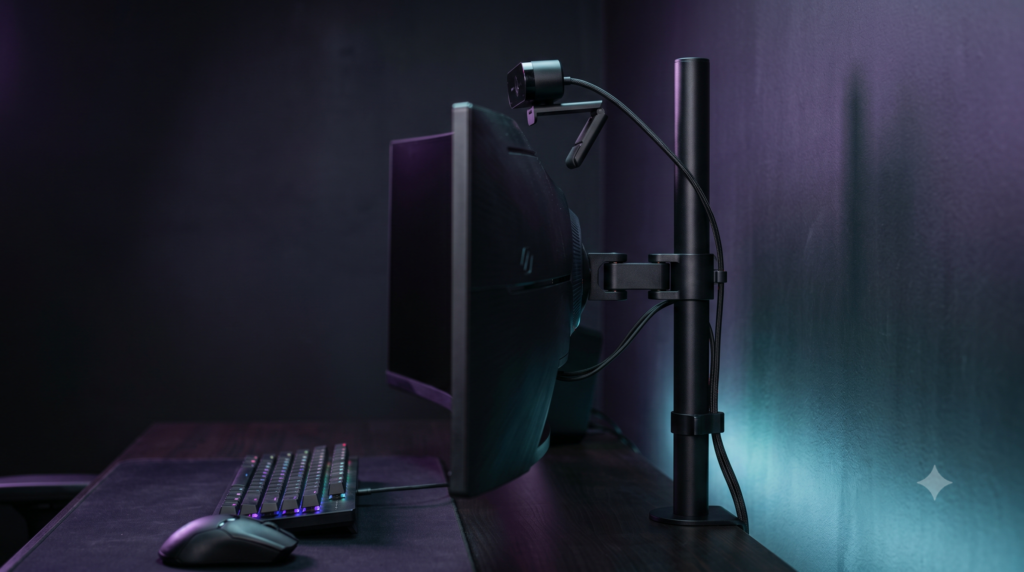
If you watch elite Twitch streamers who use 49-inch Super-Ultrawides, you will notice their cameras are rarely placed on the monitor itself. They use heavy-duty vertical desk poles. Because the camera is physically decoupled from the monitor, it will never shake when you type heavily on your keyboard or use a sim racing wheel.
The ball head mount at the top allows you to tilt the camera downward flawlessly, giving you precise control over your framing while completely removing the risk of “bezel pinch” on thin OLED screens. It is the gold standard for protecting your hardware investment.
Check Price on Amazon3. The Under-Monitor Sweep: Elgato Wave Mic Arm LP
This is a massive trend in the streamer and sim-racing community. While technically designed for heavy XLR microphones, the Elgato Wave Arm LP features a standard 1/4-inch thread that fits 99% of webcams. The arm stays totally hidden beneath your line of sight.
When you have a meeting, you just swing the arm out so the webcam rests perfectly beside or slightly below your main display, hovering inches above your mechanical keyboard. When you are done, simply push the articulated arm away, hiding the camera completely out of sight.
Check Price on Amazon4. The Bezel Sneak: TARION Desk Camera Mount
A straight-on shot isn’t always ideal. For Twitch streamers who want to show off their steering wheel or keyboard hand-cam, the TARION Articulating Desk Mount is incredibly versatile. It utilizes a heavy-duty desk clamp and a multi-jointed arm.
Unlike cheap goosenecks that slowly sag under the weight of a heavy 4K webcam, this uses mechanical locking joints. You can route the camera over the severe curve of your monitor, angling it down at your hands or capturing your face from a dynamic side angle that makes your stream look vastly more professional and hides the fact that you are staring at a massive screen.
Check Price on Amazon5. The Broadcast Setup: Lume Cube Edge Light Combo
If you are struggling with poor webcam quality, 90% of the time, the problem isn’t the camera—it is the lighting. The Lume Cube Edge Light is an absolute powerhouse for premium battlestations. It acts as an autonomous tower that clamps behind or to the side of your curved screen.
It casts incredibly soft, edge-lit diffused light to eliminate harsh facial shadows (without blinding you like a cheap ring light). Even better, it features a solid 1/4-inch screw in the center of the light ring to mount your webcam perfectly. You get flawless, shadow-free illumination while completely bypassing your fragile monitor.
Check Price on AmazonCurved monitors are breathtaking, but their sloped geometry completely rejects standard hardware. The absolute worst thing you can do is force a flat clamp onto a $1,000 curved glass display. By investing in an independent desk pole like the Elgato Master Mount L or a drop-down solution like The Center Cam, you protect your expensive monitor while simultaneously achieving a vast ergonomic improvement in your video quality.
Frequently Asked Questions (FAQ)
Will a webcam clamp damage my curved monitor?
Yes, it is highly possible. Curved monitors (especially tight 1000R curves like the Samsung Odyssey G9) use curved plastic bezels. A standard flat webcam clamp will not sit flush against the curve, creating sharp pressure points. Over time, this pressure can cause severe “backlight bleed” (yellow glowing patches around the edges) or actually crack the delicate top edge of your OLED or IPS panel. You should always bypass the monitor using an independent desk mount.
How do I get eye contact on an ultrawide screen?
Because 34-inch and 49-inch monitors are so wide and tall, placing the camera on top of the monitor forces you to look aggressively upward, while reading the screen forces you to look far left or right. To achieve natural eye contact, you must mount the camera on a transparent screen-hanger (like The Center Cam) that drops the camera down to eye-level, or use an under-monitor boom arm to float the camera right above your keyboard.
What is the ‘fish-eye’ effect on webcams?
The ‘fish-eye’ or ‘security camera’ effect occurs when a webcam is mounted too high (which is very common on massive ultrawide monitors) and angled sharply downward. This distorts your facial proportions, making your forehead look massive and your shoulders appear tiny. Lowering the camera to true eye-level using an independent desk mount completely eliminates this distortion.