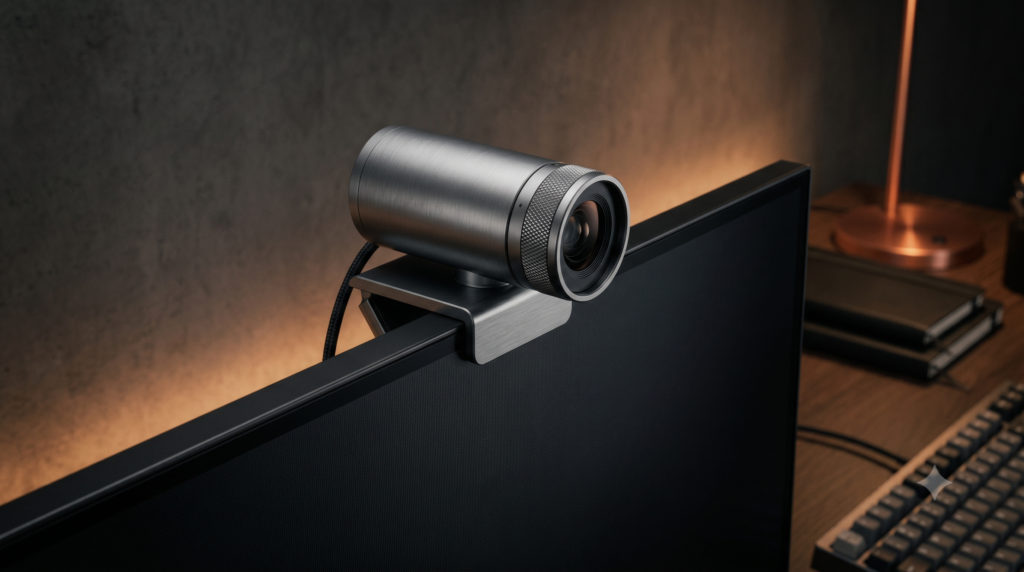
The Best Webcams for Minimalist Desk Setups (Zero RGB)
Curating a mature, distraction-free workspace requires eliminating visual clutter, from cable management to peripheral design. When configuring your desk layout, exploring foundational guides like best picks and desk setup ensures your workstation maintains a cohesive, professional aesthetic.
Avoiding bulky plastic and neon branding means selecting hardware that integrates seamlessly with premium monitors and monitor arms. For further professional hardware reviews, consult our reviews index, explore specialized console gear, or check our hardware desks category for structural workspace foundations.
Technical Architecture: Material Finishes & Stealth Mounting
1. Milled Aluminum Construction
Solid metal housings absorb reflections, eliminate plastic creaking, and provide a professional executive aesthetic that complements walnut and aluminum desks.
2. Thin-Bezel Micro-Lip Mounts
Specialized low-profile hinges grip ultra-thin displays securely without extending over the glass or obstructing active pixels.
3. Detachable USB-C Cabling
Removable ports allow custom right-angle braided cable routing, eliminating stiff rubber loops above your monitor housing.
Curated Setup Guide & Technical Spec Comparison
| Webcam Model | Chassis Material | Resolution & Sensor | Mounting Mechanism | Best-For Scenario |
|---|---|---|---|---|
| Logitech MX Brio 4K | Milled Low-Carbon Aluminum | 4K Ultra HD (Sony Starvis) | Micro-Lip Monitor Hinge | Executive Zoom calls and bezel-free displays |
| Dell UltraSharp 4K | Gunmetal Anodized Aluminum | 4K Sony CMOS Sensor | Magnetic Snap-On Base | Architectural minimalism and quick-detach privacy |
| Insta360 Link 2 | Matte Black Polycarbonate | 4K AI-Powered Gimbal | Micro-Footprint Clip / 1/4″ Mount | Presenters needing active AI face tracking |
| Elgato Facecam MK.2 | Matte Obsidian Polymer | Sony STARVIS 1080p60 | Low-Profile Flush Bracket | Streamers seeking natural eye-level framing |
Logitech MX Brio 4K Webcam
Logitech’s MX line is explicitly designed for high-end professionals, and the Logitech MX Brio 4K is a masterpiece of industrial design. It entirely ditches cheap plastic for a solid, milled aluminum housing (available in Pale Grey or Graphite). It looks less like a standard webcam and more like an expensive DSLR camera lens resting elegantly on top of your monitor.
For minimalists, it solves two massive physical hurdles. First, the privacy shutter is not a loose plastic flap; you simply twist the knurled metal ring on the lens to close a mechanical aperture. Second, the mounting clamp features a brilliant micro-lip design, meaning it securely grips ultra-thin OLED monitors without drooping downward and blocking display pixels.
Strengths
- Solid milled aluminum body provides a premium executive aesthetic
- Mechanical twist-dial lens shutter ensures physical visual privacy
- Micro-lip monitor hinge prevents screen bezel obstruction
- Detachable USB-C cable supports custom braided right-angle routing
Trade-Offs
- Demands a robust USB 3.0 data port to transmit uncompressed 4K video
- Premium aluminum construction commands a higher price tag than basic office cameras
Dell UltraSharp 4K Webcam
If you want a camera that looks like it was designed by an aerospace engineering team, the Dell UltraSharp 4K is unparalleled. It abandons the traditional wide webcam shape for a perfectly smooth, cylindrical tube of gunmetal anodized aluminum. It is remarkably dense, heavy, and visually stunning.
The mounting mechanism is pure genius for zero-clutter enthusiasts. Instead of a bulky, spring-loaded hinge clamp, a subtle low-profile mount rests on your monitor, and the camera body attaches to it magnetically. This allows you to effortlessly pull the cylinder off the mount when you want total privacy.
Strengths
- Gunmetal anodized aluminum cylinder offers gorgeous minimalist styling
- Magnetic snap-on mount allows instant removal when not in use
- Zero front-lip obstruction preserves edge-to-edge monitor pixels
- Advanced 4K Sony sensor delivers exceptional low-light clarity
Trade-Offs
- Cylindrical body lacks a built-in physical microphone array
- Magnetic mount requires a stable monitor position to prevent accidental dislodging
Insta360 Link 2
If you are a presenter, educator, or designer who frequently needs to move around your office or demonstrate physical items on your desk, static webcams feel incredibly restrictive. The Insta360 Link 2 packs 4K optics onto a microscopic, 3-axis mechanical gimbal.
Despite housing complex internal robotics, the chassis is remarkably compact. It tracks your face using AI and smoothly rotates its lens to follow you. For minimalists, the standout feature is automated privacy: after 10 seconds of inactivity, the gimbal powers down and points the lens downward at its base.
Strengths
- 3-axis mechanical gimbal provides smooth AI face tracking during presentations
- Automated privacy mode drops the lens downward when inactive
- Compact footprint mounts easily to monitors or standard 1/4-inch arms
- Exceptional auto-exposure and phase-detect autofocus performance
Trade-Offs
- Mechanical gimbal motors require adequate USB power delivery
- Requires companion software utility to fine-tune advanced AI tracking parameters
Elgato Facecam MK.2
For content creators who demand uncompressed 1080p 60FPS video but despise the glossy, rounded aesthetic of typical streaming hardware, the Elgato Facecam MK.2 is an exceptional choice. Built as a rigid matte black rectangle, it features zero flashing lights or glossy bezels.
Elgato designed a custom low-profile mount that allows the camera to drop down and sit virtually flush with the top edge of your screen. This positioning creates a natural, eye-level viewing angle without obstructing your display.
Strengths
- Uncompressed 1080p 60FPS video stream eliminates motion blur
- Low-profile mount lets the camera sit flush with the top monitor bezel
- Matte obsidian finish absorbs ambient screen glare completely
- Includes a physical sliding mechanical privacy shutter
Trade-Offs
- Native resolution is 1080p rather than 4K UHD
- Lacks built-in microphones, requiring an external USB or XLR mic setup
Frequently Asked Questions
Will a webcam clamp block my thin bezel monitor?
Ultra-thin bezels present a challenge because standard webcam clamps will bleed over the glass and block your screen. You need a webcam with an adjustable micro-lip or a custom magnetic mount that sits flush against the top housing without obstructing pixels.
Why is a detachable USB-C cable important for webcams?
Cheap webcams feature a fixed and rigid rubber USB cable permanently attached to the camera body. If you use a monitor arm, this cable is extremely difficult to route cleanly. Premium webcams feature a detachable USB-C port, allowing you to use a flexible and braided right-angle cable for a hidden zero-clutter route.
Do I need a ring light for a minimalist setup?
No. Traditional ring lights are bulky, cause harsh reflections in your glasses, and ruin a minimalist desk aesthetic. Instead, professionals use small and edge-lit key lights which cast a soft diffused illumination and mount stealthily behind the monitor.