Top 5 NVMe SSDs to Expand Your PS5 Storage
We’ve all been there. You just bought a massive new title like Call of Duty, Helldivers 2, or are prepping for GTA VI, and the dreaded PlayStation 5 notification pops up: “Not Enough Free Space.”
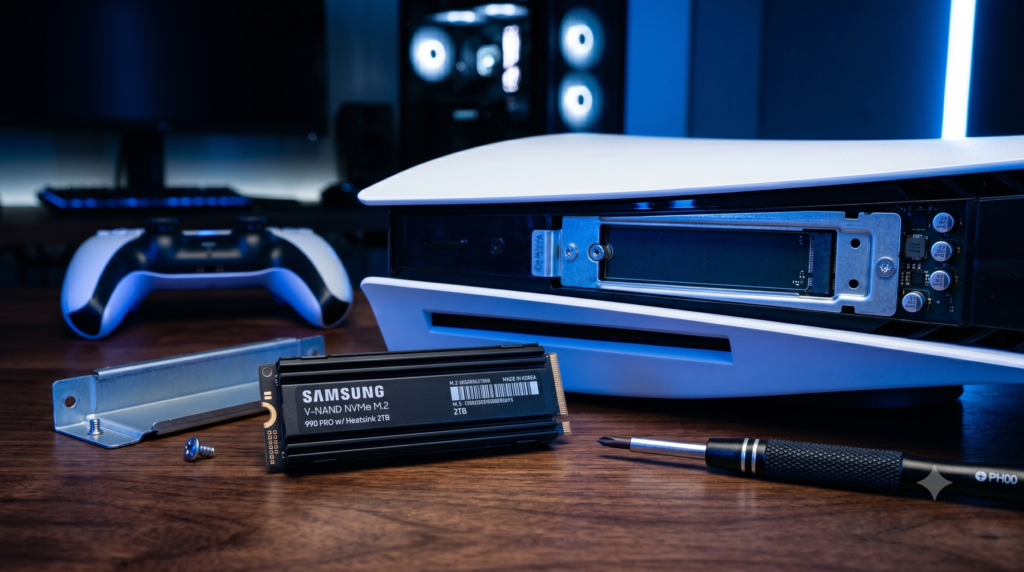
The base PS5 only gives you roughly 667GB of usable storage out of the box. With modern AAA games easily surpassing 100GB to 150GB each, you are going to run out of room fast. Fortunately, Sony built a dedicated expansion slot directly into the console, allowing you to seamlessly add a massive M.2 NVMe SSD to double, triple, or even quadruple your storage capacity in under 5 minutes with a standard screwdriver.
However, you can’t just buy any random PC drive. Sony requires incredibly fast PCIe Gen4 speeds and, crucially, a built-in metal heatsink to prevent the console from melting down. At Desk & Console, we’ve rigorously tested the market. Here are the 5 absolute best drop-in, PS5-ready SSDs (all with pre-installed heatsinks) that will end your storage anxiety forever.
Sony’s Official SSD Requirements
Do not buy an SSD without a heatsink! The PS5 expansion slot gets extremely hot. If you put a naked SSD in there, it will thermal throttle within minutes, causing your games to stutter and potentially permanently damaging your console. Every SSD on this list has a pre-installed, PS5-compatible heatsink out of the box.
| Specification | Sony’s Minimum Requirement |
|---|---|
| Form Factor | M.2 NVMe SSD (Key M), Size 2230, 2242, 2260, 2280, 22110 |
| Interface | PCIe Gen4 x4 (Generation 4) |
| Sequential Read Speed | 5500 MB/s or faster |
| Cooling Structure | Mandatory Heatsink (Pre-installed or aftermarket) |
WD_BLACK SN850P NVMe SSD for PS5
If you want absolute peace of mind and zero guesswork, the WD_BLACK SN850P is the holy grail of PS5 storage. Western Digital optimized this specific variant to slide flawlessly into the PS5 expansion bay, maximizing airflow. It’s officially licensed by PlayStation and features the PS logo right on the heatsink.
Clocking in at blistering 7,300 MB/s read speeds, it easily crushes Sony’s 5,500 MB/s requirement. In real-world tests, games stored on this drive will load just as fast—and occasionally fractions of a second faster—than the PS5’s internal storage.
✓ What We Love
- Officially licensed and certified by PlayStation
- Massive 7,300 MB/s speeds drastically reduce load screens
- Custom heatsink designed specifically for the PS5 chassis clearances
✕ Keep in Mind
- You pay a slight premium for the official PlayStation branding
Samsung 990 PRO with Heatsink
In the PC building world, Samsung SSDs are absolute royalty. The Samsung 990 PRO is technically the fastest drive on this list, pushing the absolute physical limits of the PCIe Gen4 interface at an astonishing 7,450 MB/s.
If you play massive, texture-heavy open-world games where assets are constantly streaming in, this drive ensures flawless performance. The built-in heatsink is highly futuristic, featuring subtle red accents that look fantastic (even though they will be hidden under your PS5’s cover plate). It is one of the most power-efficient drives on the market, generating less heat than its competitors.
Buy Samsung 990 PROCorsair MP600 PRO LPX
Corsair specifically engineers hardware to run incredibly cool. The “LPX” in the Corsair MP600 PRO LPX stands for Low-Profile. Corsair took their massive, bulky PC heatsink and meticulously shaved it down to slide perfectly into the restrictive PS5 expansion bay.
Because the aluminum heat spreader is so dense and finely finned, it prevents thermal throttling beautifully even if your PS5 is shoved into a slightly warm entertainment center. It delivers 7,100 MB/s speeds, meaning you won’t sacrifice a single drop of performance for the superior cooling.
Buy Corsair MP600 LPXCrucial T500 Gen4 NVMe (w/ Heatsink)
Crucial is owned by Micron, one of the biggest memory manufacturers on the planet. Because they make the memory chips themselves, they often undercut competitors on price. The Crucial T500 is an absolute powerhouse disguised as a mid-tier drive.
When purchasing, ensure you select the “With Heatsink” option. The low-profile aluminum shroud fits perfectly into the console, and it maxes out the Gen4 bandwidth at 7,300 MB/s. It frequently goes on sale, making it the smartest buy for gamers who want top-tier speed without paying the “premium brand” tax.
Buy Crucial T500Silicon Power XS70 PCIe Gen4
When gamers are on a strict budget, they often make the fatal mistake of buying a bare SSD without a heatsink just to save $15. The Silicon Power XS70 completely solves this dilemma. It is one of the most affordable Gen4 SSDs on the market that actually includes a chunky, armor-like heatsink right out of the box.
Don’t let the budget price fool you. It clears Sony’s 5,500 MB/s hurdle effortlessly, topping out at an impressive 7,300 MB/s. If you want to expand your storage for the lowest possible price without risking hardware damage from heat, this is the drive to buy.
Buy Silicon Power XS70Installing an SSD in your PS5 is incredibly easy (it takes a single screwdriver and 5 minutes). If you want absolute, unquestionable compatibility and top-tier reliability, grab the officially licensed WD_BLACK SN850P. If you want to get the absolute most storage for your money without sacrificing a single drop of speed, the Crucial T500 is an unbeatable value.
Frequently Asked Questions (FAQ)
Does installing an SSD void my PS5 warranty?
No. Sony actively encourages users to upgrade their storage. Removing the white side plates and unscrewing the small metal cover over the M.2 expansion slot does not void your PlayStation 5 warranty, provided you do not physically damage the internal components during the process.
Do I actually need an SSD with a heatsink for the PS5?
Yes, it is absolutely mandatory. Sony officially mandates that any M.2 SSD installed in the PS5 must have a heatsink. PCIe Gen4 drives read data so fast that they generate massive amounts of physical heat. Without a heatsink, the drive will thermal throttle (slow down), causing your games to stutter violently or even crash the console.
Can I play PS5 games from an external USB hard drive?
No. You can store or archive PS5 games on an external USB hard drive, and you can play older PS4 games directly from it. However, to actually play next-gen PS5 games, they must be installed on the ultra-fast internal storage or an approved internal PCIe Gen4 M.2 NVMe SSD (like the ones on this list).