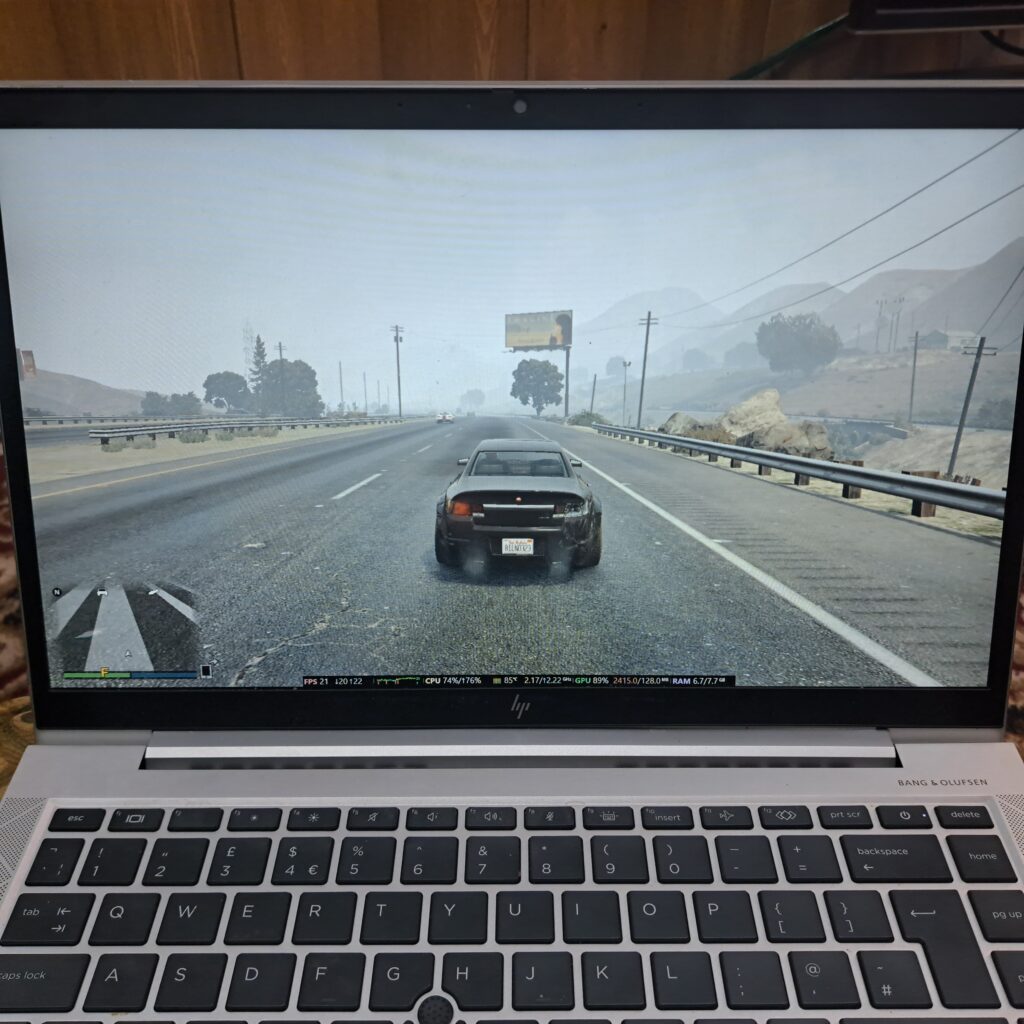
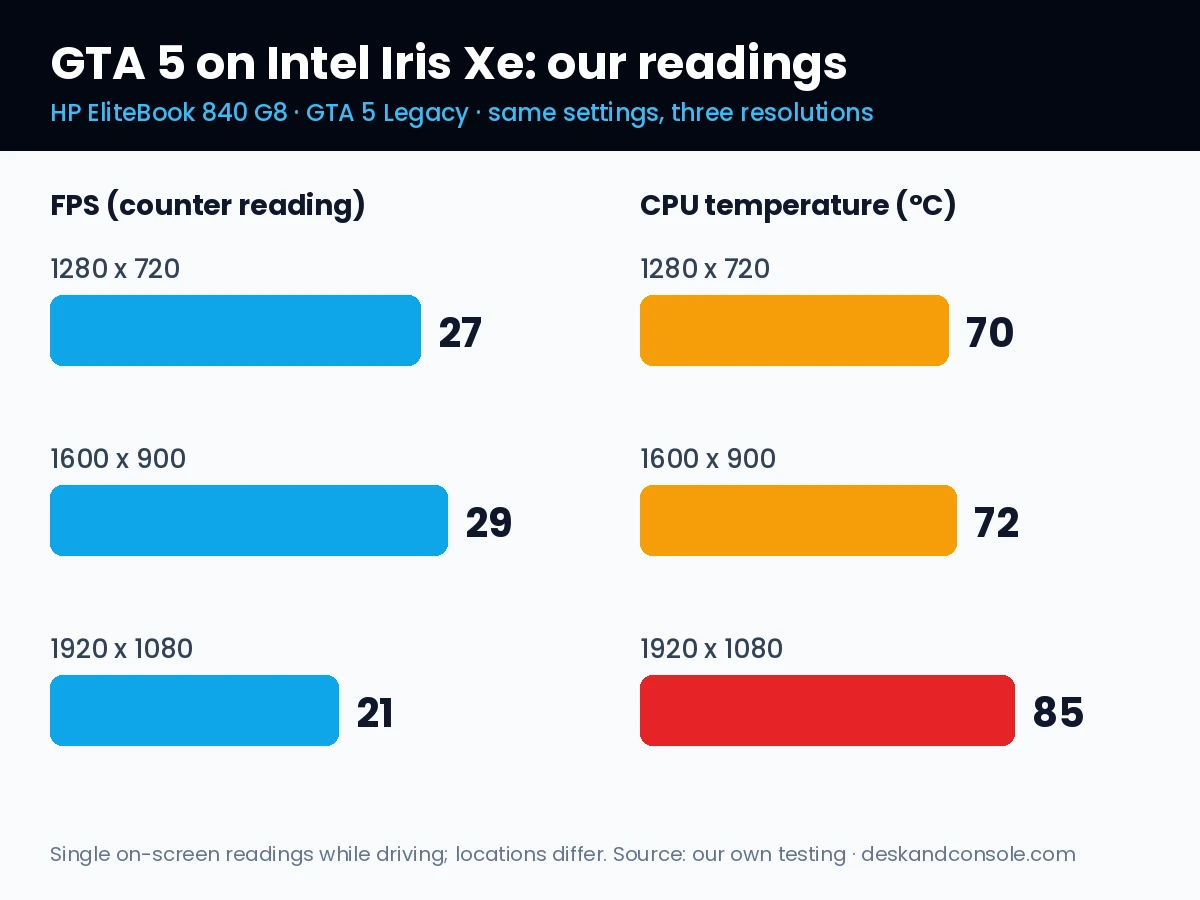
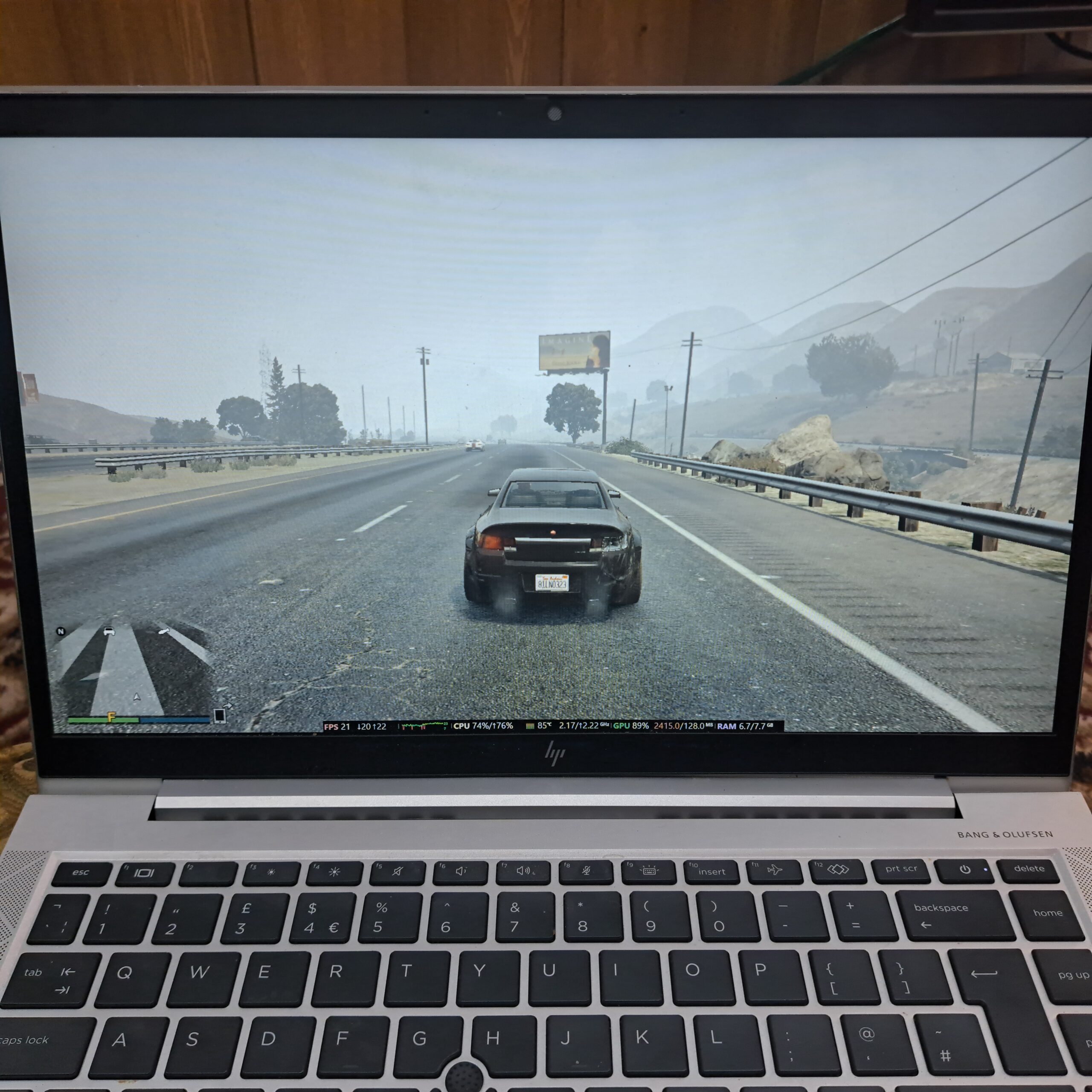
Yes, Intel Iris Xe can run GTA 5 Legacy, but keep expectations modest. On our HP EliteBook 840 G8, GTA Online ran at about 27 fps at 720p and 29 fps at 900p, then dropped to 21 fps at 1080p, where the CPU hit 85°C. Our pick is 1600 x 900: a sharper picture than 720p without the heat of 1080p.
Affiliate disclosure: as an Amazon Associate we earn from qualifying purchases, at no extra cost to you.
Test setup
- Laptop: HP EliteBook 840 G8, Intel Core i5-1145G7, Intel Iris Xe graphics, 8 GB RAM, Windows 11.
- Game: GTA 5 Legacy on Steam, DirectX 11, in a public GTA Online session.
- Settings: the same graphics settings for every run, as listed in our GTA 5 Legacy vs Enhanced guide, except VSync was turned off so the frame rate wasn’t capped. Only the resolution changed between runs.
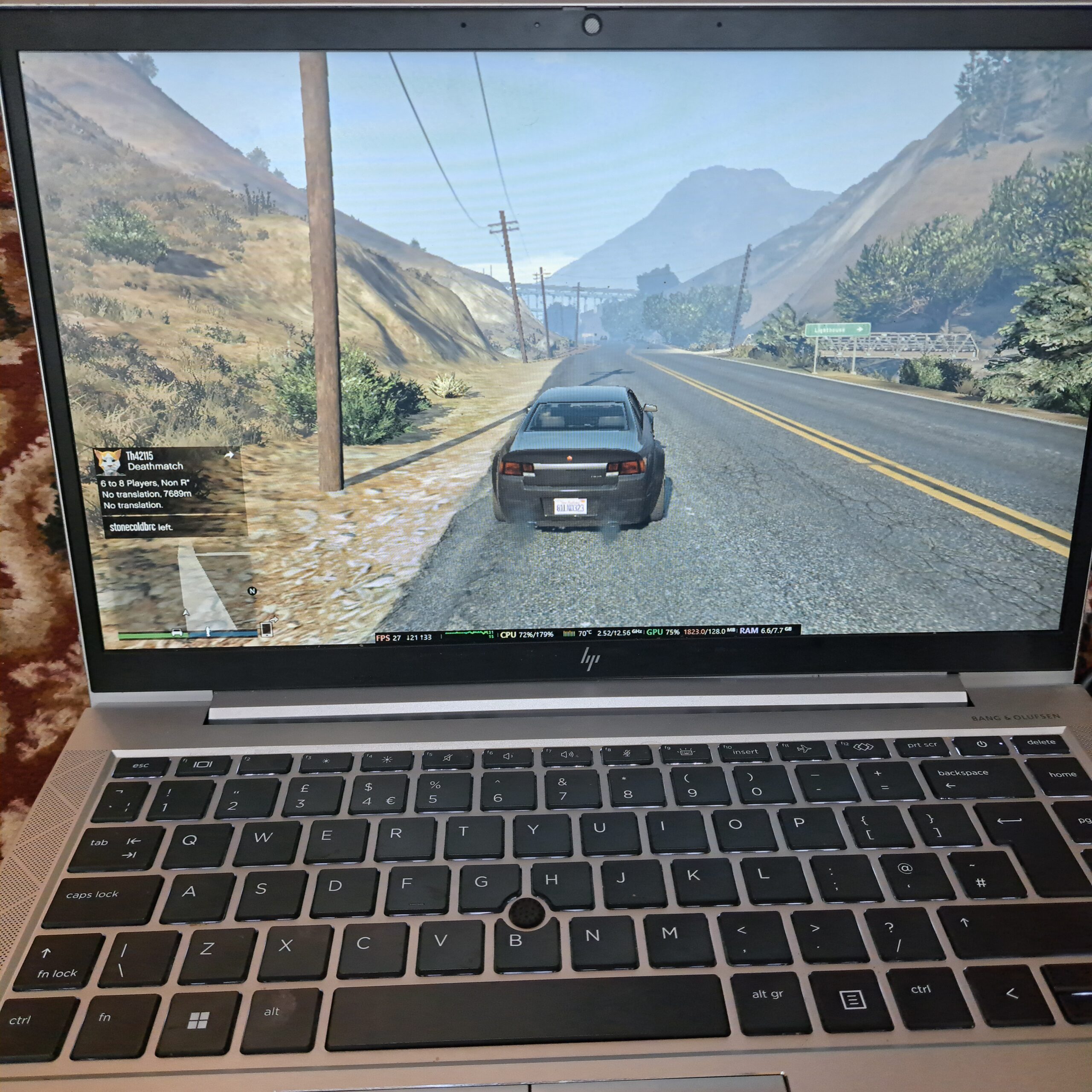
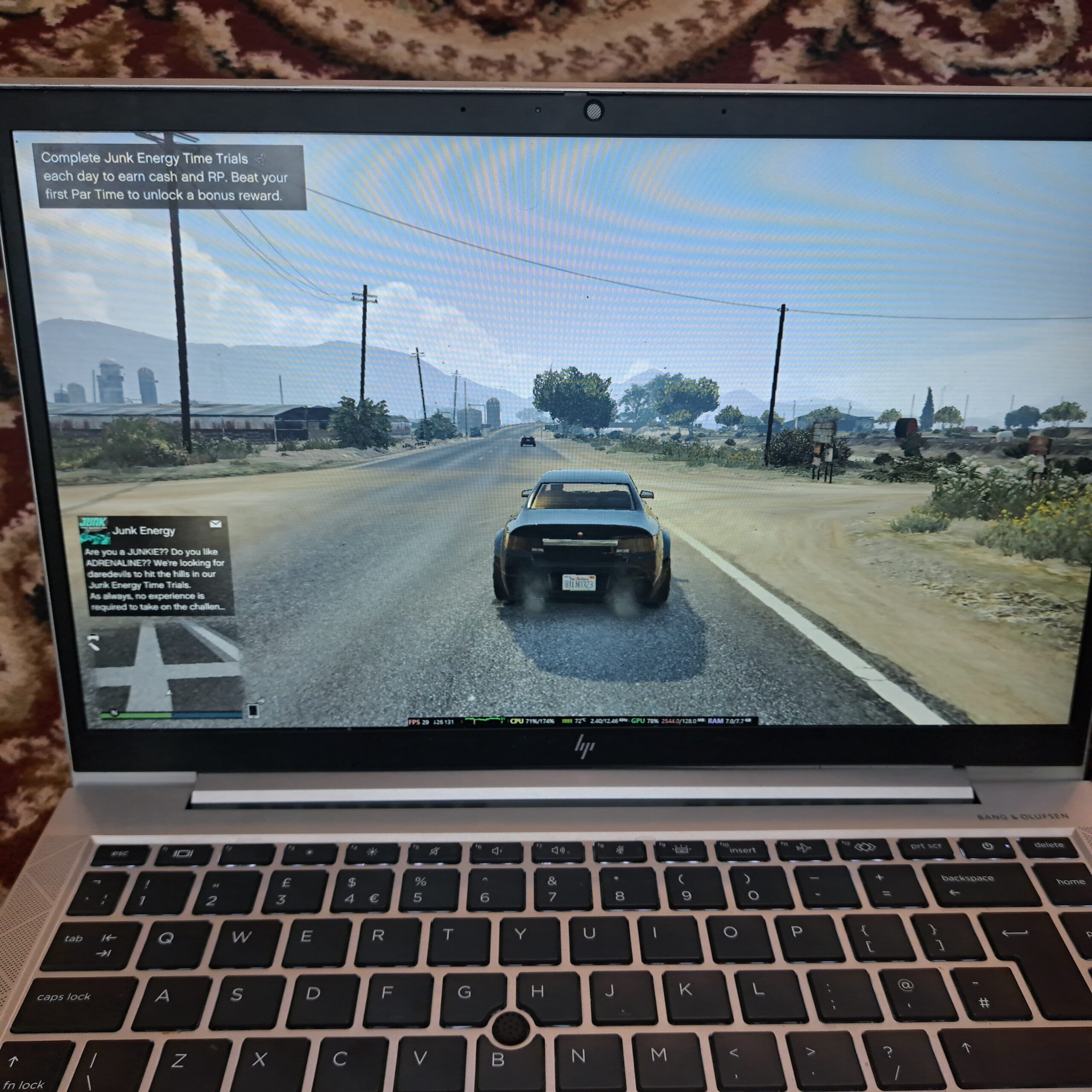
- Readings: an on-screen performance overlay showing FPS, CPU temperature, graphics usage and RAM, photographed while driving outside the city.
Results by resolution
| Resolution | FPS | CPU temp | Graphics usage | RAM in use |
|---|---|---|---|---|
| 1280 x 720 | 27 | 70°C | 75% | 6.6 of 7.7 GB |
| 1600 x 900 | 29 | 72°C | 78% | 7.0 of 7.7 GB |
| 1920 x 1080 | 21 | 85°C | 89% | 6.7 of 7.7 GB |
At 720p and 900p, the frame rate sat in the high 20s. The game felt playable for driving and casual missions, though not smooth like a gaming laptop. At 1080p, the frame rate dropped to about 21 fps and the graphics chip was working much harder.
720p and 900p came out almost the same, and 900p even read slightly higher. That tells us the resolution wasn’t the main limit at those settings, and that small differences between locations matter as much as the resolution change.
The 1080p heat problem
At 1920 x 1080, the laptop got noticeably hot. The overlay showed the CPU at 85°C and graphics usage at 89%, compared with 70°C at 720p. On a thin business laptop, integrated graphics share the same cooling as the processor, so pushing the resolution heats everything up. For long sessions, that’s a good reason to stay at 900p or lower.
What we’d use
- Play at 1600 x 900. It looked sharper than 720p for about the same frame rate on our laptop.
- Close your browser and other apps. RAM use ran between 6.6 and 7.0 GB of the 7.7 GB available, so there’s very little headroom.
- Keep the laptop plugged in and on a hard surface or a cooling pad, never on a bed or blanket.
- Avoid 1080p for long sessions on a thin laptop like this one.
Thinking about the free Enhanced upgrade? Our Legacy vs Enhanced guide explains why Iris Xe laptops should stay on Legacy.
We play on a basic single-fan pad like this one. It lifts the laptop so air reaches the vents underneath. We haven’t measured its exact effect yet, but it’s a cheap way to avoid blocking airflow.
Browse Single-Fan Cooling Pads on Amazon →Frequently asked questions
Can Intel Iris Xe run GTA 5?
On our HP EliteBook with Iris Xe, GTA 5 Legacy runs GTA Online at around 27 to 29 fps at 720p and 900p with lowered settings. It isn’t a high-frame-rate experience, but it’s playable for casual sessions.
What resolution should I use for GTA 5 on Iris Xe?
On our laptop, 1600 x 900 gave a similar frame rate to 720p with a sharper picture, while 1080p dropped to about 21 fps and ran much hotter. We’d start at 900p.
Why does my laptop get so hot playing GTA 5 at 1080p?
Higher resolution makes the integrated graphics work harder. On our laptop, graphics usage rose to 89% and the CPU reached 85°C at 1080p, compared with about 70°C at 720p.
Can Intel Iris Xe run GTA 5 Enhanced?
Rockstar’s minimum for Enhanced is a dedicated GTX 1630 or RX 6400 with 4 GB of video memory. Integrated graphics such as Iris Xe aren’t listed, so stay on Legacy.
Is 8 GB of RAM enough for GTA 5 on a laptop?
It works on our 8 GB laptop, but the overlay showed 6.6 to 7.0 GB of 7.7 GB in use while playing, so close other apps like your browser before you start.
- All readings come from our own HP EliteBook 840 G8, photographed from the performance overlay while driving in GTA Online on 6 November 2026.
- Each figure is a single on-screen reading at that moment, not an average over a fixed route. The three runs were in different parts of the map, so treat small differences, like 27 versus 29 fps, as roughly equal.
- Rockstar’s Enhanced requirements come from Rockstar Support.