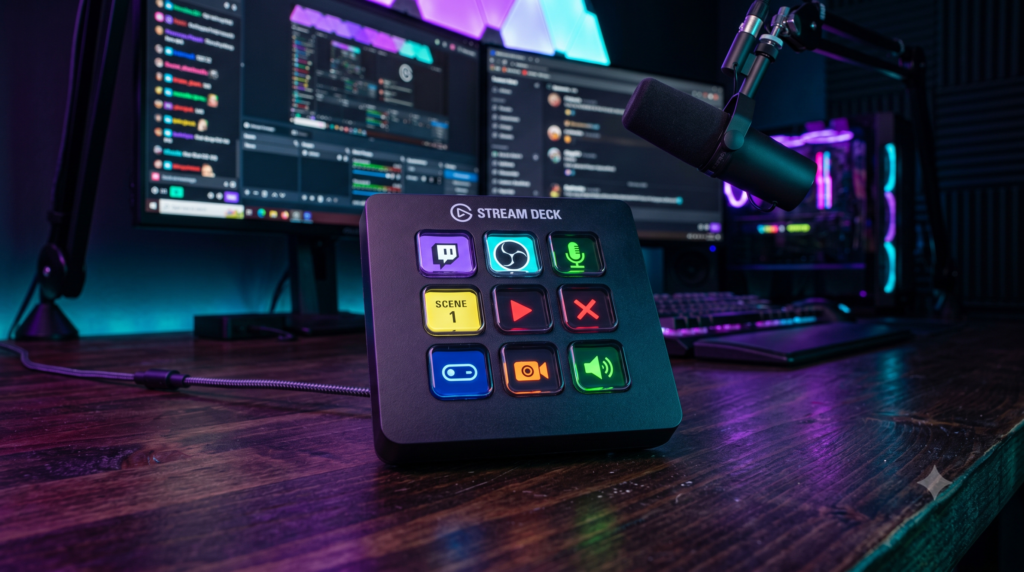
Top 4 Elgato Stream Deck Alternatives for Budget Streamers
Every aspiring Twitch streamer and YouTuber eventually realizes they need a command center. When you are live, Alt-Tabbing out of your game just to switch an OBS scene, mute your microphone, or trigger a chat sound effect ruins the flow of your broadcast.
For years, the Elgato Stream Deck has been the undisputed king of solving this problem. It is a fantastic piece of hardware, but it comes with a massive drawback: the “Corsair Tax.” Paying $150+ for 15 plastic buttons with tiny LCD screens inside them is a brutal pill to swallow for a budget creator.
The good news? The market has finally caught up. In 2026, you do not need to pay the “Elgato Tax” to get professional broadcast control. At Desk & Console, we’ve sourced the absolute best Stream Deck alternatives—ranging from direct LCD-screen clones to an ingenious $50 tablet hack.
The reason the Elgato Stream Deck is so expensive is because every single button has a tiny customizable LCD screen underneath it. If you are willing to use a mechanical macro pad (physical keyboard switches with printed stickers), you can get the exact same OBS integration for under $40!
AJAZZ AKP153 LCD Macro Pad
If you literally just want an Elgato Stream Deck MK.2 but refuse to pay $150, the AJAZZ AKP153 is the viral alternative taking the streaming community by storm. It looks and feels nearly identical to the Elgato, featuring a grid of 15 transparent LCD buttons and a sleek side-display strip for PC telemetry (CPU/RAM usage).
Just like the original, you can upload custom GIFs and icons to the buttons. It comes with its own dedicated software that easily hooks into OBS Studio, Twitch, and Windows media controls. You are getting 95% of the Elgato experience for literally half the price.
✓ What We Love
- The closest 1:1 hardware clone of the Elgato MK.2 on the market
- 15 fully customizable LCD buttons support animated GIFs
- Bonus side-screen displays real-time PC performance stats
- Massive cost savings (Usually 50% cheaper than Elgato)
✕ Keep in Mind
- The AJAZZ software isn’t as polished or plugin-rich as Elgato’s app store
Razer Stream Controller X
If you don’t trust budget generic brands but still want to defect from Elgato, the Razer Stream Controller X is the exact same hardware format but powered by Loupedeck’s vastly superior software.
While its MSRP is similar to Elgato’s, it goes on sale on Amazon much more frequently. Because it integrates natively into Razer Synapse, if you already own a Razer mouse, keyboard, or Key Light, you can control your entire physical room lighting and stream setup from one centralized hub.
Buy Razer Stream Controller XKoolertron 24-Key Programmable Keypad
If you want the functionality of a massive Elgato Stream Deck XL but only have $45 to spend, the Koolertron 24-Key Macropad is the ultimate hardware cheat code.
It doesn’t have fancy LCD screens. It is simply a grid of 24 mechanical keyboard switches. Using the free included software, you can program every single key to trigger complex OBS studio macros, open applications, or type long strings of text in Twitch chat. You simply print off custom labels or buy a cheap pack of sticker icons to stick onto the blank keycaps. It’s raw, industrial utility for extreme budget setups.
Buy Koolertron 24-KeyIf you don’t care about pressing physical, tactile buttons, you don’t need to buy a macro pad at all. Touch Portal is an incredible, free software program that turns any touchscreen device into a wireless Stream Deck. This leads us to our absolute favorite budget hack…
Amazon Fire 7 Tablet (With Touch Portal)
This is the most viral budget-streaming secret on the internet. You do not need to buy an actual macro pad. You can simply buy an incredibly cheap Amazon Fire 7 Tablet, buy a $10 phone stand for your desk, and download an app called Touch Portal.
Touch Portal connects your tablet to your PC via Wi-Fi or USB. It turns the tablet screen into a fully customizable, digital Stream Deck. You can design an unlimited number of digital buttons with full-color graphics to control your OBS scenes, mute your mic, or trigger soundboards. For under $60 total, you essentially get an Elgato Stream Deck XL that doubles as a Netflix viewer when you aren’t live.
Buy Amazon Fire 7If you want the exact physical feel, aesthetic, and visual layout of the Elgato Stream Deck for half the price, the AJAZZ AKP153 LCD Macro Pad is an absolute no-brainer purchase.
However, if you want maximum functionality on the tightest budget possible, buy a cheap Amazon Fire 7 Tablet, download the Touch Portal app, and enjoy endless touchscreen macro controls for just $50!
Frequently Asked Questions (FAQ)
Can I use a normal macro keyboard for streaming?
Yes, absolutely. Any programmable mechanical macro pad (like the Koolertron) can be bound to OBS Studio hotkeys (like switching scenes, muting your mic, or triggering transitions). You don’t get the visual LCD icons of a Stream Deck, but you save over $100 by using blank mechanical keys and sticking your own custom labels onto them.
What is Touch Portal?
Touch Portal is an incredibly popular macro software app that turns any iOS or Android device (like an iPad, smartphone, or cheap Amazon Fire Tablet) into a digital Stream Deck. It connects to your PC via Wi-Fi or USB and provides a customizable grid of digital touch buttons to control OBS, Twitch chat, and smart home lighting for a fraction of the cost of physical hardware.
Why do streamers need audio dials?
If you are playing a game and someone in your Discord chat suddenly screams, or your Spotify music gets too loud, Alt-Tabbing out of a fullscreen game to fix your volume sliders ruins your stream. Macro pads with physical rotary dials (like the Loupedeck Live S) allow you to physically turn down specific audio sources instantly without taking your eyes off your game.