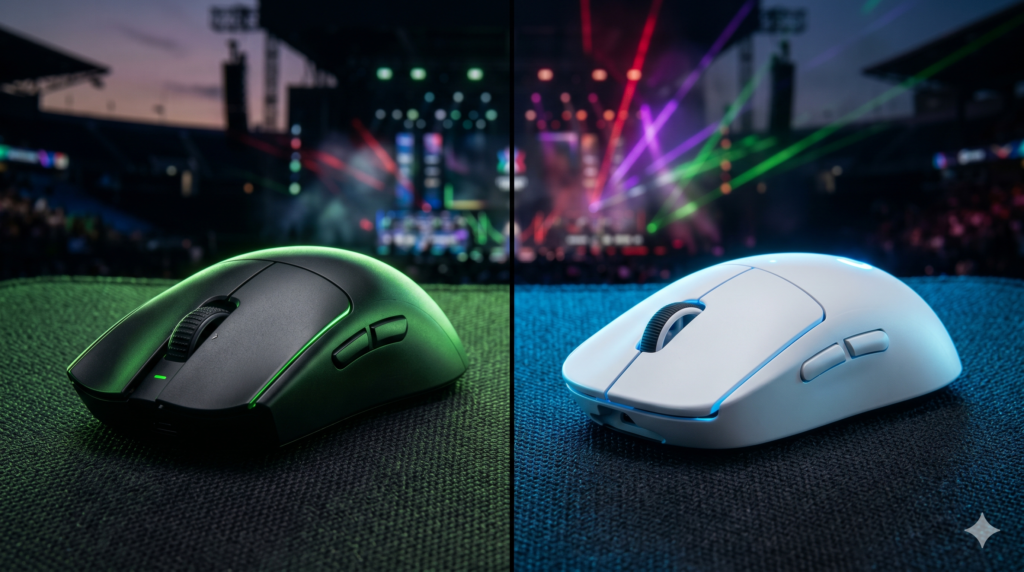
Razer Viper V3 Pro vs Logitech G Pro X Superlight 2: Which is Better?
In the high-stakes world of professional esports, your mouse is your primary weapon. For the last several years, the tactical shooter space (Valorant, CS2, and Rainbow Six Siege) has been utterly dominated by two giants: Razer and Logitech.
If you are looking for the absolute peak of modern tracking technology, ultra-lightweight design, and flawless wireless connectivity, your search will inevitably come down to two mice: the Razer Viper V3 Pro and the Logitech G PRO X Superlight 2 (GPX 2).
Both mice cost around $160, both feature insane 8000Hz polling rates, and both are used by World Champions. But underneath their matte shells, they possess very different design philosophies.
At Desk & Console, we’ve put thousands of hours of aim-training into both of these peripherals. If you are struggling to decide which flagship mouse deserves a spot on your desk, here is our definitive, hyper-detailed breakdown of how they compare.
1. Tale of the Tape: Spec Comparison
Before we dive into the subjective feel of the mice, let’s look at the raw data under the hood.
| Feature | Viper V3 Pro | GPX Superlight 2 |
|---|---|---|
| Weight | 54 grams | 60 grams |
| Sensor | Focus Pro 35K Gen-2 | HERO 2 Optical |
| Max Polling Rate | 8000Hz (Dongle Included) | 8000Hz (Via Firmware Update) |
| Switches | Optical Gen-3 | Lightforce Hybrid (Opto-Mechanical) |
| Shape Focus | Claw / Fingertip Grip | Universal “Potato” Shape |
| Battery Life | 95 Hours (at 1000Hz) | 95 Hours (at 1000Hz) |
2. Shape & Ergonomics: The Deciding Factor
In the top tier of gaming mice, the sensors are so flawless that 90% of your purchasing decision should be based strictly on shape. A mouse that fits your hand perfectly will always out-aim a mouse with a slightly better sensor.
The Logitech GPX 2: This mouse is famous for its “potato” shape. It is incredibly safe. It doesn’t have deep comfort grooves in the buttons, and the sides are relatively flat. It is designed so that no matter if you use a palm, claw, or fingertip grip, it will feel comfortable. It is the definition of a “one size fits all” esports mouse.
The Razer Viper V3 Pro: Razer completely abandoned the flat design of the old Viper V2 Pro. The V3 Pro features a higher, more rear-focused hump that presses beautifully into your palm. It features subtle finger grooves on the main clicks and a slight flare at the back. It is heavily geared toward Claw Grip players, providing immense stability for micro-adjustments.
3. Clicks & Switches: Optical vs Hybrid
The original Logitech Superlight was infamous for developing “double-clicking” issues over time. To fix this, Logitech developed Lightforce Hybrid switches for the Superlight 2. They use an optical beam for the actual input (guaranteeing zero double-clicking), but maintain a mechanical spring for the physical feel. The result is a very heavy, loud, and tactile click that some people love and others find fatiguing.
The Viper V3 Pro uses Razer’s Gen-3 Optical switches. They are significantly lighter and more “spammable” than Logitech’s. If you play games that require rapid, continuous clicking (like League of Legends, Apex Legends, or Fortnite), the Viper V3 Pro’s clicks will cause far less finger fatigue.
The Contenders
Razer Viper V3 Pro Wireless Esports Mouse
If you want the absolute pinnacle of current mouse technology, the Razer Viper V3 Pro is currently the best mouse on the planet. At 54 grams, it feels like moving air. The sensor customization is unmatched, the 8K dongle is included in the box, and the new sculpted shape is an absolute dream for tactical shooter players.
✓ Why Choose Razer?
- Incredibly light at just 54 grams
- Native 8000Hz wireless dongle included
- Optical Gen 3 switches are light and fast
- Superior coating (grippy even with sweaty hands)
✕ Keep in Mind
- 8000Hz polling drains battery significantly faster
- Synapse software can be resource-heavy
Logitech G PRO X Superlight 2
The Logitech G Pro X Superlight 2 is the definition of “if it ain’t broke, don’t fix it.” Logitech kept the iconic shape that has won more esports championships than any other mouse in history, but updated the internals to match modern standards.
It now features USB-C charging, incredibly tactile Lightforce optical-mechanical switches, and a flawless HERO 2 sensor capable of 8000Hz polling via a recent software update. If you use a palm grip or simply want a shape that is guaranteed to feel natural from day one, this is the safest, most reliable choice.
✓ Why Choose Logitech?
- The safest, most universally comfortable shape
- Lightforce switches provide crisp, tactile feedback
- Legendary 95+ hour battery life
- G-Hub software is clean and reliable
✕ Keep in Mind
- Main clicks are quite loud and require more force
- Slightly heavier than the Viper (60g vs 54g)
Choosing between the Viper V3 Pro and the Superlight 2 is like choosing between a Ferrari and a Porsche. Both are absolute masterpieces of engineering.
If you want the safest shape, satisfying tactile clicks, and incredible battery life, buy the Logitech Superlight 2. But if you want the absolute cutting-edge of lightweight tech (54g), highly spammable optical switches, and an aggressive claw-grip shape, the Razer Viper V3 Pro takes the crown.
Frequently Asked Questions (FAQ)
Is an 8000Hz polling rate actually better than 1000Hz?
Yes, but with caveats. An 8000Hz polling rate updates your mouse position to your PC 8 times faster than a standard mouse, dropping latency from 1ms to 0.125ms. However, to actually perceive this smoothness, you need a high-end CPU and a high refresh rate monitor (240Hz, 360Hz, or 540Hz). If you play on a 60Hz monitor, 8K polling is practically useless.
Do these mice have double-clicking issues?
No. Both the Razer Viper V3 Pro and the Logitech GPX 2 have moved away from traditional mechanical contacts. Because they both utilize optical infrared light to register clicks, it is physically impossible for the switches to degrade and register false double-clicks over time.
Which mouse has better battery life?
At a standard 1000Hz polling rate, both mice will last roughly 95 hours on a single charge. However, if you activate 8000Hz mode, the battery drain is severe on both models. The Viper V3 Pro drops to around 17 hours of battery life at 8KHz, requiring you to charge it every few days.