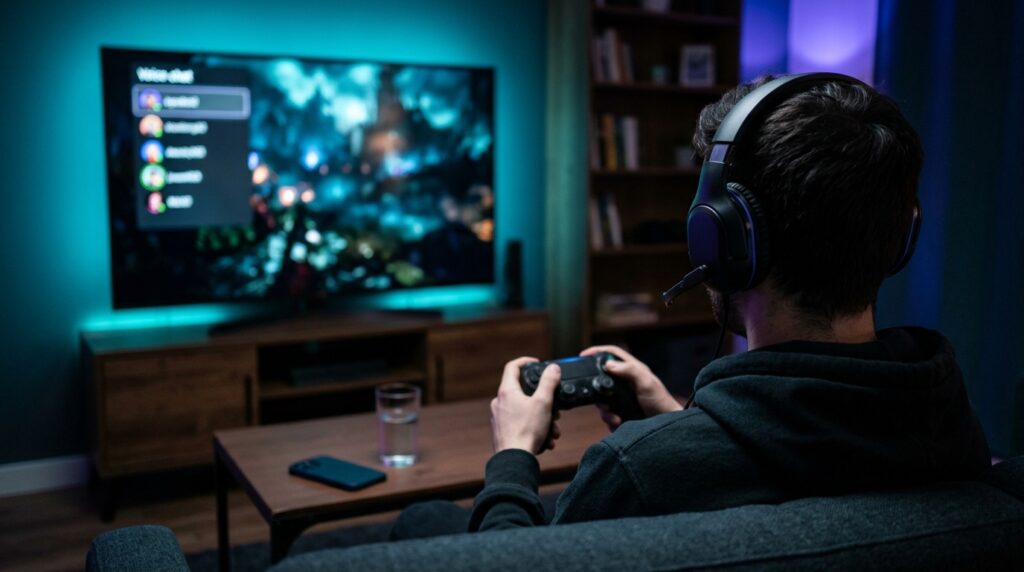
If your party hears button clicks, game sound or the room around you, your mic is picking up more than your voice. The fix depends on which mic you use and where your game audio plays. This guide walks through the PS5 settings and setup changes that cut background noise, in order of effort.
Where background noise comes from
| What friends hear | Likely source | First fix |
|---|---|---|
| Button clicks and game sound | The DualSense’s built-in mic, which sits in your hands | Update the console, or switch to a headset mic |
| TV or soundbar audio | A mic picking up your speakers | Send all audio to your headset |
| Fans, traffic, people talking | Room noise reaching an open or distant mic | Use a boom mic close to your mouth, and lower the mic level |
| Your voice cutting in and out | Mic level set too low, or heavy filtering | Adjust the mic level until you’re in the “Good” range |
Fix 1: Update the console for the DualSense noise reduction
If you talk through the controller’s built-in mic, install the latest system software first. Sony’s March 2024 update improved the DualSense mic with an AI machine-learning model that suppresses background noise from button presses and game audio. It works automatically once the console is up to date.
Go to Settings > System > System Software > System Software Update and Settings and install any update.
Fix 2: Set the microphone level properly
Go to Settings > Sound > Microphone > Adjust Microphone Level. PlayStation’s guidance is to set the level so your voice sits in the “Good” range when you speak normally. Turning the level up captures more of the room as well as your voice; turning it down too far can make your voice cut out.
Fix 3: Keep game audio out of the mic
- Use headphones or a headset, and set Settings > Sound > Audio Output > Output to Headphones so all audio plays through them.
- If you play through the TV and talk on the controller mic, the mic sits a few feet from the speakers. Lowering the TV volume or switching to a headset makes the biggest difference.
Fix 4: Use a headset mic near your mouth
A boom mic close to your mouth picks up your voice far more strongly than room noise, which is why it beats the controller mic for party chat. Sony’s own PULSE Elite headset adds AI-enhanced noise rejection to its retractable mic. Sony says it’s designed to smooth away repetitive background noise.
If friends hear an echo of their own voices rather than background noise, that’s a different problem. See our PS5 mic echo guide.
Fix 5: Mute when you’re not talking
Press the MUTE button on the controller whenever you don’t need to speak. It’s the only way to stop all noise reaching your party. You can also set the mic to start muted under Settings > Sound > Microphone.
How we checked
Sources and limits (checked 3 November 2026)
- The DualSense noise-reduction update details come from Sony’s announcement, as reported by Game Informer and Trusted Reviews.
- Microphone settings come from PlayStation’s support page on PS5 audio settings.
- PULSE Elite details come from Sony’s store page and the PlayStation Blog.
- We have not recorded or measured mic noise ourselves. Menu names can change with system updates.
A headset mic with noise rejection
PlayStation PULSE Elite Wireless Headset
Why it helps: the boom mic sits close to your mouth, and the noise rejection filters repetitive background sounds. The mic mute works from the headset or the controller.
Trade-offs: it costs more than a basic wired headset. A cheaper headset with a boom mic still beats the controller mic for noise.
Frequently asked questions
Does the PS5 controller mic have noise cancellation?
Yes, after Sony’s March 2024 system update. It uses an AI machine-learning model to suppress background noise from button presses and game audio. Keep the console updated to get it.
Can I turn PS5 noise suppression off?
There isn’t a separate on/off switch for the DualSense’s noise reduction. You can change how much the mic picks up with Adjust Microphone Level in Settings > Sound > Microphone.
Why can my friends hear my game through my mic?
Usually because game audio plays through your TV or speakers and your mic picks it up. Send all audio to your headset, or use a headset mic instead of the controller mic.
Is a headset mic better than the DualSense mic?
For background noise, yes. A boom mic sits close to your mouth, so your voice is much louder than the room. The DualSense mic sits in your hands, near the buttons.
Why does my voice cut out on PS5 chat?
A mic level set too low can cut quieter speech. Raise it until your normal speaking voice sits in the Good range under Adjust Microphone Level.
More PS5 audio guides
Sources
- Game Informer: PS5 update enhances DualSense audio (Sony quote)
- Trusted Reviews: PS5 update boosts DualSense mic noise cancellation
- PlayStation: How to change audio settings on PS5
- Sony Store: PULSE Elite wireless headset (box contents, AI noise rejection)
- PlayStation Blog: PULSE Elite hands-on (noise rejection)