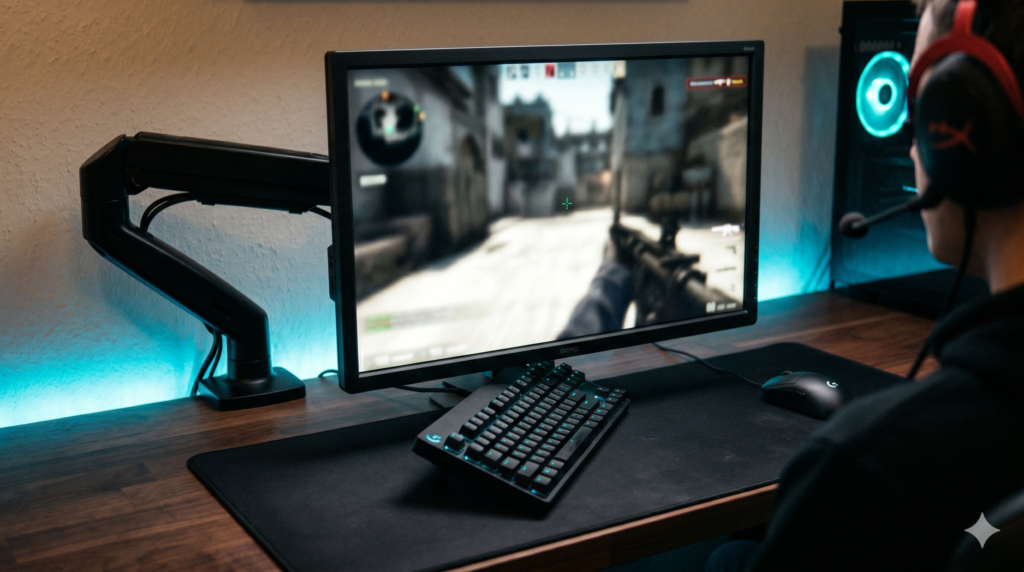
The Optimal Monitor Height, Distance, and Tilt for Competitive FPS Gaming
You cannot achieve this geometry with the bulky factory stand your monitor came with—it will crash into your mousepad. You must ditch it and use a heavy-duty gas-spring monitor arm.
Quick Fix: Stop Cracking Your IKEA Desk
Before you clamp a heavy monitor arm to your desk, listen up. Gas-spring arms exert massive localized torque. If you clamp an arm directly to a cheap, hollow particle-board desk (like an IKEA Linnmon), it will eventually punch a hole straight through the wood. Add a Steel Desk Mount Reinforcement Plate to your setup. It costs less than $15 and safely distributes the weight across a wider surface area.
Grab a Reinforcement Plate on AmazonWatch any major esports LAN tournament. You will notice every single professional player sits in an aggressive forward posture, with their gaming monitor pulled halfway across the desk, hovering just inches from their face, slightly tilted backward.
If you search Google for “how to position my monitor,” you will find thousands of generic office health blogs telling you to push the monitor an arm’s length away and align your eyes with the top bezel of the screen. If you apply this advice to Call of Duty or Valorant, you are sabotaging your aim and artificially slowing your reaction time.
At Desk & Console, we analyze battlestations through the lens of human biomechanics. Your eye travel time is a physical metric. Here is the exact mathematical blueprint for finding the optimal monitor height competitive fps players use, and the hardware required to hold it there.
1. The 16-22 Inch Rule: Monitor Distance Gaming Reaction Speed
The distance between your corneas and the monitor panel dictates your Horizontal Peripheral Field of View (FOV). If you place a 24-inch or 27-inch monitor pushed all the way to the back of your desk (30+ inches away), the screen becomes a small square in the center of your vision. This forces your brain to process the chaotic background of your room (your RGB PC case, your wall posters) alongside the game, severely slowing down target acquisition.
If you ask how close should monitor be for call of duty, the biological sweet spot is exactly 16 to 22 inches (40cm to 55cm).
At exactly 18 inches, a 24-inch esports monitor fills roughly 55 degrees of your human FOV. It is wide enough to completely encompass your focused vision, but narrow enough that you can see your minimap and ammo count using your peripheral vision without physically turning your neck. Turning your neck takes 200 milliseconds. Moving just your eyeballs takes 20 milliseconds. That is the difference between life and death in a gunfight.
2. The “Pro Tilt”: Eliminating Focal Distortion
If you pull a monitor 18 inches from your face and leave it perfectly vertical (90 degrees), you create a biological problem: focal distortion.
Because the screen is so close, your eyes are physically closer to the center of the screen than they are to the bottom corners. When you flick your eyes down to check your health bar, your eye lenses have to micro-adjust their focus to accommodate the extra inch of distance. This causes eye fatigue after a few hours of ranked grinding.
By tilting the bottom of the monitor slightly toward you, you equalize the physical distance between your pupils and all four corners of the screen. Your eyes never have to refocus, allowing you to track moving targets with zero ocular strain.
3. The Height Formula: Crosshair = Eye Level
Throw away the “top third of the screen” office rule. In a first-person shooter, your entire visual focus is anchored to the crosshair in the exact dead-center of the screen.
If your monitor is too low, you have to hunch your neck downward. If your monitor is too high, you have to look up. In both scenarios, you are creating a “Vertical Blind Spot.”
The Execution: Sit up straight in your gaming chair. Close your eyes. Face perfectly forward. Open your eyes. Your pupils should be staring exactly at the center pixel of your monitor. Your upward eye-travel distance and downward eye-travel distance must be mathematically identical.
The Hardware Fix: The Best Monitor Arms for Esports Setups
To pull your monitor 18 inches forward, tilt it exactly 12 degrees, and adjust the height to the millimeter without the stand smashing into your keyboard, you must mount it on a premium gas-spring arm. Cheap $25 Amazon arms droop over time and bounce when you type. Here is the hardware I actually trust.
1. Ergotron LX Desk Mount Monitor Arm 🏆 The Pro Standard
Despite its price, the Ergotron LX is the undisputed king of esports setups. Why? Because of its internal pneumatic spring system. When you play on a low mouse sensitivity, you are aggressively throwing your arm across your desk. This creates massive desk vibrations.
Cheap monitor arms shake violently every time you flick your mouse, causing your 240Hz screen to blur. The Ergotron LX absorbs these kinetic vibrations entirely. It holds monitors up to 34 inches with zero micro-wobbles. Furthermore, it offers an extreme 25-inch extension range, allowing you to pull the monitor right up to your face for gaming, and effortlessly push it flat against the wall when you are done. It is a buy-it-for-life piece of hardware.
Search Ergotron LX on Amazon2. VIVO Premium Aluminum Heavy Duty Arm ⚖️ Best Value Alternative
If you blew your entire budget on a high-refresh-rate monitor and need a rock-solid arm without the Ergotron brand tax, the VIVO Premium Aluminum Arm is the answer.
Unlike VIVO’s ultra-budget $30 steel pole mounts (which give zero depth adjustability), this premium gas-spring model allows you to achieve the exact 18-inch distance and 10-degree back-tilt required for pro play. It clamps securely to the desk, frees up 100% of the space beneath your monitor for your mousepad, and handles standard 24-inch and 27-inch esports monitors effortlessly.
Search VIVO Premium ArmsFrequently Asked Questions (FAQ)
What is the optimal monitor height competitive FPS?
Unlike standard office advice (which says the top of the monitor should be at eye level), the optimal height for competitive FPS gaming requires placing the exact center of the screen (your crosshair) slightly below eye level, with the monitor tilted backward (10 to 15 degrees) to face your eyes perfectly.
How close should monitor be for Call of Duty?
For competitive 24-inch or 27-inch monitors, pro players sit exceptionally close—typically between 16 and 22 inches from their eyes. This aggressive distance maximizes the target size on screen and places the entire mini-map just inside your peripheral vision so you don’t have to turn your head to check it.
Why do pro gamers tilt their monitors back?
Because the optimal setup requires lowering the screen slightly below eye level, tilting the bottom of the screen forward (so the panel points up by 10 to 15 degrees) ensures your downward line of sight hits the exact center of the panel perpendicularly. This minimizes color shifting (especially on TN esports panels) and reduces neck strain during long tournaments.