How to Configure a Dedicated Audio Mixer to Isolate Footsteps in Warzone
You have an elite $3,000 gaming rig, a 240Hz monitor, and a premium pair of $300 studio headphones. You hold a tight angle in the final circle of Warzone, relying entirely on sound cues. Suddenly, a precision airstrike shakes the map. In the deafening chaos, an enemy tactical sprints up the stairs behind you, completely unheard, and ends your game.
If you search online for a fix, mainstream gaming blogs will tell you to simply change your in-game audio mix to “Boost High” or download basic software like Windows Sonic. As audio engineers, we can tell you this is terrible, amateur advice.
At Desk & Console, we treat competitive audio like a studio mastering session. To accurately isolate footsteps warzone hardware modifications are strictly required. You must offload the audio processing to a dedicated physical desktop mixer or DAC equipped with a Parametric EQ. Here is the acoustic science behind Warzone footsteps, and the definitive guide on how to setup desktop mixer call of duty audio EQ for a true competitive edge.
The Acoustic Science: Warzone Footstep Frequency Ranges Revealed
To hear footsteps, you must stop treating game volume as a single dial. You must use a Parametric Equalizer to surgically sculpt the frequency response curve. Call of Duty’s audio engine mixes footsteps into two very specific frequency bands, which are constantly being masked (drowned out) by “muddy” bass.
🎛️ The 3-Step Warzone EQ Strategy
1. Attenuate the Mud (20Hz – 80Hz): This is the Sub-Bass range. Airstrikes, distant mortar fire, and cinematic vehicle rumbles live here. Sub-bass physically vibrates your headphones, completely masking delicate footstep sounds. The Fix: Apply a High-Pass Filter (HPF) to aggressively cut everything below 80Hz by -6dB to -10dB. Kill the cinematic rumble; it is getting you killed.
🥾 2. Boost the “Thud” (100Hz – 250Hz)
This is the Low-Mid range. When an enemy wearing heavy combat boots lands from a parachute or sprints across a solid concrete or wood surface, the physical “thud” impact lives here. The Fix: Apply a peaking bell-curve boost of +3dB to +5dB centered around 150Hz.
🍂 3. Sharpen the “Crunch” (1kHz – 3kHz)
This is the High-Mid range, the most critical spectrum for human hearing. The rustle of tactical gear, the crunch of gravel and dirt, and the scrape of a slide-cancel live right in the 1kHz to 3kHz pocket. The Fix: Apply a peaking boost of +4dB to +6dB around 2000Hz to make enemy sliding mechanics instantly punch through the mix.
| Frequency Band | In-Game Sound Effect | Hardware EQ Action |
|---|---|---|
| 20Hz – 80Hz (Sub-Bass) | Airstrikes & Heavy Explosions | HARD CUT (-8dB) |
| 100Hz – 250Hz (Low-Mid) | Indoor Concrete / Wood Boots | BOOST (+4dB) |
| 1kHz – 3kHz (High-Mid) | Outdoor Grass / Slides / Parachutes | BOOST (+6dB) |
The Best Audio Mixers for Gaming Streaming (Hardware Over Motherboards)
To apply a complex parametric EQ curve with zero latency, you cannot use basic Windows sound settings. You need an external audio interface that acts as a dedicated sound card, offering powerful routing software and clean digital-to-analog conversion.
1. Elgato Stream Deck + & Wave XLR 🏆 Best VST Routing
If you are searching for the best audio mixer for gaming streaming that balances desk space with supreme software flexibility, pairing the Elgato Stream Deck + with the Wave XLR interface is the ultimate modern setup.
The Wave XLR handles the clean amplification for your headphones. Through the Wave Link software, you can isolate “Call of Duty” into its own dedicated audio channel. You then download a free, professional VST plugin (like Reaper’s ReaEQ), draw the exact footstep curve outlined above, and apply it only to the game channel. Your Discord chat and Spotify music remain perfectly unfiltered, and the Stream Deck + gives you physical tactile control over the mix.
Search Stream Deck + on Amazon2. Rode RODECaster Pro II Integrated Audio Studio
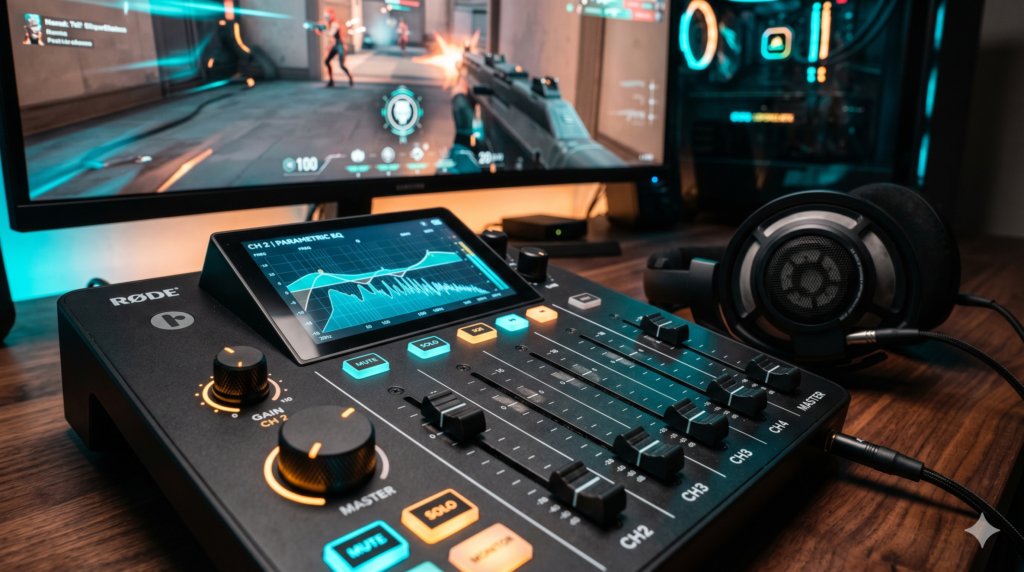
If budget is not an issue and you want the absolute zenith of desktop audio architecture, the RODECaster Pro II (or the slightly smaller RODECaster Duo) is an entire broadcast studio shrunken down for your gaming desk.
It provides massive, ultra-low-noise amplification capable of driving the most demanding 250-ohm studio reference headphones (like the Beyerdynamic DT990 Pro) to maximize spatial soundstage. The physical, motorized-feeling faders allow you to instantly duck the game volume if an airstrike hits, saving your ears, and then slam it back up to track footsteps. It is heavy, beautiful, and completely over-engineered for gaming—which is exactly why elite creators use it.
Search RODECaster Pro II on Amazon3. FiiO K7 Premium Desktop DAC & Amplifier
For the pure competitive gamer who wants the absolute highest fidelity audio without the bulk of a streaming console, the FiiO K7 is a masterpiece of audio engineering.
This sleek, dark aluminum box utilizes dual AK4493SEQ DAC chips—components usually reserved for $1,000+ home theater setups. By providing massive amounts of ultra-clean THX AAA 788+ amplification, it completely removes the “hiss” or “static” floor noise of your PC. When you pair this DAC with a free system-wide software like Equalizer APO to draw your precise Warzone footstep EQ curve, the result is the widest, most accurate 3D spatial audio available in competitive gaming.
Search FiiO K7 DAC on AmazonHow to Setup Desktop Mixer Call of Duty Audio EQ & Prevent Ground Loops
Buying the hardware is only step one. If you plug your new $500 mixer into your PC incorrectly, you will ruin the audio quality. Follow this operational blueprint for a flawless installation.
Step 1: USB Isolation and Ground Loop Prevention
Never plug an Audio Mixer or DAC into an unpowered USB hub or a front-panel PC case header. These ports share bandwidth and pick up massive electromagnetic interference (EMI) from your GPU. Run a high-quality USB-C cable directly from the Mixer into the rear I/O panel of your motherboard.
Warning: If you hear a high-pitched buzzing in your headphones that gets louder when your game FPS increases, you have an electrical Ground Loop. You must place a Ground Loop Noise Isolator inline with your cables to physically sever the dirty electrical connection.
Step 2: Applying the Parametric EQ VST
Open your mixer’s routing software (Elgato Wave Link or Equalizer APO). Navigate to the EQ section and apply the exact acoustic values we outlined:
- High-Pass Filter: Set to 80Hz (Kills the airstrike rumble).
- Band 1 (The Thud): Peaking filter at 150Hz, boosted by +4dB.
- Band 2 (The Crunch): Peaking filter at 2.0kHz, boosted by +5dB.
Step 3: Audio Compression (Protecting Your Eardrums)
Because you are artificially boosting frequencies, a sudden loud noise (like a sniper firing right next to you) could peak the audio and cause hearing damage. You must apply an Audio Compressor VST at the end of your plugin chain. Set a fast “Attack” time and a threshold of -10dB. This acts as an acoustic ceiling: quiet footsteps pass through loud and clear, but the split-second a loud explosion occurs, the compressor instantly squashes the volume down to a safe level.
🎧 The Ultimate Advantage: Studio Open-Back Headphones
Buying a $300 audio mixer and using it to power a cheap $40 plastic “gaming headset” is a massive architectural failure. To actually hear the EQ adjustments you just programmed, you must upgrade your acoustic hardware.
Beyerdynamic DT 990 Pro (250 Ohm)
The Spatial Fix: Closed-back gaming headsets trap audio inside a tiny plastic cup, destroying your sense of directional distance. The Beyerdynamic DT 990 Pro is an “Open-Back” studio reference monitor. The rear of the earcups is made of breathable metal mesh. This allows the soundwaves to physically escape into the room, creating an impossibly wide, 3D soundstage. You will not only hear the footsteps clearly, but you will know exactly how many meters away they are and what direction they are coming from. (Note: Because they are 250-Ohm, they require the immense power of the Wave XLR, FiiO K7, or Rodecaster to function properly.)
Check DT 990 Pro on Amazon →In competitive Warzone, audio is your primary radar. By stripping away the chaotic sub-bass of explosions with a surgical Parametric EQ and offloading the acoustic processing to elite hardware like the RODECaster Pro II or the Elgato Wave XLR, you physically un-mask the frequency ranges where enemy footsteps reside.
Frequently Asked Questions (FAQ)
How do you isolate footsteps in Warzone with hardware?
To isolate footsteps in Warzone with hardware, you must bypass your PC’s motherboard audio chip and output the game audio via USB to a dedicated desktop audio mixer, DAC, or interface. By using studio-grade VST plugins (Parametric EQ and Compression) hosted on devices like the Elgato Stream Deck + or Equalizer APO, you can physically squash loud explosion frequencies and artificially boost the exact decibel range of footsteps.
What are the Warzone footstep frequency ranges?
Warzone footstep audio resides in two primary frequency bands. The low-mid “thud” of boots hitting concrete occurs between 100Hz and 250Hz. The high-mid “crunch” of tactical boots stepping on dirt, glass, or metal grating occurs between 1kHz and 3kHz. Airstrikes and grenades reside in the sub-bass 20Hz to 80Hz range and must be attenuated (lowered) so they do not mask the delicate sound of footsteps.
What is the best audio mixer for gaming streaming?
For competitive gaming and streaming, the best audio mixer must support physical hardware control and digital VST plugin hosting. The Elgato Stream Deck + combined with the Wave XLR interface is the most space-efficient for single-PC setups. The Rode RODECaster Pro II provides the ultimate standalone hardware-level audio processing and pre-amps for driving high-impedance studio headphones.