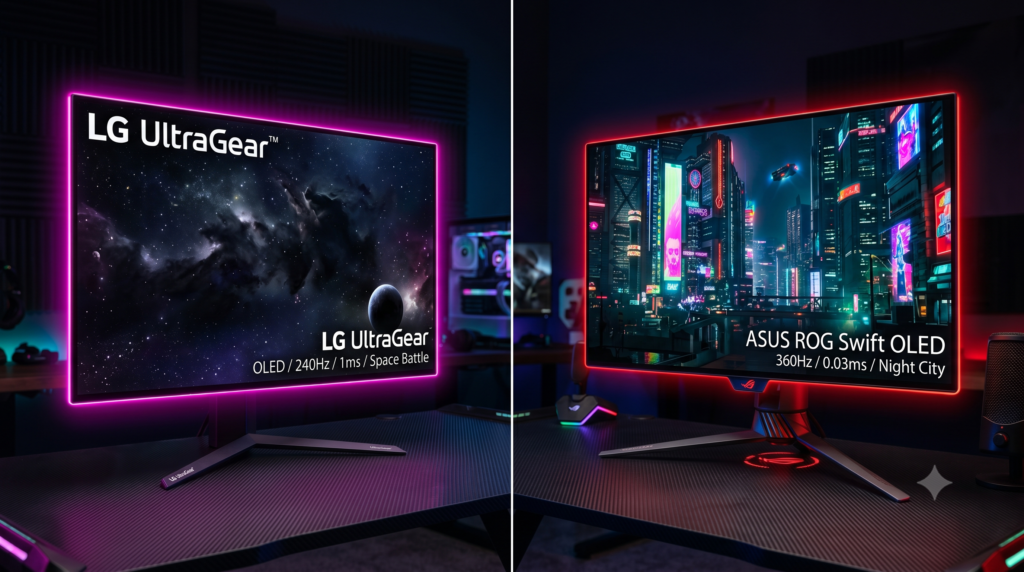
LG UltraGear vs ASUS ROG Swift: Best 1440p 240Hz OLED Monitors Comparison
For competitive esports competitors and visual purists, the historic compromise between high refresh rates and deep contrast is officially over. Where players previously had to select between the fast response of a washed-out TN panel and the richer colors of an IPS display, 27-inch 1440p 240Hz OLED panels deliver the best of both worlds: infinite contrast ratios, pure zero-nit blacks, and a near-instantaneous 0.03ms pixel response time.
Driving a 1440p panel at 240 frames per second requires substantial graphics horsepower. To ensure your rig can maintain stable frame pacing in demanding titles, compare your hardware against our analysis of budget GPUs for 1440p gaming. Furthermore, because both of these monitors feature ultra-thin glass profiles with minimal bezel framing, mounting screen-top lights requires careful clamp selection; review our structural guide on whether heavy webcams and ring lights damage ultra-thin gaming monitors.
Engineering Analysis: Shared Panel vs Custom Implementation
While both displays utilize LG Display’s third-generation Micro-Lens Array (MLA) WOLED glass, thermal architecture and firmware tuning create distinct operational differences:
1. Thermal Dissipation & Heatsinks
OLED brightness is constrained by thermal thresholds to prevent premature organic diode wear. ASUS engineered a custom passive metal heatsink paired with rear ventilation channels, allowing the PG27AQDM to drive higher sustained peak luminance without active fan noise.
2. HDMI 2.1 Bandwidth vs HDMI 2.0
LG equipped the 27GS95QE with dual 48Gbps HDMI 2.1 ports, enabling 4K 120Hz downsampling and full Variable Refresh Rate (VRR) on PS5 and Xbox Series X. ASUS opted for legacy HDMI 2.0 ports, limiting console refresh rates and color sub-sampling.
3. ABL & Uniform Brightness Tuning
To protect the panel during desktop productivity, Automatic Brightness Limiters (ABL) aggressively dim large white windows. ASUS features an adjustable “Uniform Brightness” firmware toggle to prevent luminance fluctuations during writing and browsing.
OLED Technical Specification Comparison Matrix
| Specification | ASUS ROG Swift PG27AQDM | LG UltraGear 27GS95QE | Ergonomic Upgrade: Ergotron LX |
|---|---|---|---|
| Panel Type & Coating | 26.5″ WOLED (Anti-Glare Matte) | 26.5″ WOLED (Anti-Glare Matte) | Solid Polished Aluminum & Steel |
| Resolution & Refresh | 2560 x 1440 @ 240Hz | 2560 x 1440 @ 240Hz | Full 360° Rotation / 75° Tilt |
| Pixel Response (GtG) | 0.03ms True Response | 0.03ms True Response | Zero-Sag Mechanical Resistance |
| Peak HDR Luminance | ~1,000 Nits (3% Window, Boosted) | ~1,000 Nits (Peak Window, Standard) | Reclaims 11 Inches of Desk Depth |
| Video Connectivity | 1x DP 1.4 (DSC) / 2x HDMI 2.0 | 1x DP 1.4 (DSC) / 2x HDMI 2.1 | VESA 75x75mm & 100x100mm |
| Thermal Architecture | Custom Heatsink + Intelligent Voltage | Standard Passive Dissipation | Constant Force Coil Springs |
| Control Interface | Rear OSD Joystick + DisplayWidget | Physical Wireless Remote Control | Toolless Tension Calibration |
| Best Application | Dedicated PC Gaming Rig (Max HDR) | PC & PS5/Xbox Series X Hybrid Desk | Low-DPI Mousepad Space Reclaim |
1. ASUS ROG Swift 27-inch 1440p 240Hz OLED (PG27AQDM)
If your gaming battlestation is anchored strictly to a high-end Windows PC via DisplayPort, the ASUS ROG Swift PG27AQDM delivers the brightest, most impactful presentation of LG Display’s WOLED panel. The defining competitive advantage lies in ASUS’s thermal redesign.
By bolting a dedicated, fanless passive heatsink to the rear of the panel and regulating power through an intelligent voltage optimization algorithm, ASUS allows the organic diodes to operate with higher electrical current without exceeding safe thermal thresholds. This yields noticeably punchier HDR specular highlights in titles like Cyberpunk 2077 and Alan Wake 2.
Competitive players will also appreciate its Uniform Brightness mode, which stabilizes white levels during extended desktop tasks, preventing the annoying sudden dimming that plagues traditional OLED monitors. To maximize peripheral input response when running at 240Hz, consider pairing your display with our guide on overclocking controller polling rates on PC safely.
Strengths
- Custom rear heatsink delivers significantly brighter sustained HDR highlights
- Uniform Brightness toggle eliminates aggressive ABL dimming during desktop use
- Exceptional out-of-the-box color accuracy with Delta E under 2 calibration
- Zero-noise fanless cooling architecture prevents dust accumulation inside the housing
Trade-Offs
- Lacks HDMI 2.1 (limited to HDMI 2.0 bandwidth for consoles)
- Aggressive gaming aesthetic with desk projection lighting may not suit minimalist setups
2. LG UltraGear 27-inch 1440p 240Hz OLED (27GS95QE)
For gamers who divide their screen time between a competitive PC rig and a modern console, the LG UltraGear 27GS95QE is the undisputed champion of versatility. While ASUS treats console connectivity as an afterthought, LG equipped this display with dual 48Gbps HDMI 2.1 ports.
This allows a PlayStation 5 or Xbox Series X to output an uncompressed 4K 120Hz HDR signal, which the monitor internally downsamples into a sharp 1440p image with active Variable Refresh Rate (VRR) and Auto Low Latency Mode (ALLM). To keep your console controllers charged and ready beside your screen, explore our vetted recommendations for essential console accessories, charging docks, and storage mounts.
Furthermore, the inclusion of a dedicated physical remote control transforms the daily user experience. Switching inputs between your workstation PC and your console takes a single button press, eliminating the frustration of reaching around the back of the chassis to fiddle with an OSD joystick.
Strengths
- Dual HDMI 2.1 ports provide seamless 4K 120Hz downsampling and VRR for PS5 and Xbox
- Included physical remote control enables instant input switching and volume control
- Integrated 4-pole headphone jack with DTS Headphone:X spatial audio processing
- Sleeker, more refined minimalist chassis and subtle hexagonal ambient bias lighting
Trade-Offs
- Slightly lower sustained full-field HDR brightness compared to the heatsink-cooled ASUS
- Matte anti-glare finish slightly softens black depth under direct sunlight
3. Ergotron LX Desk Mount LCD Monitor Arm
Both the ASUS ROG Swift and LG UltraGear suffer from an identical physical design drawback: their factory desktop stands are massive. The deep, splayed V-shaped metal feet extend nearly 11 to 12 inches forward onto the desk, encroaching directly onto low-DPI mousepad territory and colliding with wide arm flicks.
The Ergotron LX Desk Mount LCD Arm is the definitive structural upgrade to unlock the true potential of a 27-inch OLED panel. Utilizing commercial-grade Constant Force mechanical springs rather than cheap pneumatic gas cylinders, it suspends lightweight OLED panels with zero joint sag or gradual pressure loss.
Elevating your display on an articulating arm allows you to push the screen flush against the rear wall, reclaiming substantial desk depth. This extra space is crucial when configuring compact workspaces, such as those analyzed in our ranking of the 6 best gaming desks for small rooms and compact setups.
Strengths
- Reclaims up to 11 inches of valuable desktop depth lost to bulky factory stands
- Patented Constant Force spring mechanism never loses lifting tension over time
- Solid polished aluminum construction eliminates typing wobble and screen bounce
- Allows effortless, fluid height and focal distance adjustments on the fly
Trade-Offs
- Higher initial investment than entry-level budget monitor arms
- Requires a desk lip with sufficient overhang for the heavy-duty clamp
Performance & Display Gear Hub
Selecting an endgame 240Hz OLED monitor is only the first step toward peak competitive performance. Explore our companion technical evaluations on ergonomic viewing distance, ultra-thin panel protection, and clean desk setups:
Frequently Asked Questions
Do the ASUS ROG Swift and LG UltraGear use the exact same OLED panel?
Yes. Both the ASUS ROG Swift PG27AQDM and the LG UltraGear 27-inch OLED utilize the identical third-generation WOLED panel manufactured by LG Display. However, ASUS implemented a custom heatsink with an intelligent voltage algorithm to drive higher peak brightness, while LG prioritized dual HDMI 2.1 ports for console compatibility and included a physical remote control.
Why is HDMI 2.1 important on a 1440p 240Hz OLED monitor?
While PC gamers connect via DisplayPort 1.4 to achieve 1440p at 240Hz with DSC, PlayStation 5 and Xbox Series X require HDMI 2.1 to accept a full 4K 120Hz signal with HDR, downsampling to 1440p while retaining Variable Refresh Rate (VRR) and Auto Low Latency Mode (ALLM). The LG features dual HDMI 2.1 ports, whereas the ASUS is limited to HDMI 2.0.
Is OLED burn-in still a significant concern for competitive gaming monitors?
Modern OLED displays have drastically mitigated burn-in through automated pixel cleaning cycles, subtle pixel shifting, and localized logo brightness limiters. ASUS adds a massive passive heatsink to lower internal operating temperatures, while LG employs integrated screen savers and energy algorithms to extend organic diode longevity.
Why is 240Hz on an OLED clearer than 240Hz or 360Hz on an IPS LCD?
OLED pixels turn on and off almost instantaneously, delivering a true 0.03ms Gray-to-Gray (GtG) response time compared to 1ms to 3ms on high-end Fast IPS panels. This virtually instantaneous color transition eliminates pixel smearing and ghosting during high-speed camera pans, providing higher dynamic motion clarity.