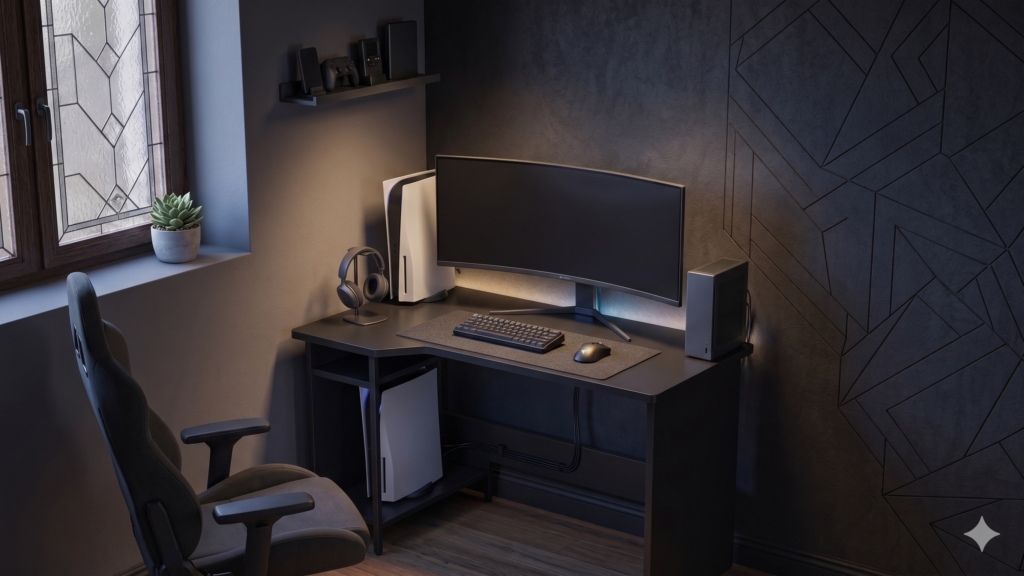
5 Best Gaming Desks for Small Rooms (Tested & Reviewed for 2026)
Why You Need a Dedicated Desk for a Compact Setup
When dealing with a small space, it’s tempting to use a standard folding table or a bulky traditional office desk. However, dedicated small gaming desks are specifically engineered for PC and console gamers. They offer features like carbon fiber textures, headphone hooks, cup holders, and cable management grommets—all designed to keep your limited desk real estate clean, organized, and fully optimized.
Pairing a dedicated, heavy-duty compact desk with the knowledge of how to mount your monitors for perfect posture allows you to completely reclaim your desktop surface, making a 36-inch desk feel as spacious as a 50-inch workstation.
Top 5 Best Gaming Desks for Small Rooms
Here is our curated list of the highest-rated, space-saving gaming desks currently available, based on hands-on structural testing and real-world cable management scenarios.
1. Homall 36-Inch Gaming Desk – Best Z-Shape Design
Category: Furniture / Gaming DesksHomall is a heavyweight brand for gaming furniture. Their 36-inch Z-shaped desk offers just a few more inches of breathing room than the 31.5″ models, making it the sweet spot for a compact room. The carbon fiber surface acts as a full-desk mouse pad, giving you maximum precision for first-person shooters without needing an extra mat.
- Dimensions: 36″ W x 23.6″ D
- Key Features: Z-shaped steel frame, carbon fiber surface, dual cable management holes.
2. ODK 40″ Small L-Shaped Desk – Best Corner Setup
Category: Furniture / L-Shaped DesksWho says you can’t have an L-shaped desk in a small room? The ODK 40-inch L-Shaped Desk is explicitly designed to tuck neatly into the corner of a small bedroom. By utilizing dead corner space, it gives you enough room for a dual-monitor setup without eating up the center of your floor plan.
- Dimensions: 39.9″W x 27.5″D x 34.5″H
- Key Features: Corner-saving L-shape, side storage bag, raised monitor stand.
3. CubiCubi 32-Inch Computer Desk – Best Minimalist Space-Saver
Category: Furniture / Home Office DesksIf you prefer a clean, minimalist setup over the aggressive “gamer” aesthetic, the CubiCubi 32-Inch Desk is a phenomenal choice. It features a sleek, industrial design with an attachable side storage bag that keeps your desk surface completely free of clutter.
- Dimensions: 32″ W x 19.7″ D
- Key Features: Minimalist metal frame, side storage pocket, iron hook for headsets.
4. Eureka Ergonomic 31.5″ Desk – Best Premium Compact Pick
Category: Furniture / Premium DesksEureka Ergonomic is known for high-end gaming station furniture, and their 31.5″ I1-S model brings premium build quality to the compact desk market. It features an eco-friendly smooth carbon fiber texture, robust cable management, and a custom-tailored mouse pad.
- Dimensions: 31.5″W x 23.6″D
- Key Features: P2PB desktop, dual cable management grommets, custom full-desk mouse pad included.
5. Lufeiya 31-Inch Small Desk – Best Budget Option
Category: Furniture / Small DesksFor gamers on a strict budget, the Lufeiya 31-Inch Desk gets the job done without breaking the bank. It strips away the flashy extras to provide a solid, reliable surface for your gaming PC or laptop, supported by a sturdy triangle-junction metal frame.
- Dimensions: 31.5″ W x 19.7″ D
- Key Features: Triangle junction support, extra storage bag, headset hook.
Space-Saving Tips for Compact Gaming Rooms
If you are pairing your new small desk with a tight bedroom, try these layout hacks:
- Use a Monitor Arm: Ditch the bulky factory monitor stand. Clamping a VESA monitor arm to the back of your desk frees up massive amounts of real estate underneath your screen.
- Wall Mount Your PC: If your desk is only 31 inches wide, keeping the PC tower on top is nearly impossible without feeling cramped. Consider a floor stand next to the desk or a secure wall mount.
- Go Wireless: Swap to a wireless gaming mouse and keyboard. Fewer cables mean significantly less clutter to manage on a tiny desktop.